RunTime Log
RunTime Log
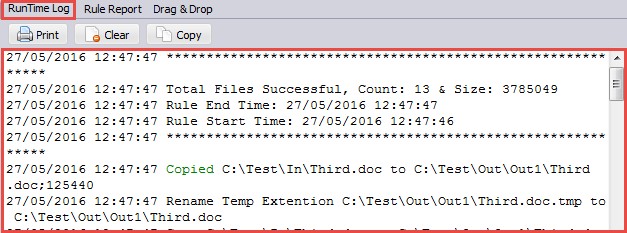
Logging to the Runtime window in the application
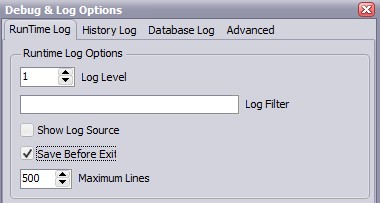
- Log Level 1-10: Increase the log level if you need more ‘debug’ information (default 1). Don't use level 10 during production, only for testing.
- Log Filter: You can add more then one Log Filter each separated by ';' ( i.e. error;exception ). This will limit the information in the RunTime Log.
- Show log Source: Show which object is sending the log information (i.e. File Filter, Dir Filter, ...).
- Save Before Exit: The current content of the RunTime log will be available again after restart of the application.
- Maximum Lines: The maximum amount of lines in the RunTime Log window.
Copyright © 2007-2016, www.limagito.com