
Week number from filename
Q: I have tried to look at your blog and pascal scripts, but have not found what I am looking for, so maybe you could help.
I would like to rename files with filename starting with a date to year and two digit week number.
Example: 18-01-2026-different-names-
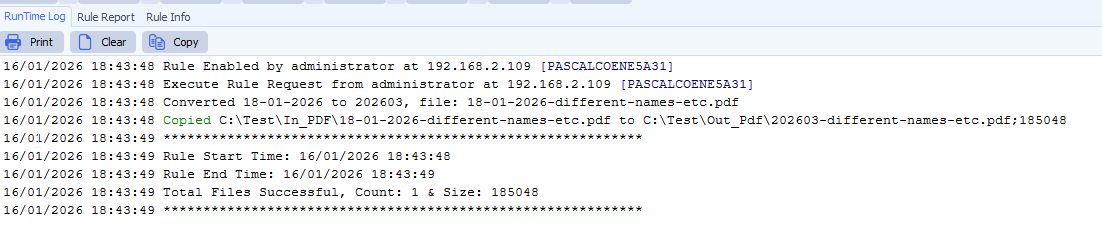
New filename: 202603-different-names-etc.
A: This is possible using our scriptin option
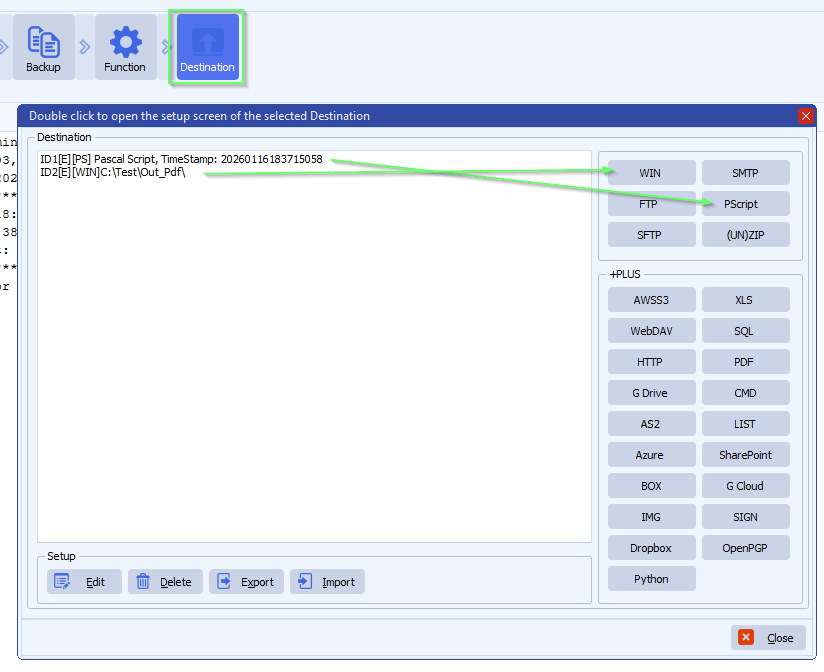
- Destination Setup, you need an extra Destination:
- First Destination must be our Pascal Script
- Second Destination will be your output
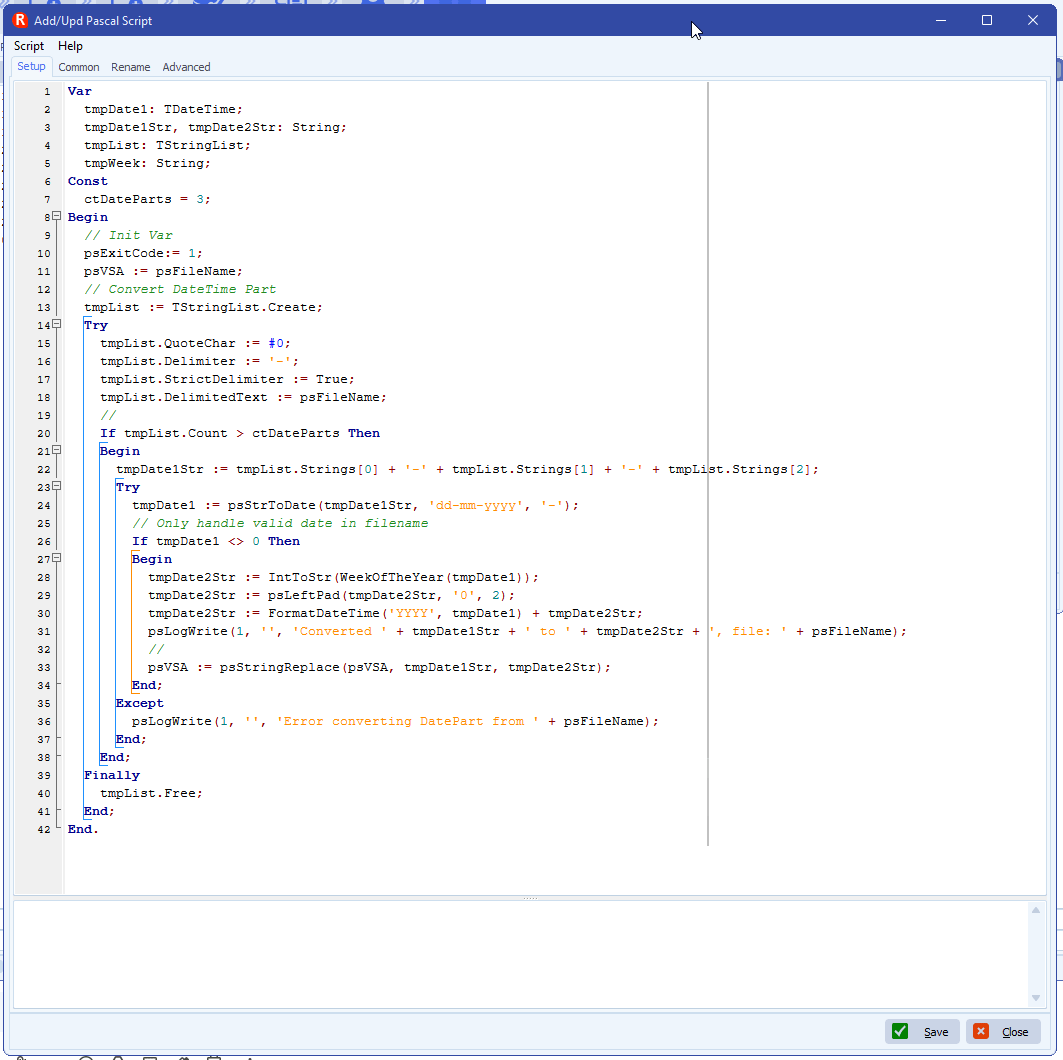
- Add the following Pascal Script in the First Destination, script: link
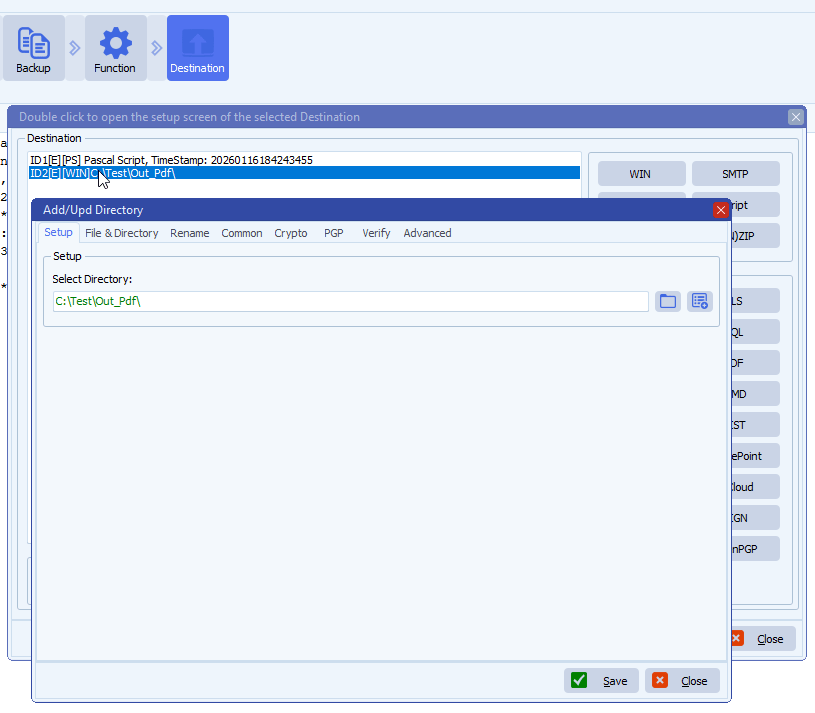
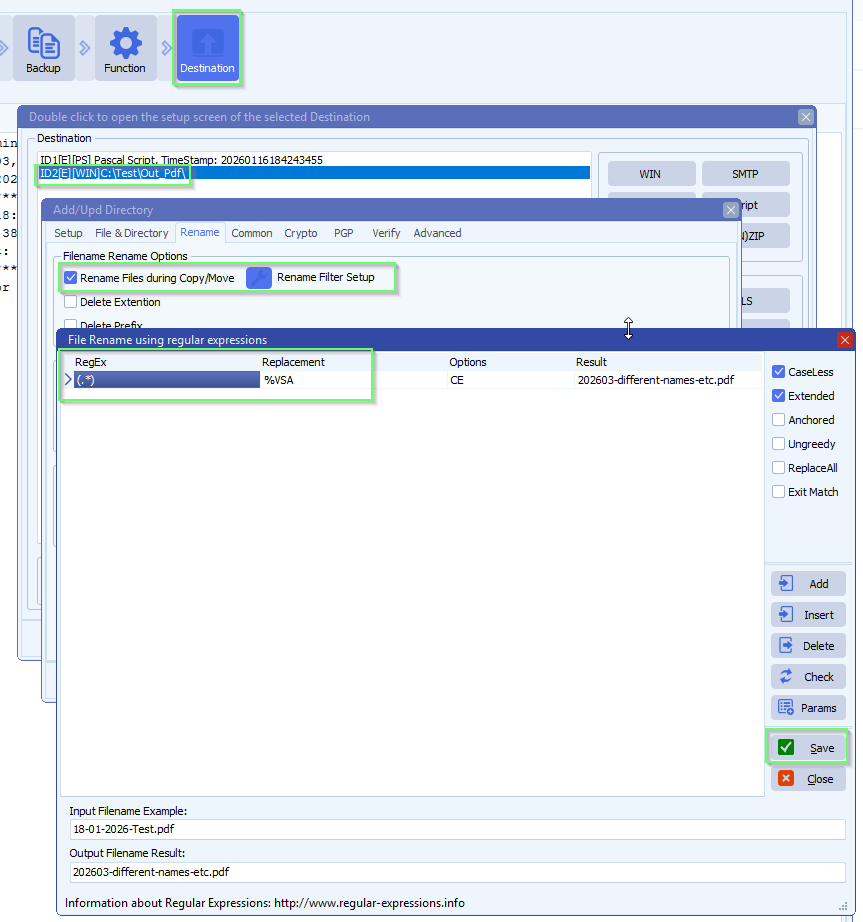
- Enable and add the following File renaming setup in the Second Destination (= your output directory):
- RunTime Log Result:
If you need any help about this ‘week number from filename’ question, please let us know.
Best Regards,
Limagito Team
#basic #managedfiletransfer #filetransfer #filemanagement
