Change Notify

  • 26 Jul

    Why Change Notify Isn’t Picking Up All Files

    Q: Change Notify Isn’t Picking Up all files. When using Change Notify we are running into an issue where 1 file is not being moved until other files are added.  Here is example:
    1.  10 files are added to a folder within 1 second
    2.  9 files are moved to the correct destination but 1 file doesn’t move
    3.  20 minutes pass and the same file still remain in the folder
    4.  21 minutes pass we get 10 more files placed in the folder
    5.  The 1 file that didn’t move prior will now move to correct folder along with 9 of the 10 new files added, leaving 1 file again
    Pattern repeats like this always leaving 1 file in the source folder that will not move until another batch of files arrive.
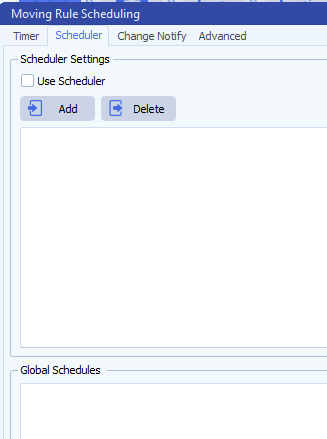
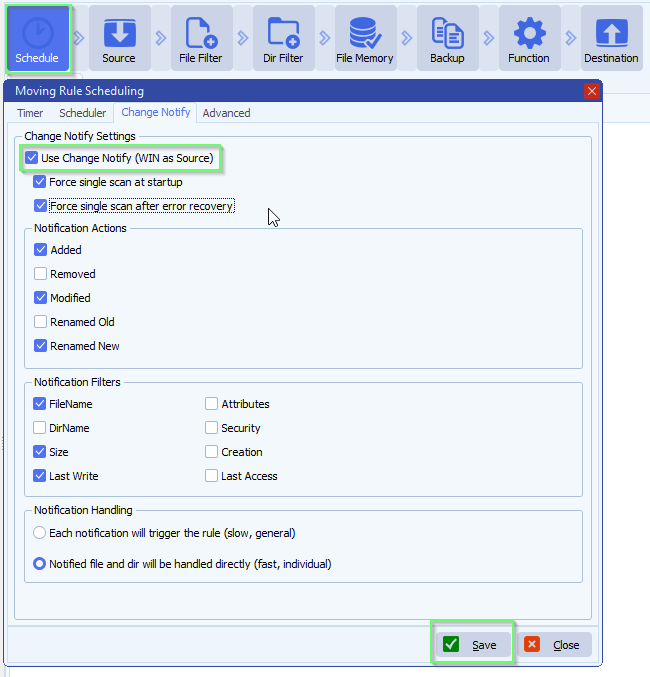
    Here is our Schedule/notify settings:
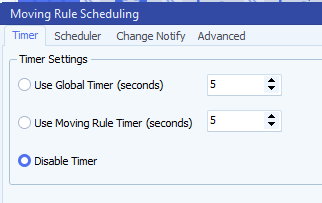
    limagito filemover scan timer setup
    limagito file mover schedule setup
    Limagito filemover Change Notify Isn't Picking Up
    Are we setting something wrong?
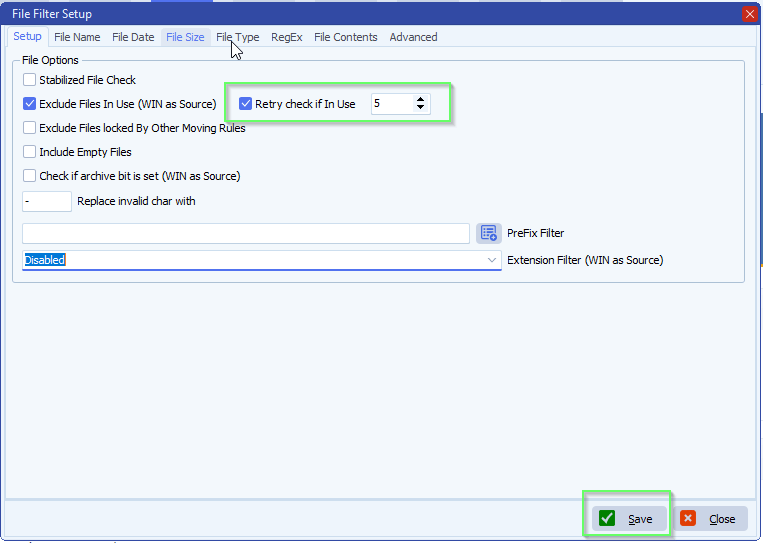
    A: Probably not, it seems the last file you are adding to the Source folder was not fully there and we tried to move it. Because ‘Exclude Files In Use’ was enabled we didn’t touch this file. In version v2026.7.26.0 we added an extra option: ‘Retry Check if In Use’. Enabling this extra option should fix your issue when ‘Exclude Files In Use’ is enabled together with Change Notify as trigger.
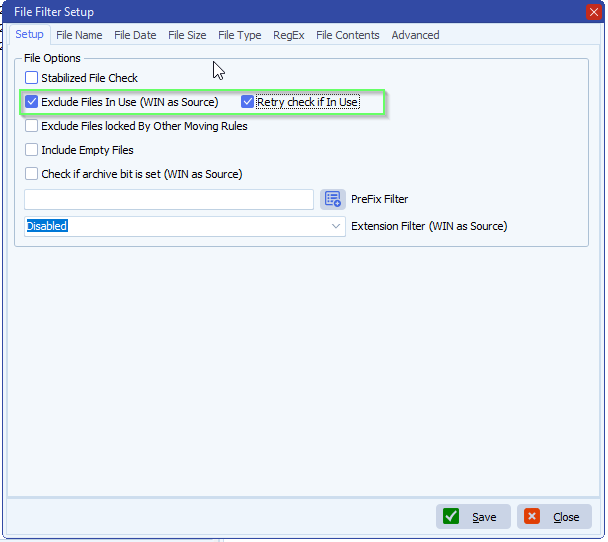
    limagito file mover file filter setup
    If you need any help about this ‘Change Notify Isn’t Picking Up’ question, please let us know.

    Best Regards,

    Limagito Team

    #changenotify #managedfiletransfer #filetransfer #filemanagement #limagito
    By Limagito-Team Change Notify
  • 12 Nov

    Change Notify network folders usage optimization

    Change Notify Network folders usage optimization (v2023.11.11.0) [*]

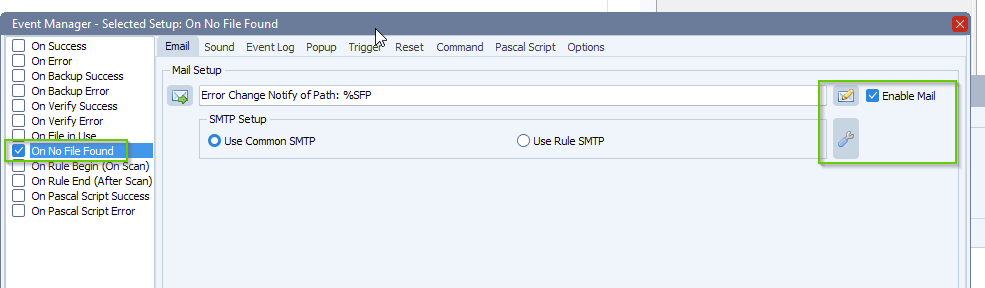
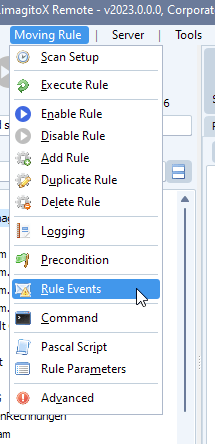
    In this version we optimized the code for network folders. We added a watchdog in case something goes wrong with the connection to the network folder. It will show you the necessary error information in the log and also we linked the ‘On No File Found’ event to the case when the watchdog is triggered. You could use this event to get an email notification when something goes wrong with the Change Notify monitoring of a (network) folder.

    limagito file mover rule events

    limagito file mover on no file found event


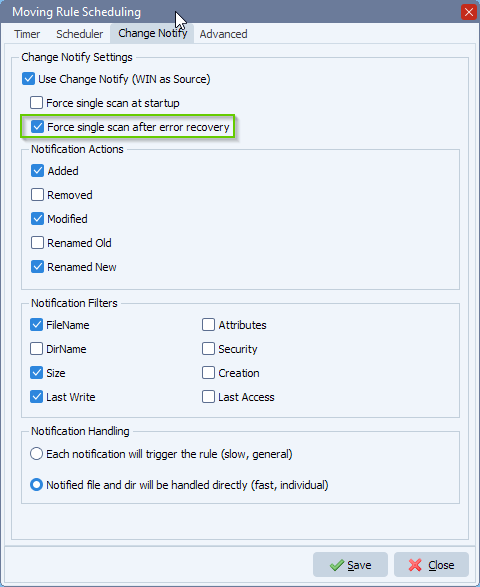
    Change Notify, Force scan after error recovery (v2023.11.12.0) [+]

    New option ‘Force single scan after error recovery’ was added. If due to some reason the connection to the network share is lost and repaired afterwards by the new Watchdog option, you have the possibility to do a full scan of the source folder.

    limagito file mover chnage notify network folders


    #filetransfer #filemanagement

    If you need any help with this ‘Change Notify network folders’ option, please let us know.

    Best Regards,

    Limagito Team

SEARCH