Email

  • 09 Aug

    How to receive email notifications of renamed filenames

    Receive email notifications

    Q: Can you please tell me if this destination file name parameter is now working in your new version? I want to receive email notifications with the file names that are placed in the destination. For example, the source file name is test.txt, and I have a renaming rule to rename file to text_202511212025.txt (Adding the date of the file move). And I want to see the renamed file name in the email. Long time ago, you guys showed me how to add the whole logging history in the email using Pascal script, but I forgot what to do.
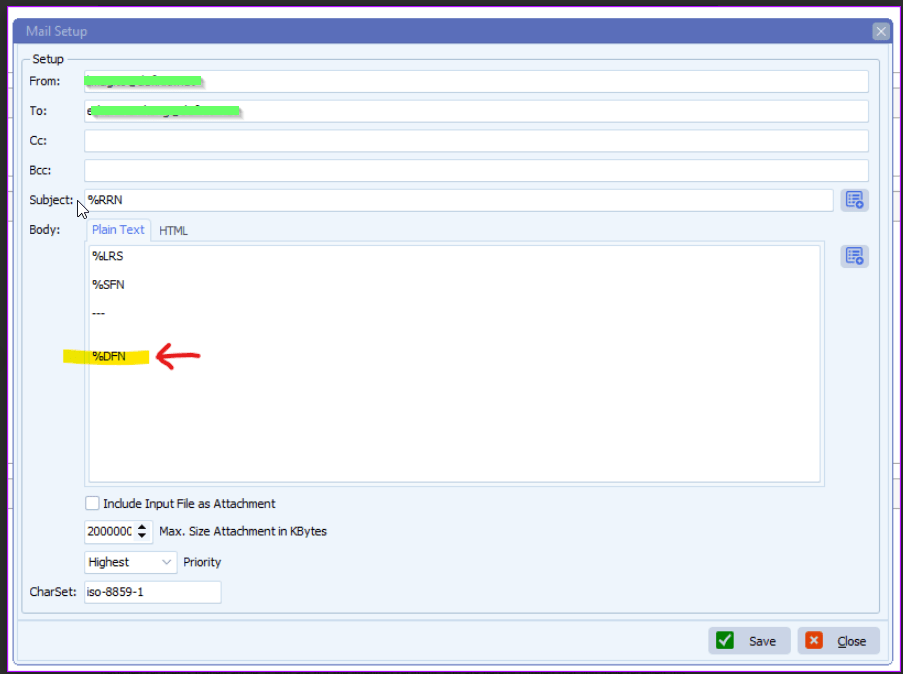
    limagito filemover email setup

    A: Not all parameters are available at each step of the scan flow.
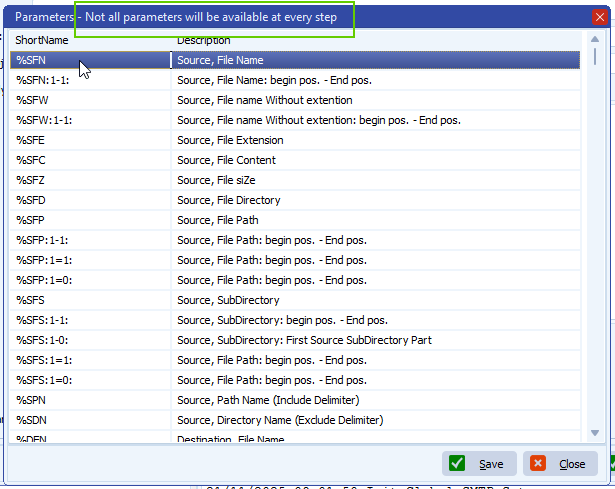
    limagito filemover parameter options

    Please check the following information on how we did this:

    – Moving Rule Menu item > Pascal Script option
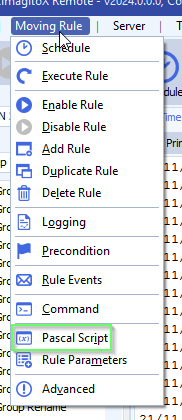
    limagito filemover pascal script option

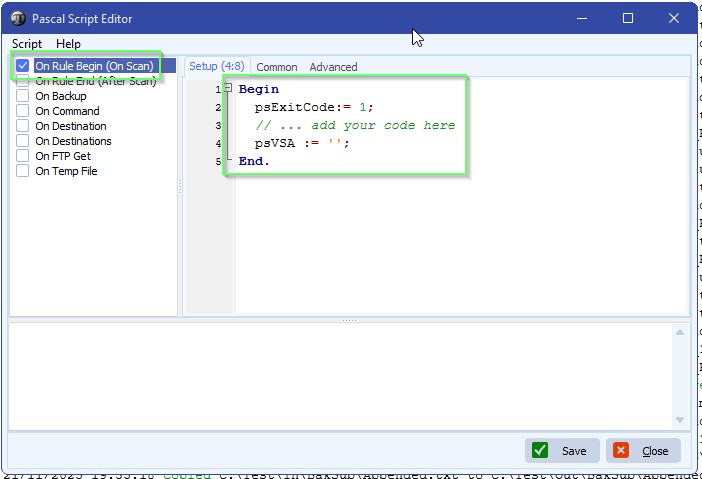
    – Enable ‘On Rule Begin’ script and add:  psVSA := ”;
    We’ll use psVSA (parameter Var String A) as a container for the renamed file names sent to the Destination. This psVSA will be used in the email setup.

    limagito filemover Pascal script

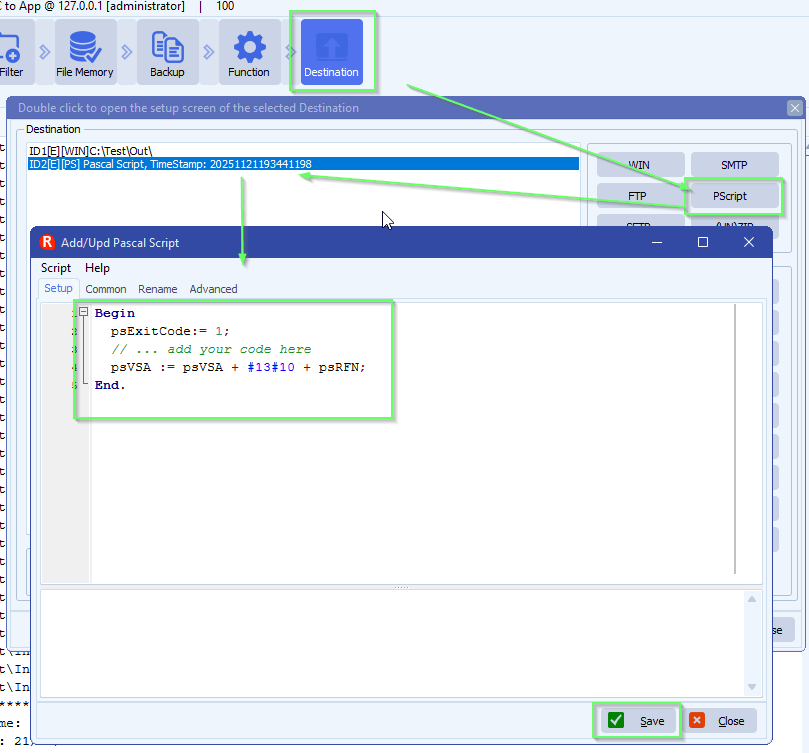
    – Add an extra PScript as Destination:
    We used psRFN here  = Renamed File (destination) Name
    limagito filemover pascal script as destination setup
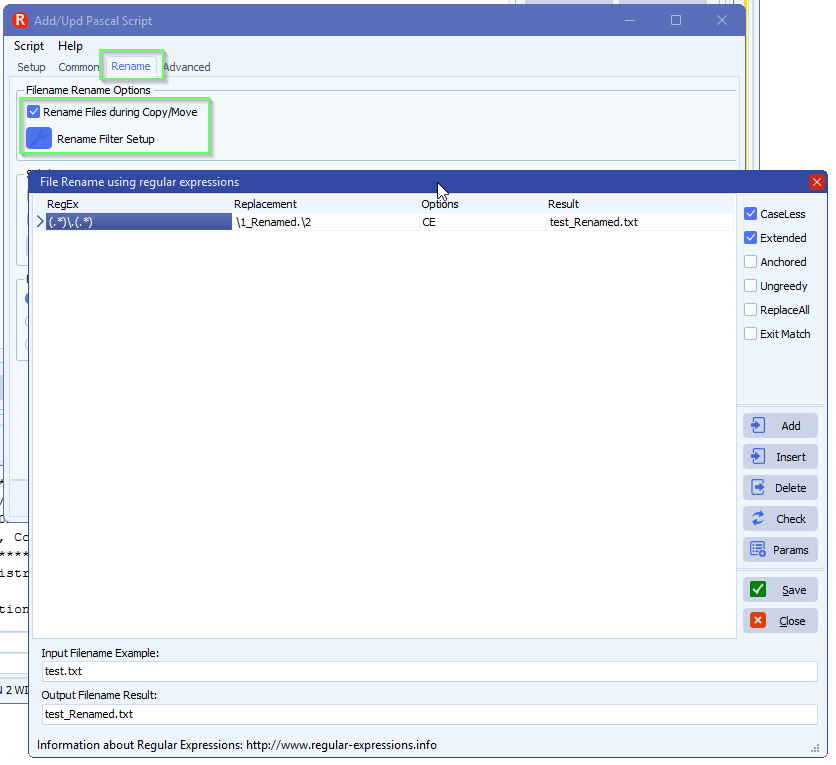
    – Important is to set the Renaming the same as you did previously in the existing Destination. We need this because of the information that will appear in the email.
    limagito file mover renaming setup
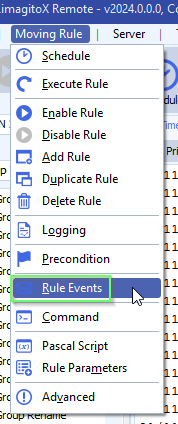
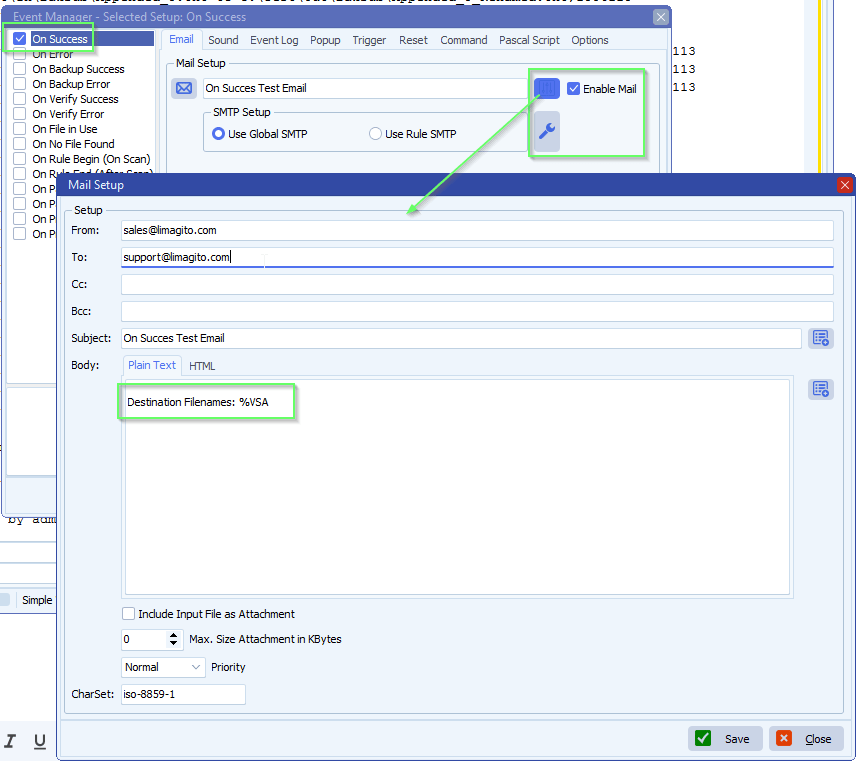
    – Then use psVSA in your email event:
    limagito filemover rule events option
    – %VSA will use the data from the added PScript Destination
    limagito filemover email setup
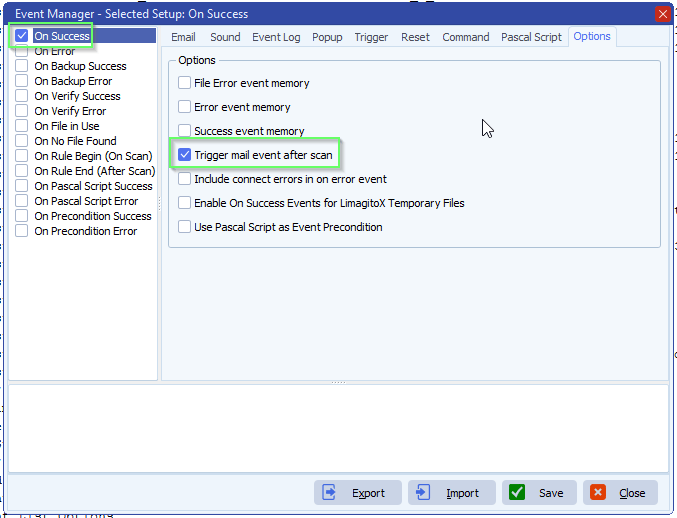
    – We enabled ‘Trigger mail event after scan’ because we only need a single email to be send after the scanning is done.
    limagito filemover rule events options

    If you need any help about this ‘receive email notificationsl’ question, please let us know.

    Best Regards,

    Limagito Team

    #managedfiletransfer #filetransfer #filemanagement #limagito
    By Limagito-Team Email Rename ,
  • 21 Sep

    How to add additional files dynamically with smtp as destination

    How to add additional files dynamically with smtp as destination

    Q: I would need to send more than one selected file as attachments to a single mail-recipient. I haven’t managed to get it to work though. LimagitoX always send one mail per attachment. Are multiple attachments possible? It would be of considerable benefit to us, to be able to send multiple attachments. Would it be possible to add the discussed feature? We could be willing to contribute financially if that would persuade you.

    A: In version v2025.9.17.0 we added an option to add additional file(s) to SMTP as Destination. It is not exactly what you are asking but it could be used to achieve the same result.

    The following example will email all pdf files from a Source folder and when emailed successfully they will be deleted afterwards.

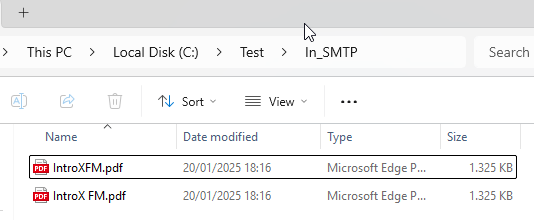
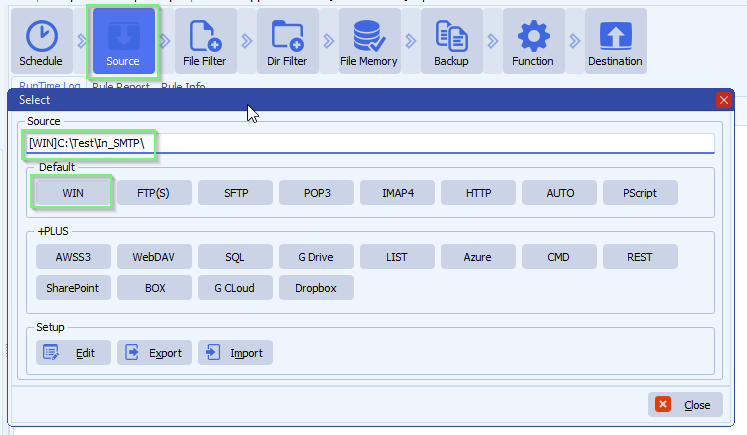
    • We used a Windows folder as Source:

    limagito file mover windows as source

    limagito file mover windows folder as source

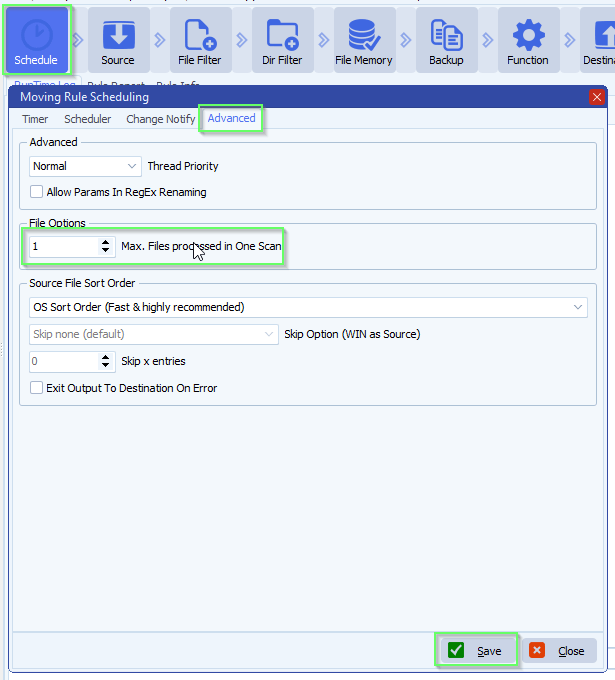
    • Click <Schedule> > Advanced Tab > Set Max. Files processed in One Scan to 1
      • We just need one file from the source folder as a trigger to send the email

    limagito file mover schedule setup

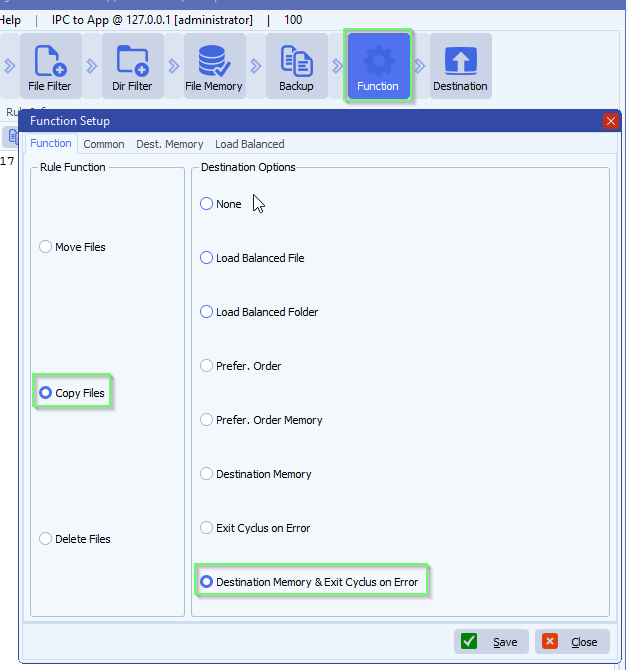
    • Function Setup
      • Although the function is set to ‘Copy Files’ we’ll delete the source files using our Pascal Script option when the email was sent successfully
      • Select ‘Destination Memory & Exit Cyclus on Error’
        • This means that when the Second Destination fails (sending the email), then the third Destination will not be executed (deleting the Source files)

    limagito file mover function setup

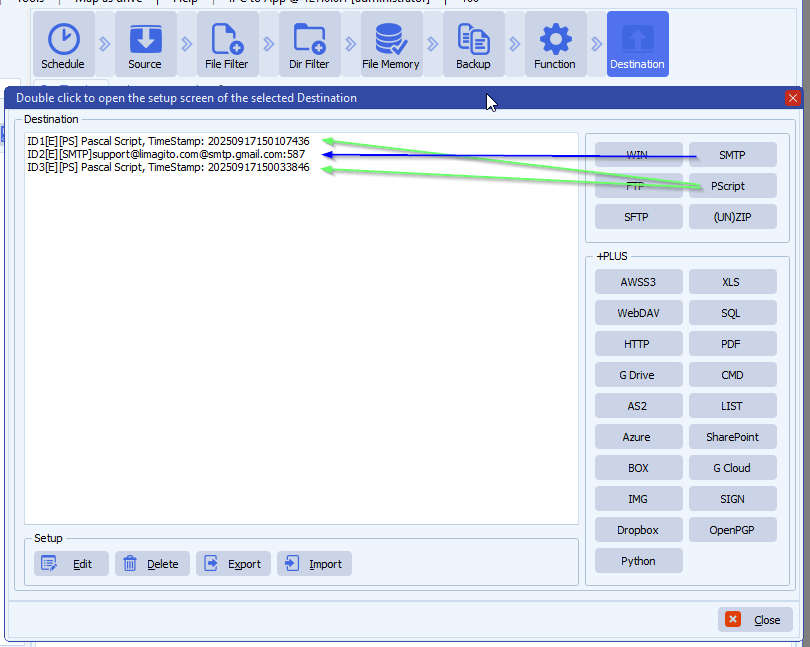
    • Destination Setup:
      • First Destination: Pascal Script
      • Second Destination: SMTP
      • Third Destination: Pascal Script

    limagito file mover destination setup

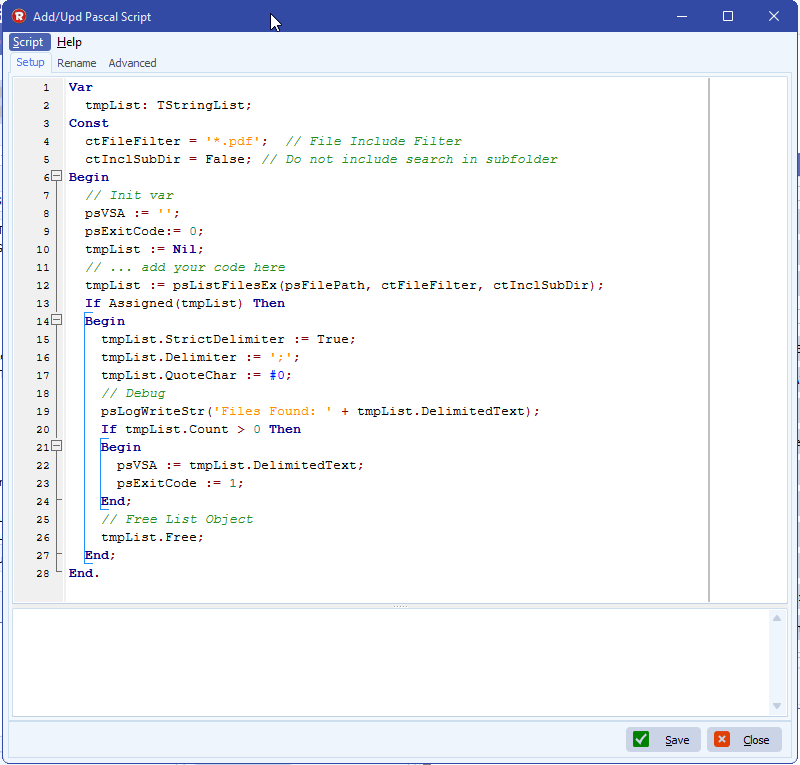
      • First Destination: Pascal Script
        • Script available here: link
        • This Pascal Script will search for all pdf files from the Windows as Source folder
        • These files are added to a Pascal Script String Var:  %VSA

    limagito file mover pascal script as destination

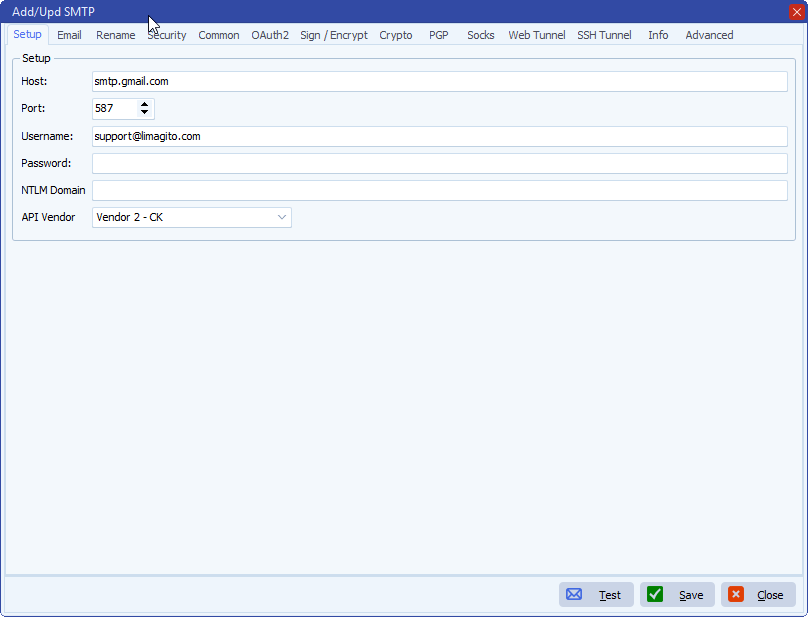
      • Second Destination: SMTP

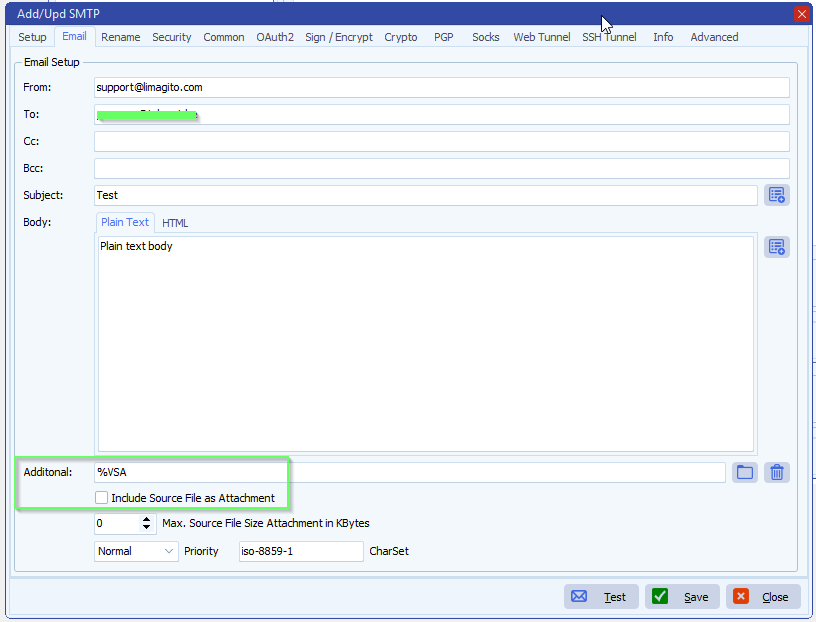
    limagito file mover additional files dynamically with smtp

        • Add the variable  %VSA  to the Additional field
          • Variable  %VSA  contains all pdf files found in the Windows Source folder
        • Disable ‘Include Source File as Attachment’ because this file is already included in the Additional  %VSA  variable

    limagito file mover additional files dynamically with smtp

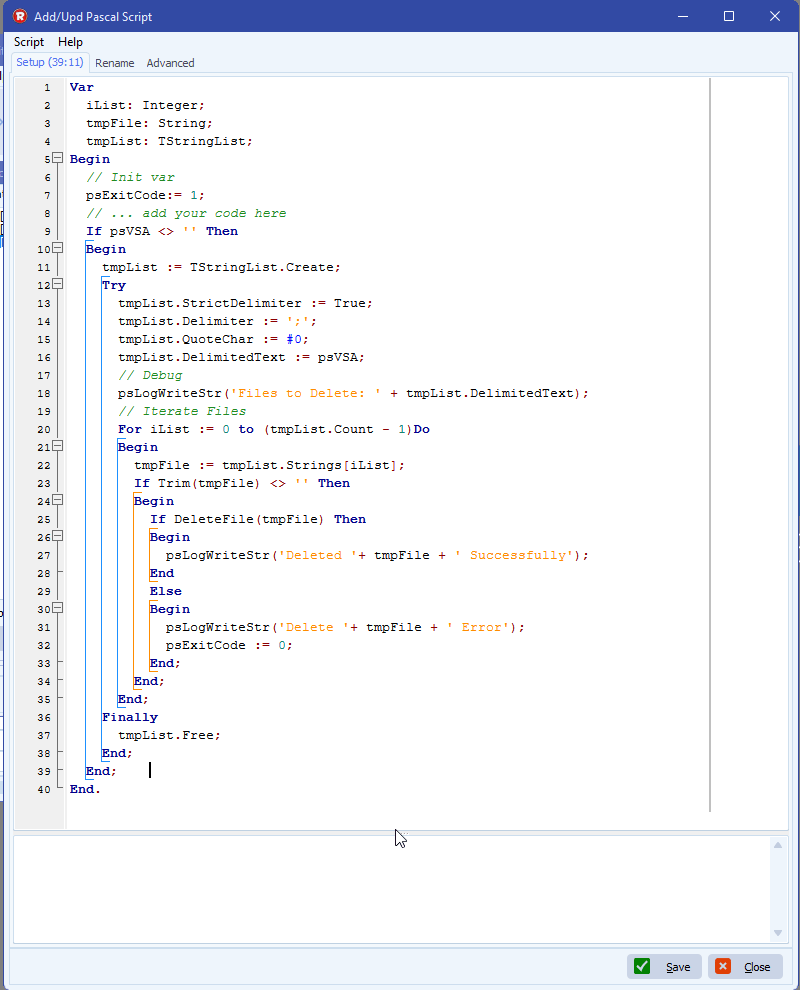
      • Third Destination: Pascal Script
        • Script available here: link
        •  This Pascal Script will delete all pdf files from the Windows as Source folder when the email was sent successfully.

    limagito file mover pascal script as destination

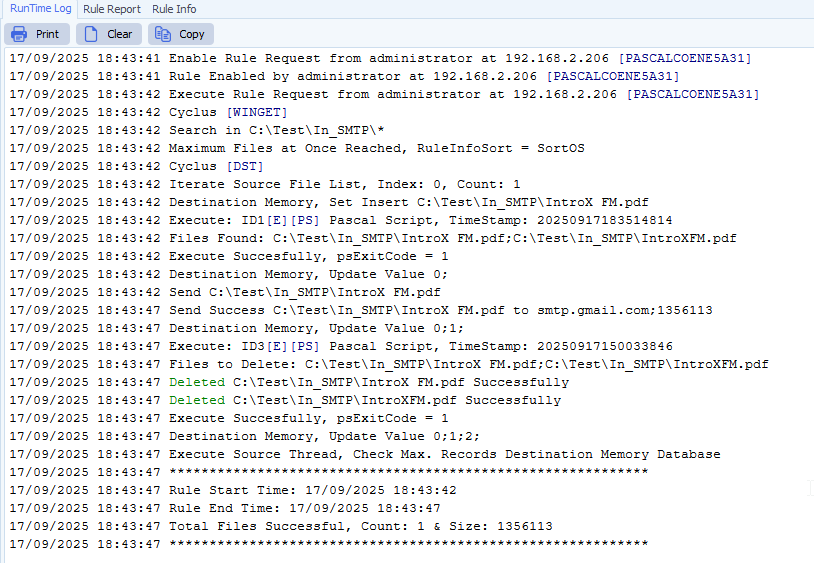
    • RunTime Log Result:

    limagito file mover runtime log

    If you need any help about this ‘additional files dynamically with smtp’ option, please let us know.

    Best Regards,

    Limagito Team

    #smtp #managedfiletransfer #filetransfer #filemanagement

    By Limagito-Team Email SMTP ,
  • 17 Sep

    How to add an additional file with smtp as destination

    How to add an additional file with smtp as destination

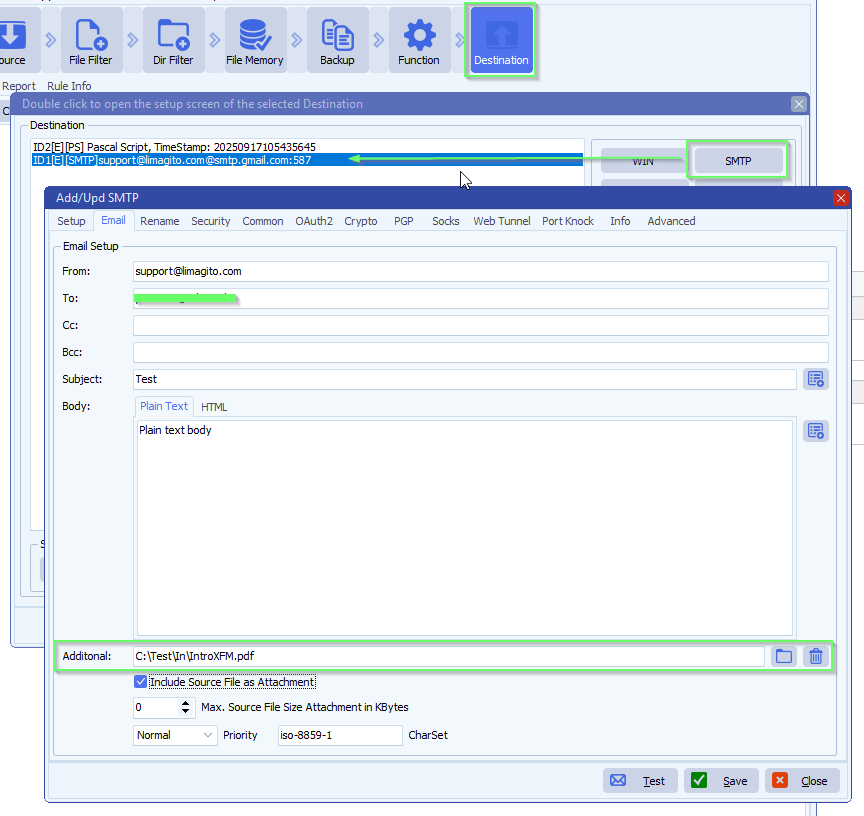
    In version v2025.9.17.0 we added an option to add additional file(s) to the SMTP as Destination.

    • This makes it possible for example to send a fixed ‘Terms and Conditions’ pdf file as attachment
    • Double click on the Additional field to add multiple files
    • Also string variables like %VSA .. %VSE can be used to make it dynamic
      • The string variable can be adjusted using Pascal Script

    limagito file mover additional file with smtp

    If you need any help about this ‘additional file with smtp’ option, please let us know.

    Best Regards,

    Limagito Team

    #smtp #managedfiletransfer #filetransfer #filemanagement

    By Limagito-Team Email SMTP ,
1 2 3 4
SEARCH