
Q: Not sure if you can help or suggest with SQL Server Express Backup. We are looking to have Limagito to do SQL Express backup with more frequently. We have SQL Server Express and looking into option if Limagito has agent to directly Backup the database. Or what is your suggestion if we want to use Limagito?
A: We use it here with a script on SQL Express. Our tool triggers this script using our schedular.
Script attached.: link
Download and rename backupsqlexpress.txt > backupsqlexpress.bat
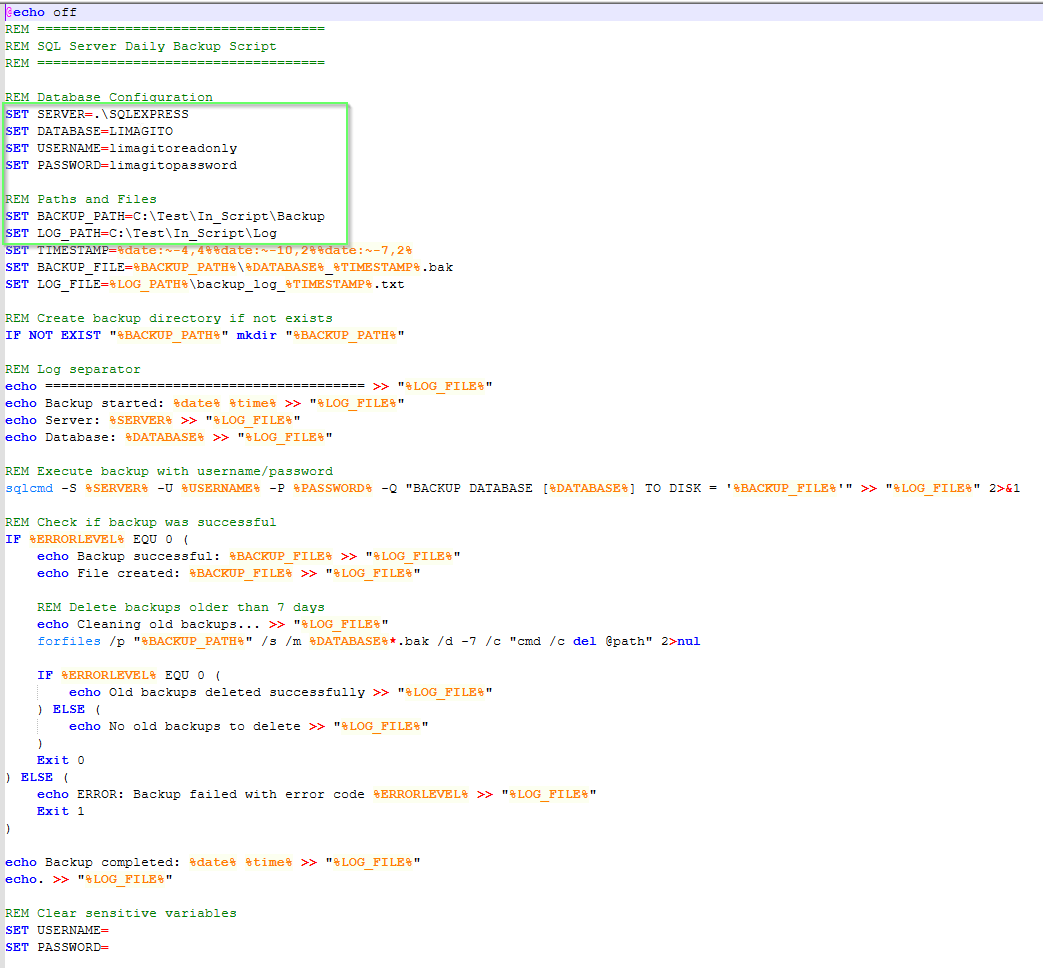
You’ll need to set up the following parameters:
REM Database Configuration
SET SERVER=.\SQLEXPRESS
SET DATABASE=YourDatabase
SET USERNAME=YourUserName
SET PASSWORD=YourPasswordREM Paths and Files
SET BACKUP_PATH=C:\Test\In_Script\
SET LOG_PATH=C:\Test\In_Script\Log
SET SERVER=.\SQLEXPRESS
SET DATABASE=YourDatabase
SET USERNAME=YourUserName
SET PASSWORD=YourPasswordREM Paths and Files
SET BACKUP_PATH=C:\Test\In_Script\
SET LOG_PATH=C:\Test\In_Script\Log
– During our test the script was put under C:\Test\In_Script\
– The backup itself are placed under C:\Test\In_Script\Backup
– Logging of the Database backup was put under C:\Test\In_Script\Log
- Add CMD as Source
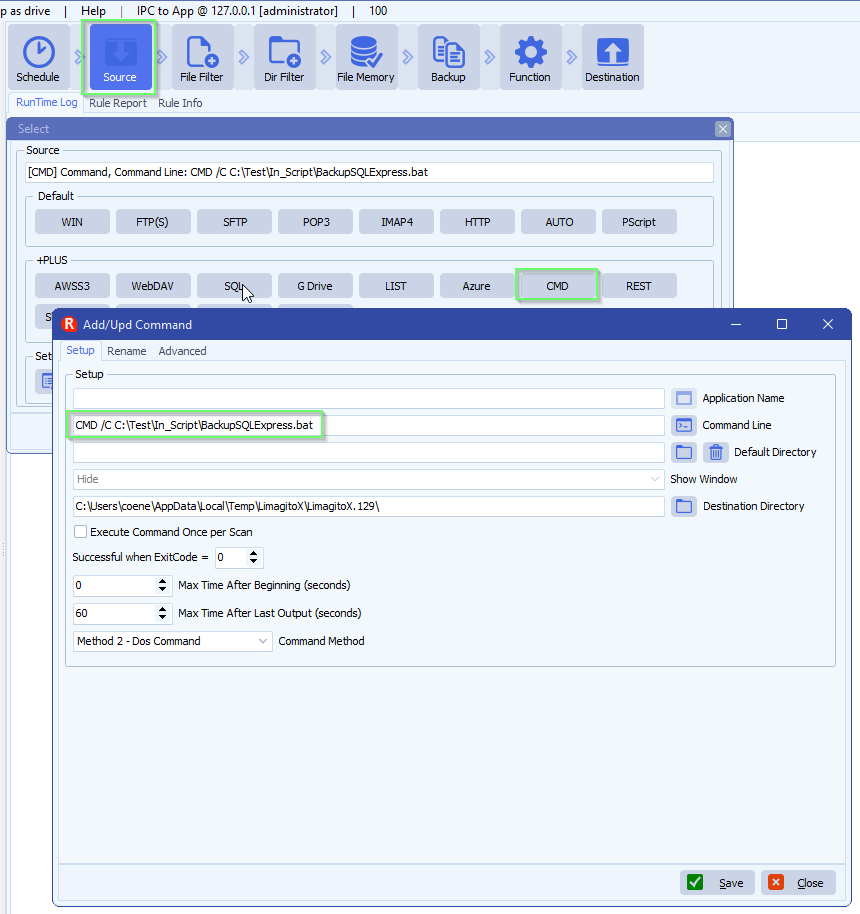
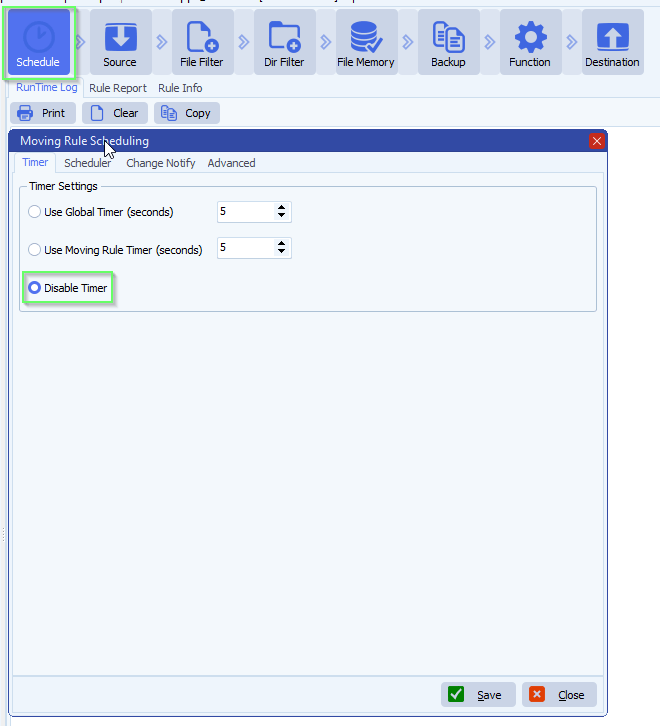
- Setup Schedule
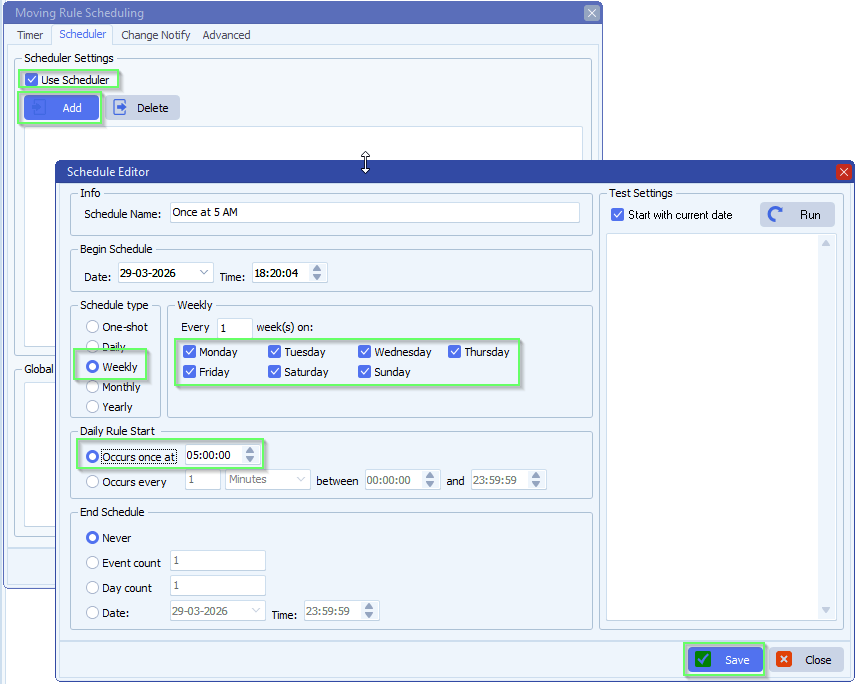
- We used every day at 5AM:
- Function, not that it really matters because in this case we are using our CMD option as Source
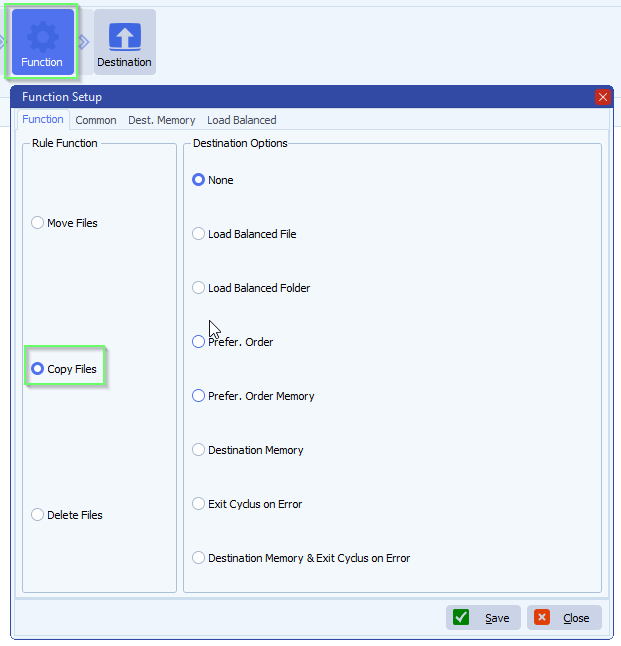
Optional:
> You can add Rule Events “On Succes” or “On Error” to get notified about the daily backup
> You could add a simple “PScript” Destination like:
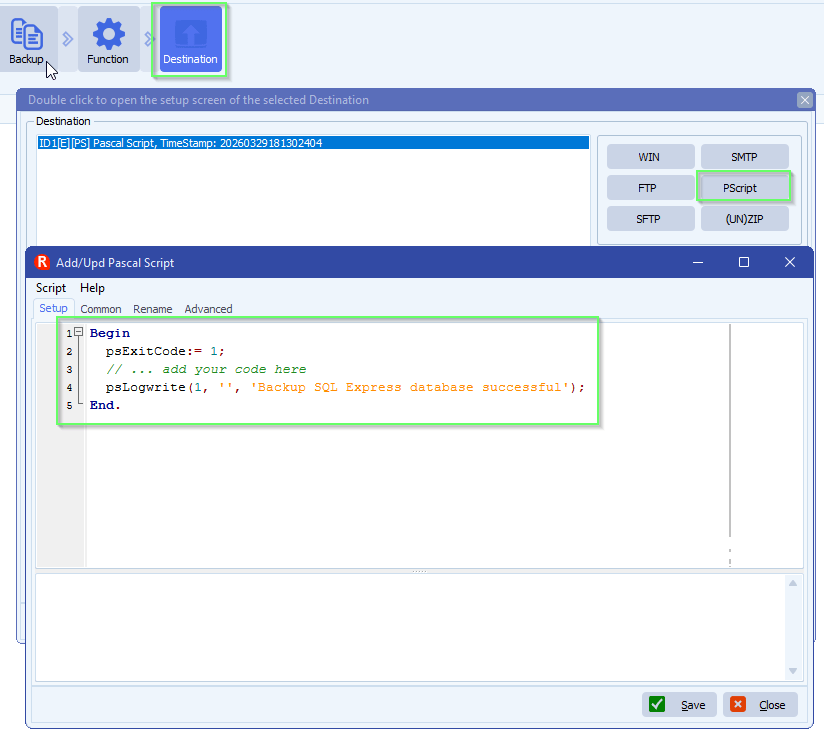
If you need any help about this ‘add a no file edited trigger’, please let us know.
Best Regards,
Limagito Team
#sql #managedfiletransfer #filetransfer #filemanagement
