
Q: I have a question about naming pages after splitting a PDF. In my example, I follow the naming I use for individual PDFs. Such as: COO_20260318_A_0001.pdf I can set that up in Rename, except of for the exact page number (in Rename, my Replacement text is COO_20$50$30$4_A_000). Is there a way for the pages, once split out, to have the 1, 2, 3, 4, etc. added to the 000 when they are saved? Right now, they come out 000.01, 000.02, etc. I can run them back through Limagito to fix, but if I could capture that naming in the first step it would be a big help. Thank you for your time.
A: In your case the total number length will be 4, like 0001 so “Split Pages Number Length” was set to 4.
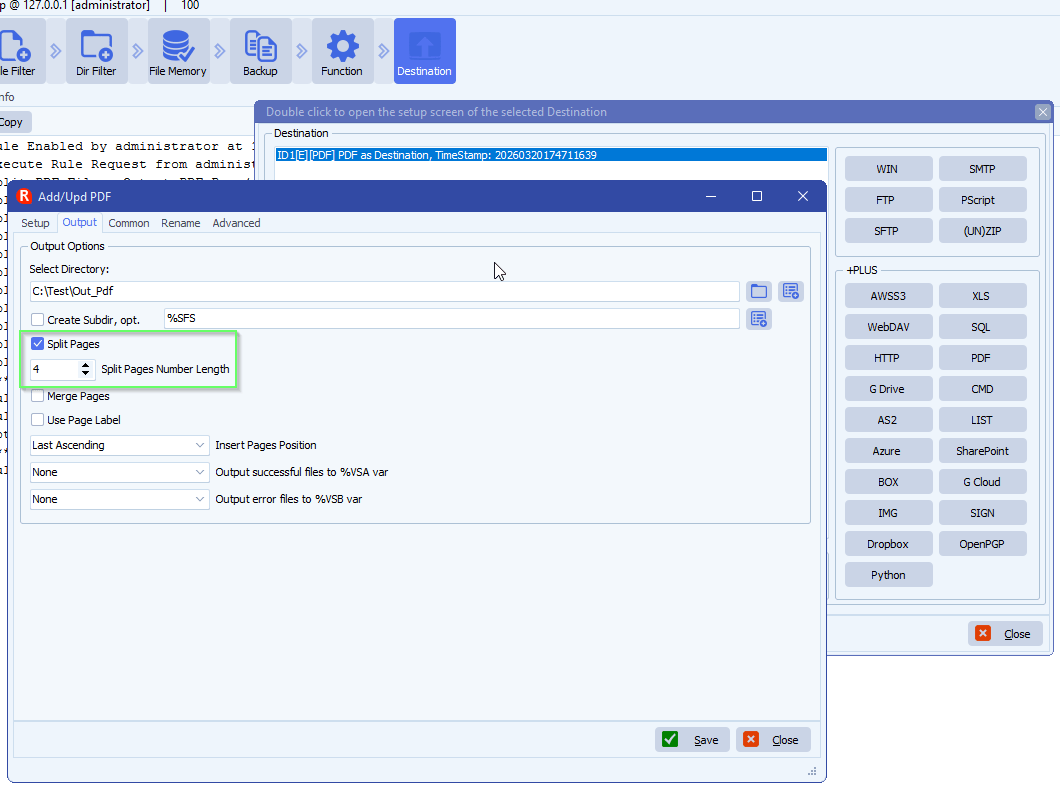
- So if the original filename is: Filename.pdf
- Then, after spitting it will be Filename.0001.pdf for the first page.
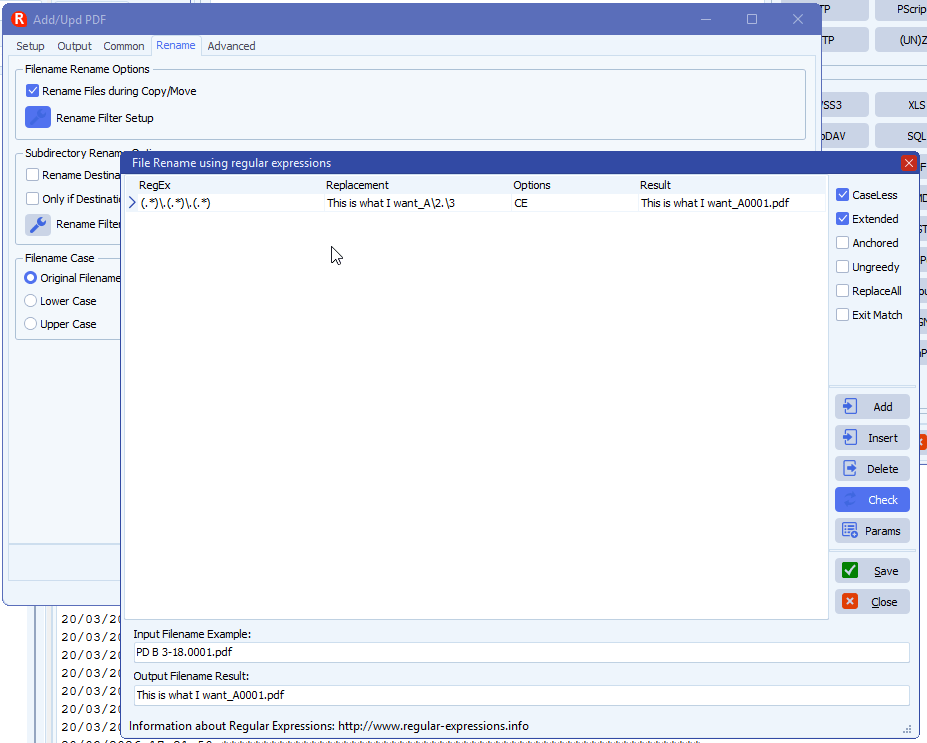
- Now you can use the renaming option to change this to what you want like I did in the following example:
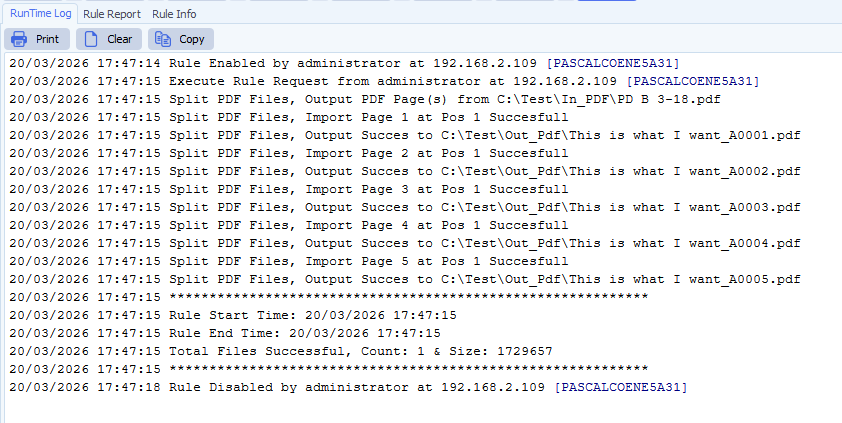
RunTime Log result:
If you need any help about this ‘naming pages after splitting a PDF’ question, please let us know.
Best Regards,
Limagito Team
#pdf #managedfiletransfer #filetransfer #filemanagement
