
The target principal name is incorrect
Q: I was trying to connect to the DB called ‘XYZ’ and I tried different things with AI’s help. But I must have broken something that Limagito seems not logging new history to the DB. And when I tried to connect to the DB from one rule, I get this message.
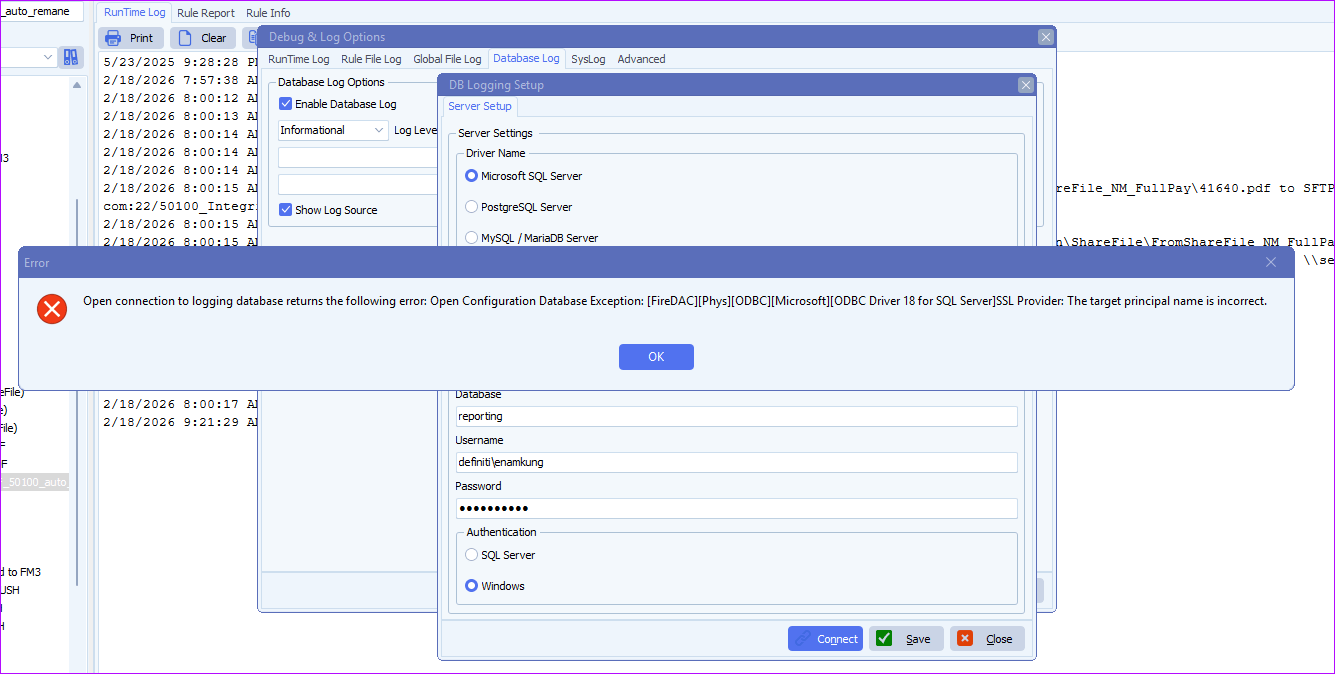
Can you help to reestablish the connection to the DB again please?
A: The reason: ODBC 18 was installed on the system where Limagito was running. ODBC Driver 18 enforces encryption by default.
Because this customer is really heavy into AI we added a new ‘DB Connection Parameters’ option so he can try different settings (under the Advanced Tab).
- SQL, DB Connection Parameters option (v2026.2.19.0) [+]
In his case he had to Add Encrypt=No to disable encryption again which he was using before he installed ODBC 18.
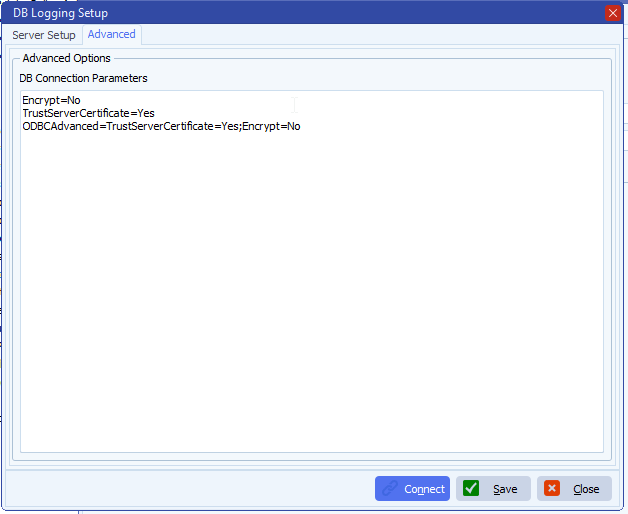
We added this new connection parameters option also to SQL as Source and Destination (Advanced Tab).
Some extra information:
Our (FireDAC) MSSQL driver internally uses a client library to connect to SQL Server. On modern Windows systems the available options are:
- SQL Server Native Client 11.0 (sqlncli11.dll) — old, often no longer installed
- MSOLEDBSQL (OLE DB Driver) — modern Microsoft OLE DB
- ODBC Driver 17/18 for SQL Server — as fallback
If FireDAC cannot find a Native Client or OLE DB driver, it automatically falls back to ODBC.
Regarding the error message from the cutomer: this is a common SSL/TLS issue with the Microsoft ODBC Driver 18 for SQL Server. Driver 18 changed the default behavior — encryption is now ON by default, unlike Driver 17.
The error “The target principal name is incorrect” means the SSL handshake fails because the server’s certificate doesn’t match the expected hostname.
Quick fixes in your MSSQL connection, add one or both of these parameters to your connection:
- Encrypt=no
or if you want to keep encryption but skip certificate validation:
- Encrypt=yes;TrustServerCertificate=yes
With ODBC it will be like:
- ODBCAdvanced=TrustServerCertificate=Yes;Encrypt=No
The new parameters makes it possible to try different setting without creating a new build.
If you need any help about this ‘target principal name is incorrect’ message, please let us know.
Best Regards,
Limagito Team
#odbc #sql #managedfiletransfer #filetransfer #filemanagement
