AWS S3

  • 04 Aug

    How to work with special characters in s3 buckets

    Special characters in s3 buckets

    Q: Special charakters in s3 buckets. We currently have the situation that we need to process files containing the special character “:”

    e.g.: 2026-07-30T1046:07.509076_412777777.zip

    from an S3 bucket.

    Is there a way to do this with Limagito?

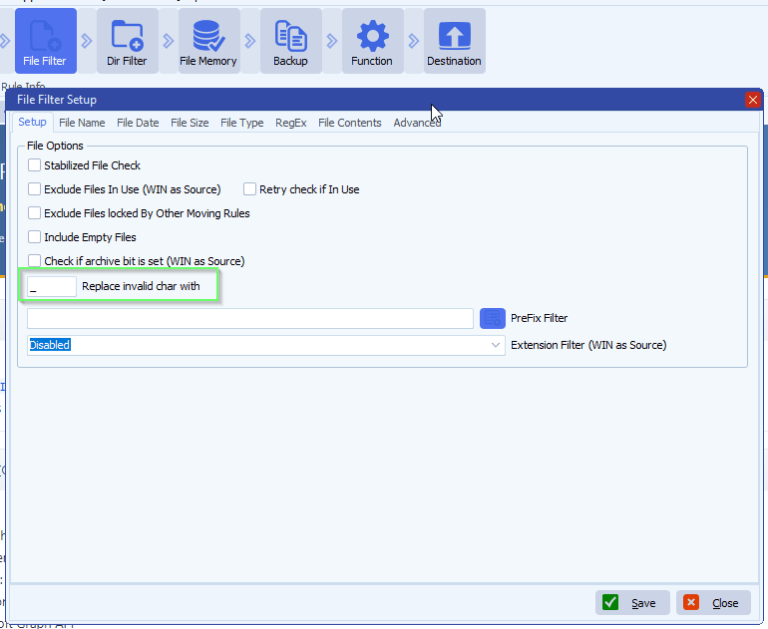
    A: In version v2026.8.2.0 we added the following <Filter Filter> option: ‘Replace invalid char with’. Invalid characters for Windows will be replaced, default with an empty char.

    limagito filemover special charakters in s3 buckets

    If you need any help about this ‘special charakters in s3’ question, please let us know.

    Best Regards,

    Limagito Team

    #awss3 #managedfiletransfer #filetransfer #filemanagement #limagito
    By Limagito-Team AWS S3
  • 05 Jul

    How to configure Amazon S3 in Limagito file mover

    Configure Amazon S3

    Steps in AWS Console

    1. Log in to the AWS Management Console (console.aws.amazon.com)
    2. Go to IAM (Identity and Access Management) — search for it in the search bar at the top
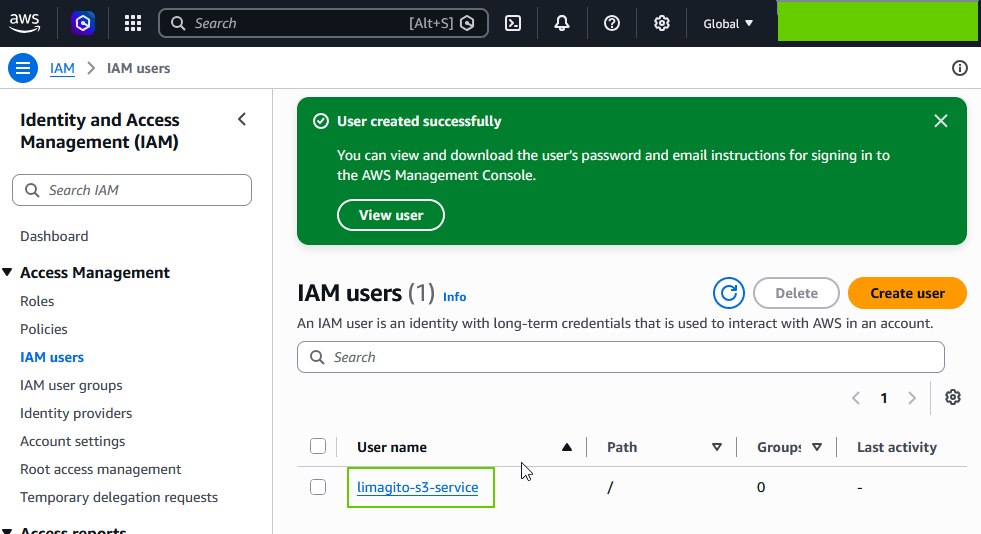
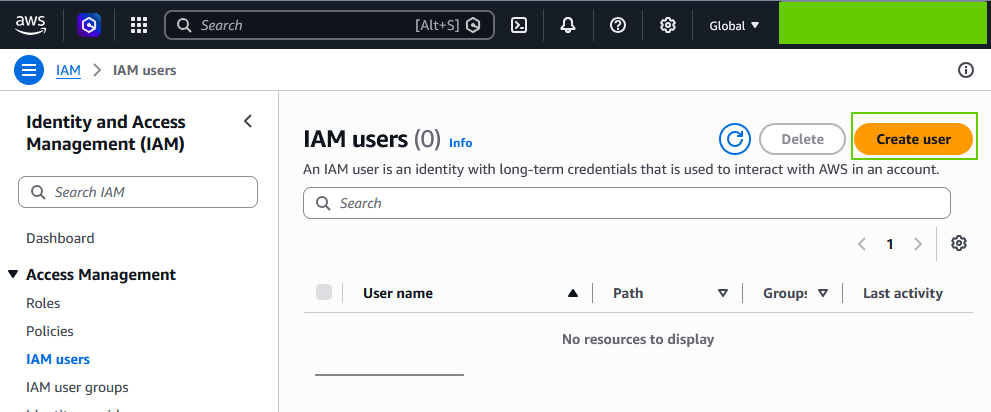
    3. Click on IAM users on the left
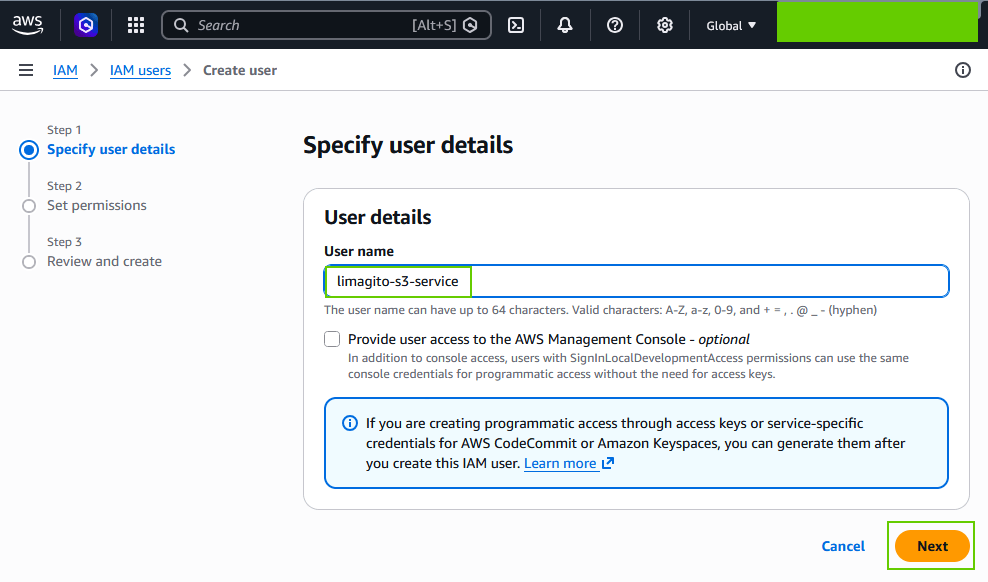
    4. Choose an existing user, or create a new one (Add users) specifically for your filemover tool
      • Give it a clear name, e.g. limagito-s3-service
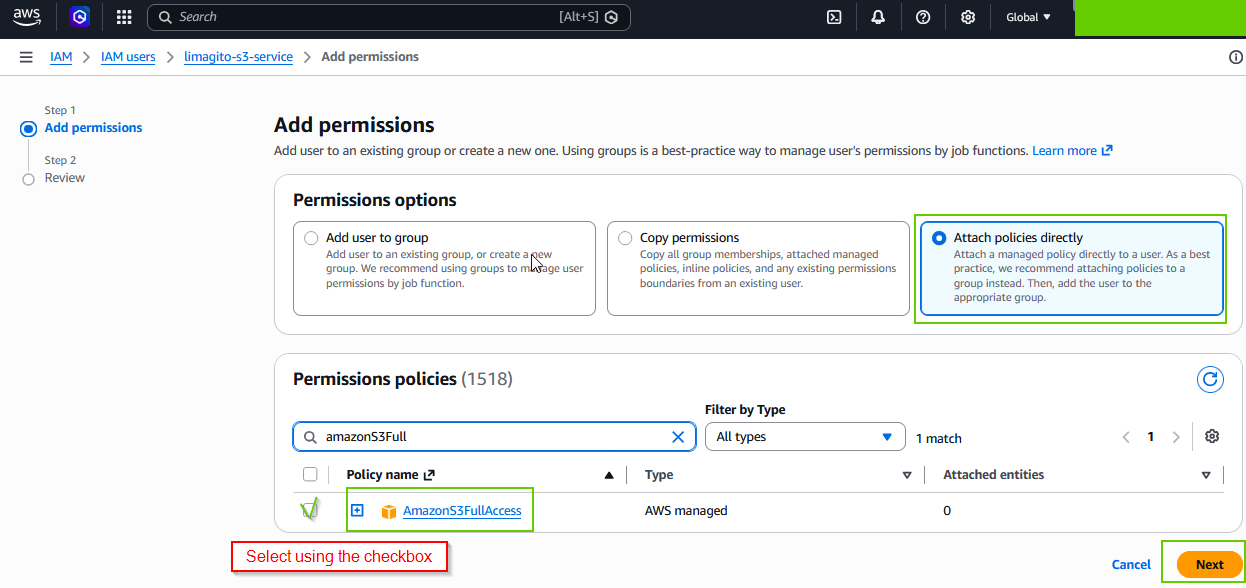
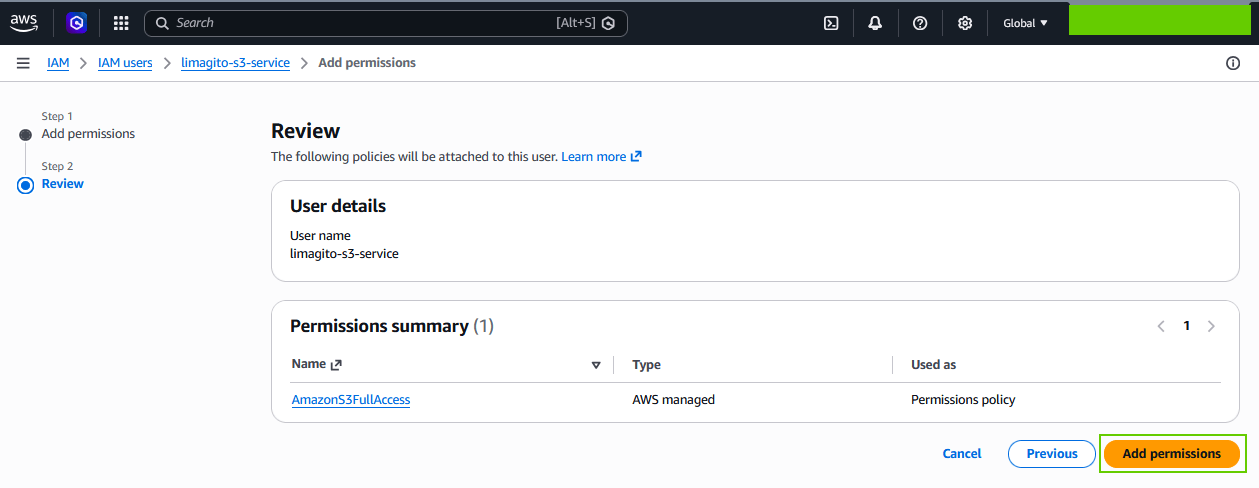
      • Under “Set permissions” we used AmazonS3FullAccess during our tests, or better yet a custom policy that only grants access to the specific bucket you need (safer, principle of least privilege)
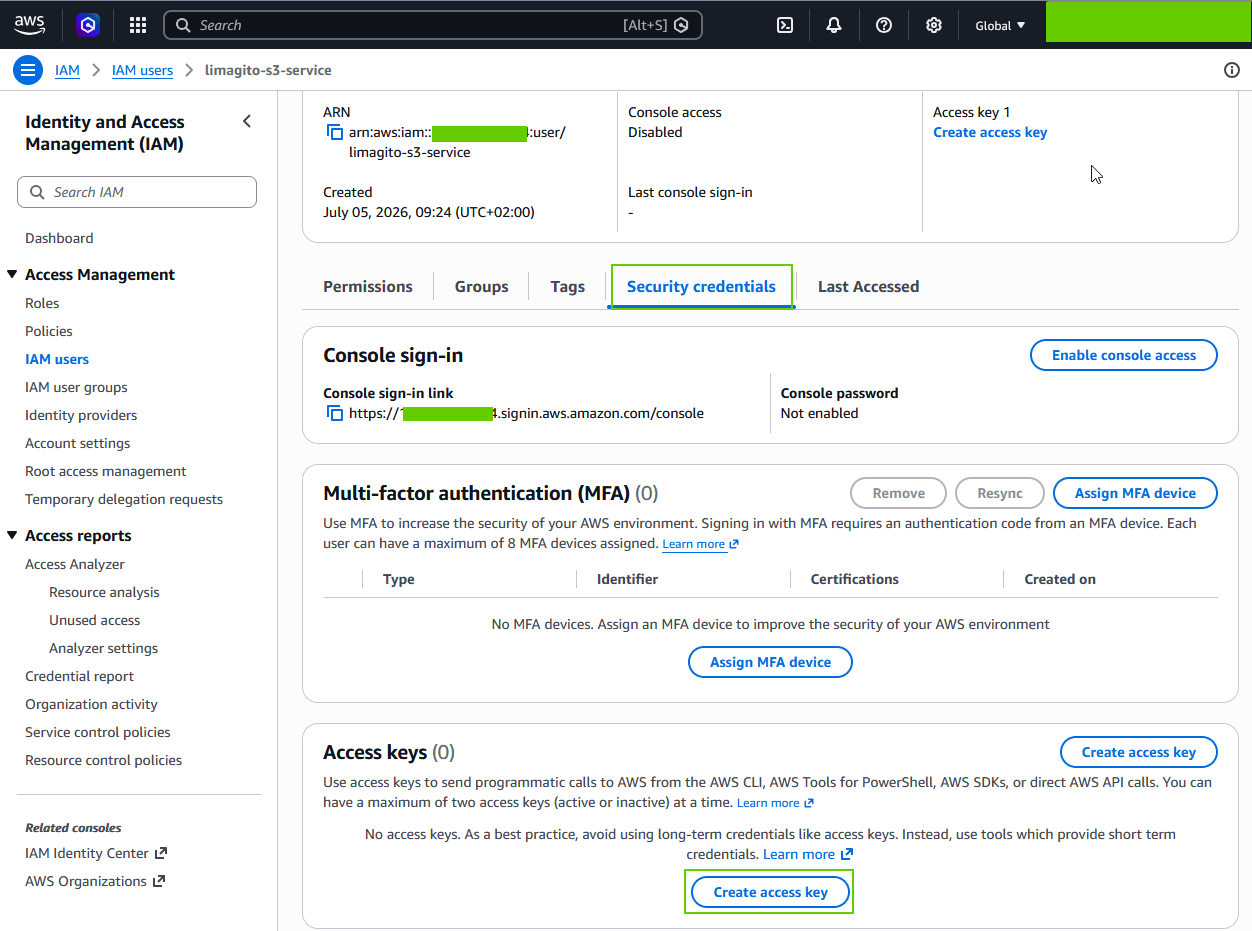
    5. Go to the Security credentials tab of that user
    6. Scroll to Access keys → click Create access key
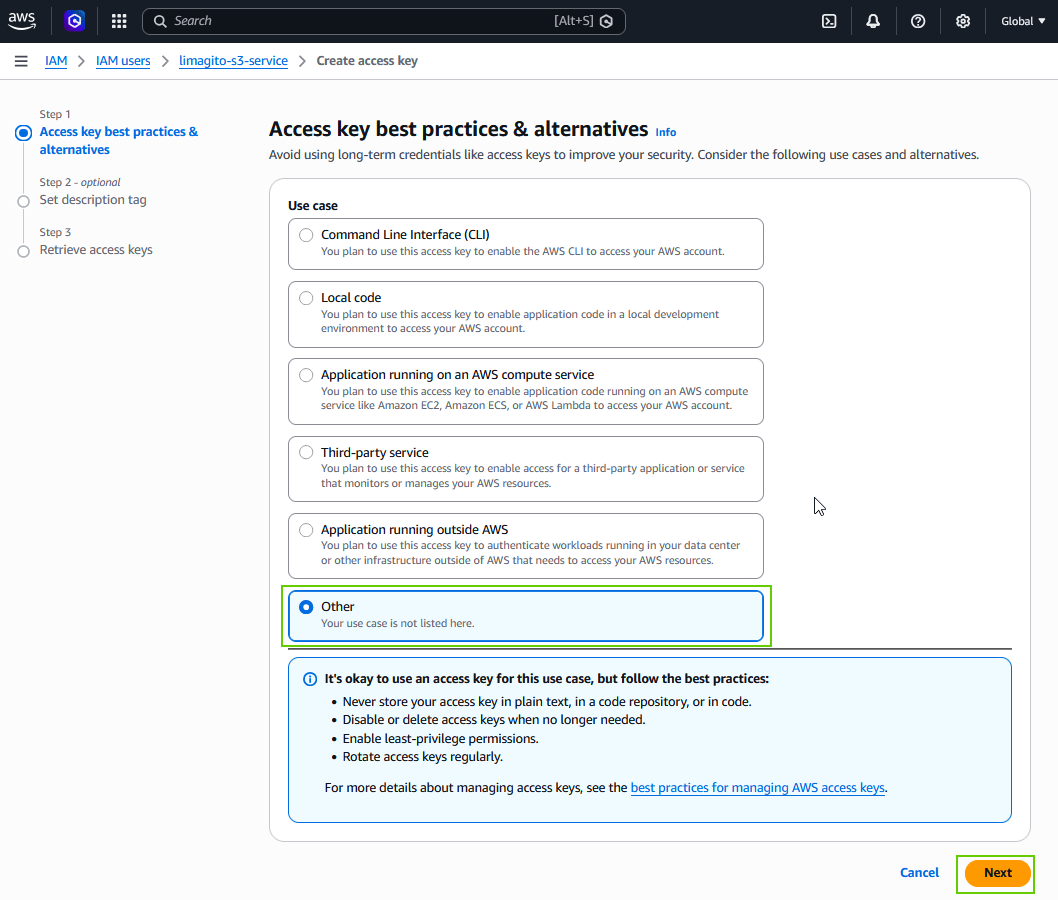
    7. Choose “Other” as the use case
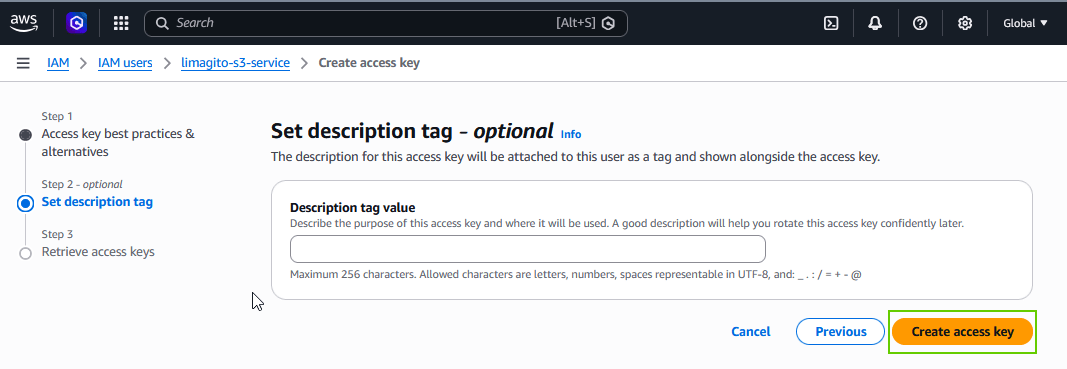
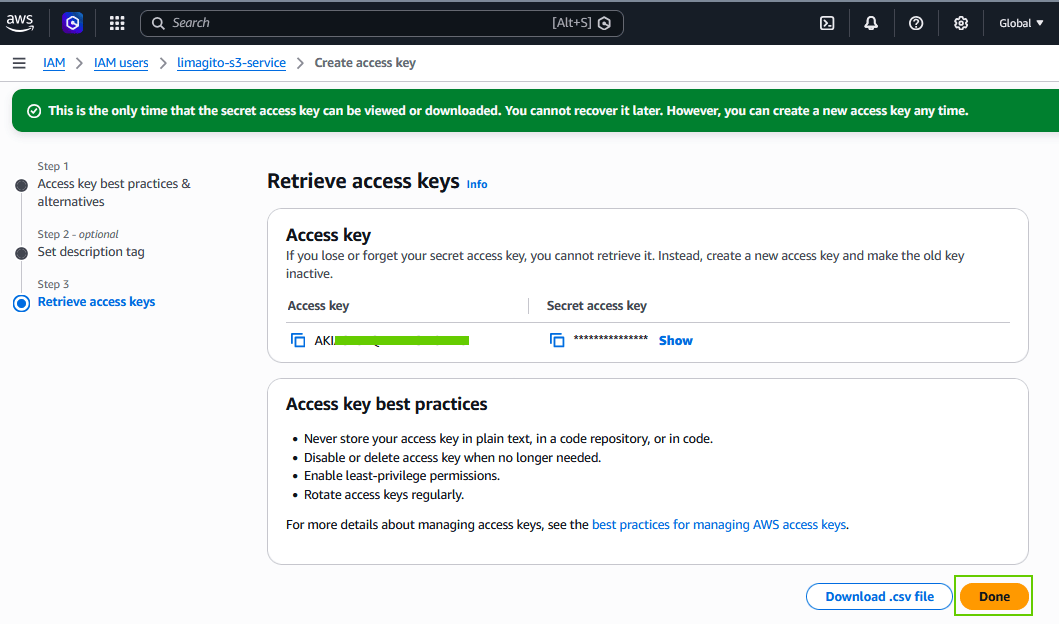
    8. AWS will then show you:
      • Access Key ID → enter this in Key ID in your tool
      • Secret Access Key → enter this in Access Key in your tool ⚠️ Important: the Secret Access Key is only shown once. Copy it immediately, or download the .csv file AWS offers. If you lose it, you’ll need to create a new key.

    Some screenshots form our test setup:

    limagito filemover amazon S3 IAM user setup

    limagito filemover amazon s3 IAM users setup


    • We used AmazonS3FullAccess during our tests, or better yet a custom policy that only grants access to the specific bucket you need (safer, principle of least privilege)

    limagito filemover IAM users permissions setup

    limagito filemover amazon s3 iam users permissions setup

    • User created successfuly

    limagito filemover amazon s3 IAM users setup

    • Create Access Key within “Security Credentials” setup:

    limagito filemover amazon s3 IAM users security credentials setup

    limagito filemover amazon s3 IAM users security credentials setup

    limagito filemover amazon s3 IAM users security credentials setup

    • Done

    limagito filemover amazon s3 IAM users security credentials setup

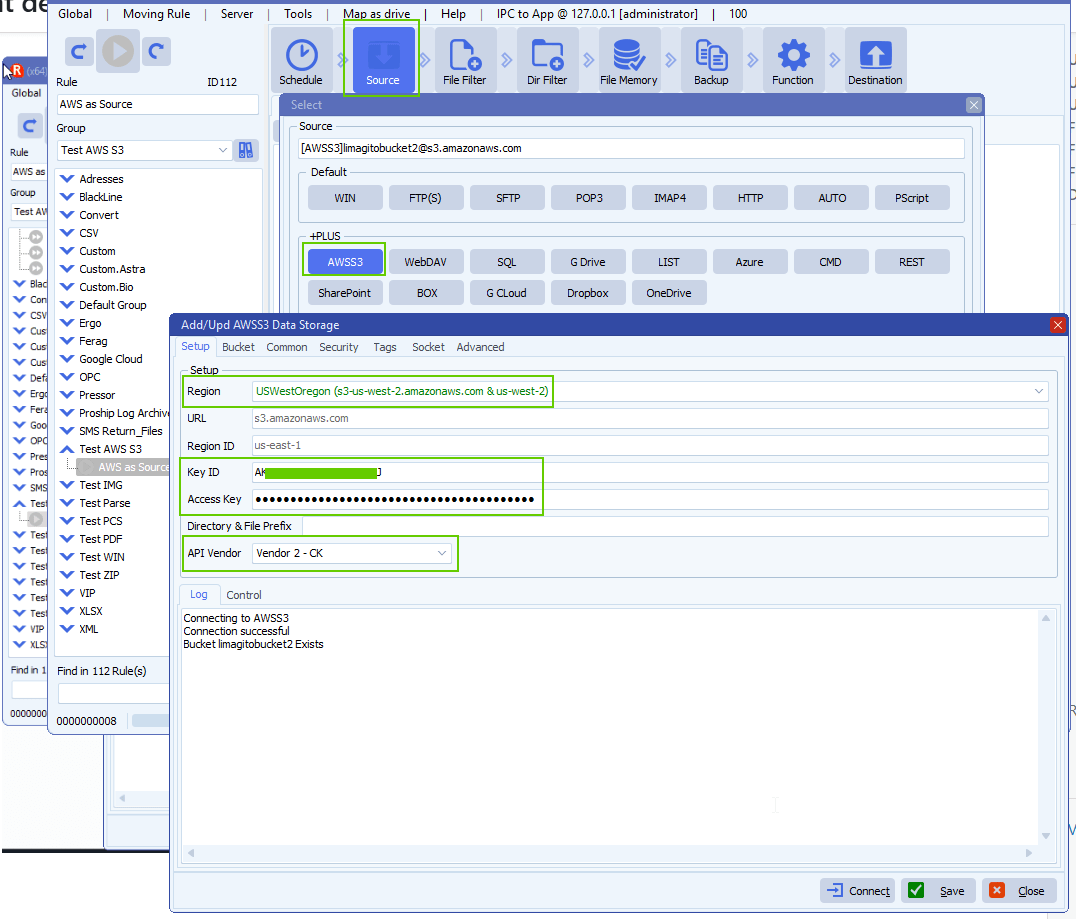
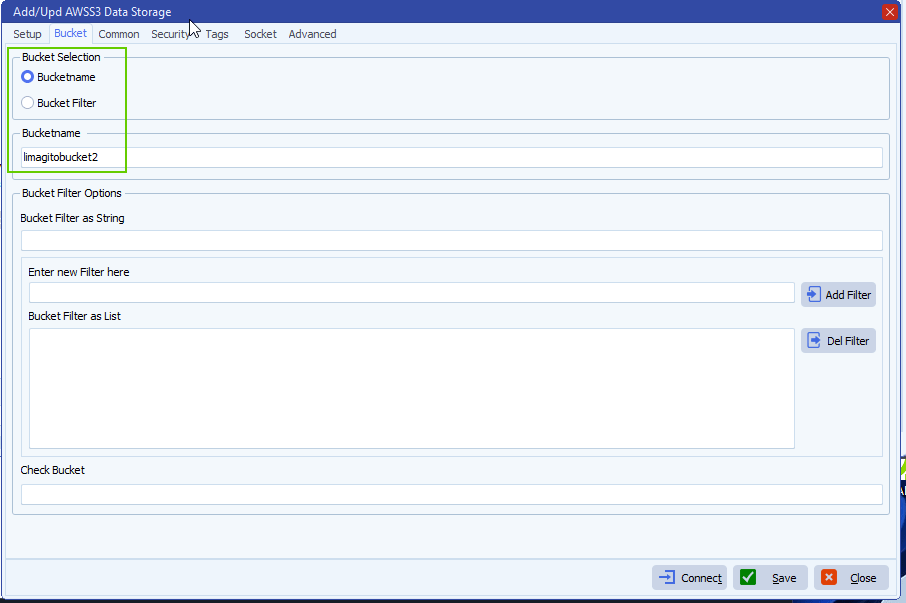
    • Limagito Filemover AWSS3 setup:

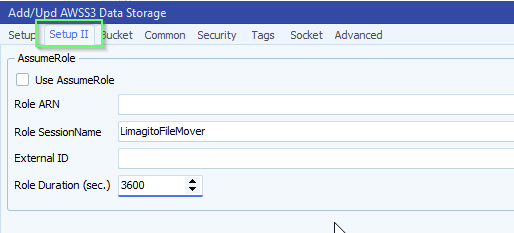
    limagito filemover amazon S3 configuration setup

    limagito filemover configure Amazon S3

    If you need any help about this ‘configure Amazon S3’ how-to, please let us know.

    Best Regards,

    Limagito Team

    #amazons3 #awss3 #managedfiletransfer #filetransfer #filemanagement #limagito
    By Limagito-Team AWS S3 , ,
  • 16 Aug

    How to look for dated folders in AWSS3 using directory and file Prefix

    • Q: If we write a Pascal Script, “on rule begin” can use insert a variable in the “Directory & File Prefix” setup?

    Our S3 bucket has ~600,000 items and takes about 3 minutes per scan just to transverse the files, and we’re trying to speed that up 🙂

    We’re looking for dated folders, but I don’t see any “allow parameters” like you can in the directory filtering.
    limagito file mover S3 directory and file prefix
    • A: Yes, you can add date parameters in the ‘Directory & File Prefix’ field like %TCD:YYYYMMDD:
    limagito file mover S3 directory and file Prefix
    limagito file mover parameter options
    • Reply customer:
    You’re correct, that “Directory & File prefix” is linked to the file filter setup tab. So any changes in source are duplicated there, And we can check the “allow parameters” under the advanced tab.
    AND it works 😊


    Best Regards,

    Limagito Team

    #AWSS3 #managedfiletransfer #filetransfer #filemanagement

1 2 3 4
SEARCH