Image

  • 25 Jan

    How to convert images to pdf files

    Q: We need a way to convert images to pdf files. Can this be done using Limagito File Mover.

    A: Yes this is possible using our Image as Destination option (with recent versions of Limagito File Mover, v2025.2.16.0 and up)

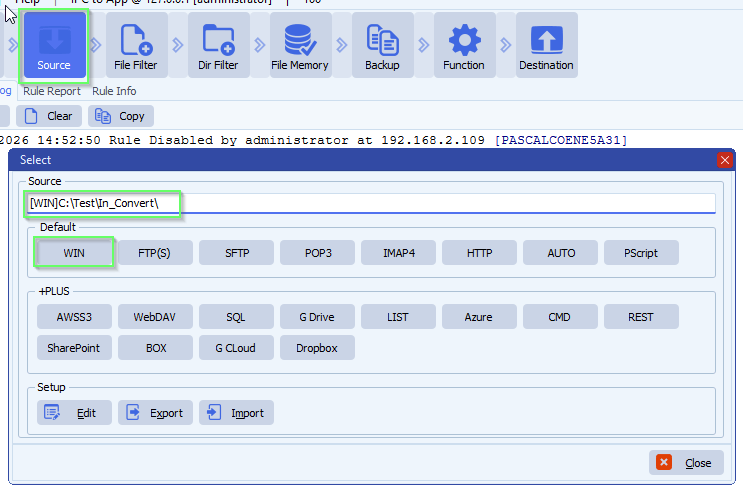
    • In our example we used a Windows Folder as Source. In this folder we’ll be able to drop almost any kind of image file type and it will be converted to pdf.

    limagito file mover windows folder as source

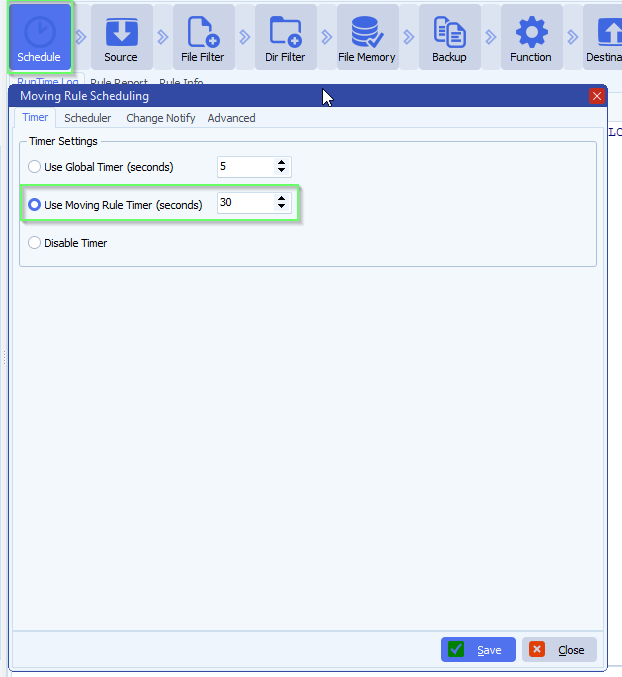
    • We’ve set a timer to scan this folder every 30 seconds:

    limagito file mover schedule setup

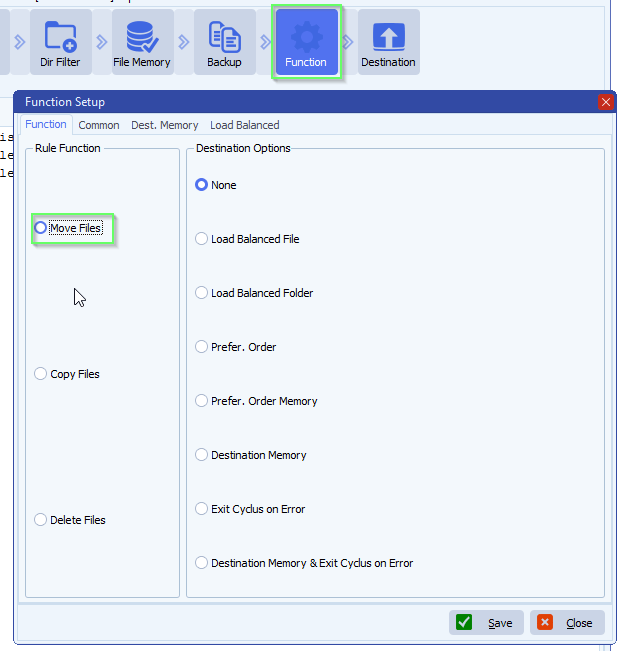
    • Function is set to Move, so after a successful conversion the source file will be deleted. If you want to keep the source files, leave the function to ‘Copy Files’ and enable our ‘File Memory’ option to prevent us converting the same source file over and over again.

    limagito file mover function setup

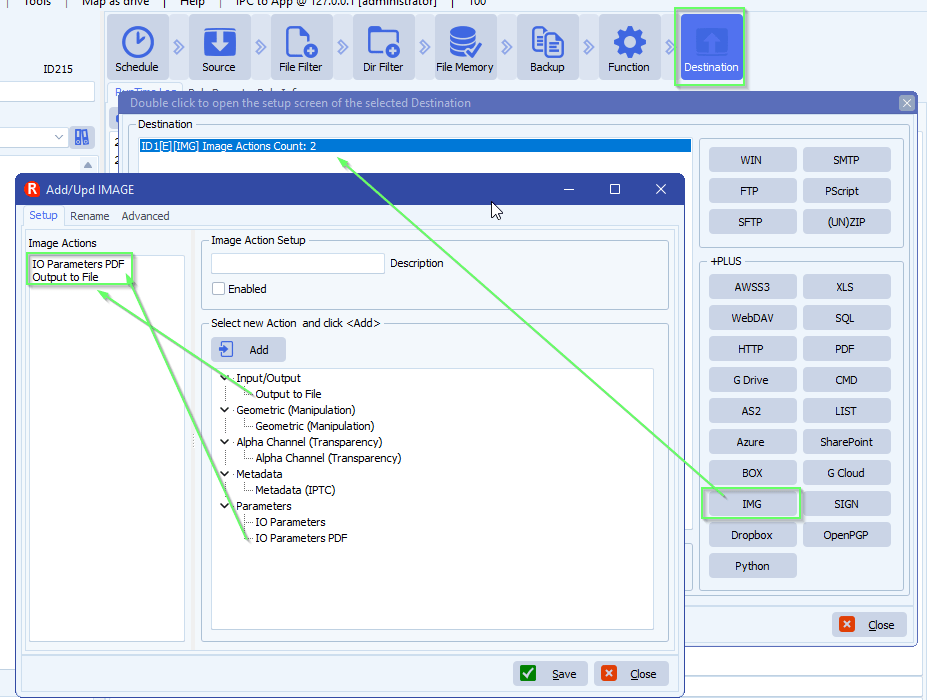
    • As Destination we added our [IMG] option

    limagito file mover Image as destination option

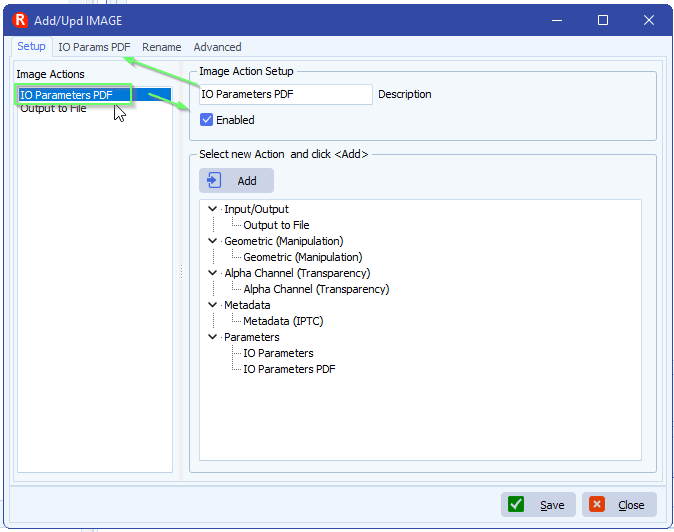
    • IO Parameters PDF setup:

    limagito file mover IO paramaters pdf

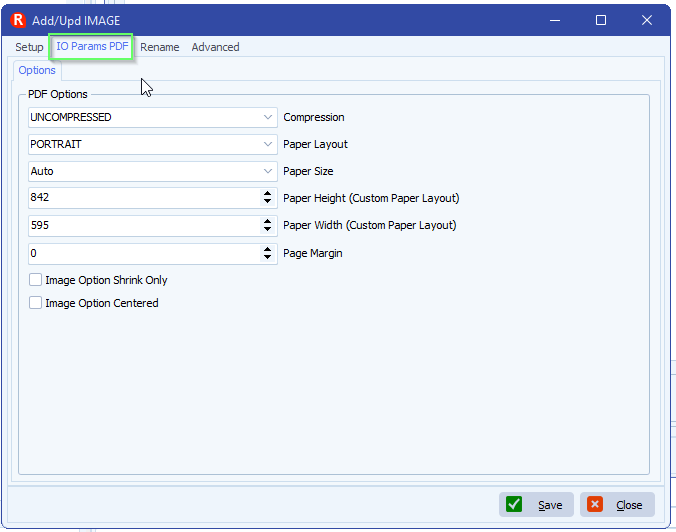
    limagito file mover io parameters pdf options

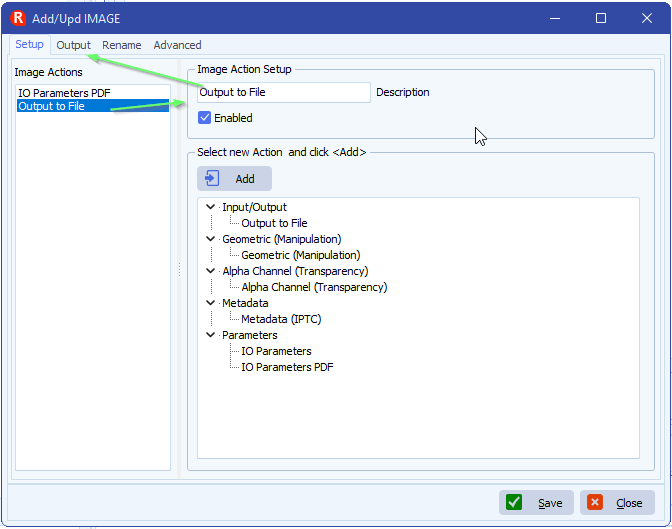
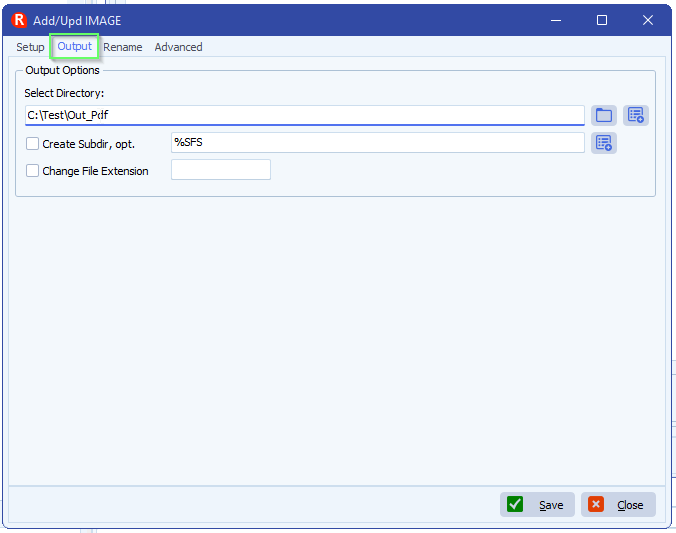
    • Output to File setup:

    limagito file mover output to pdf setup

    limagito file mover output to pdf options

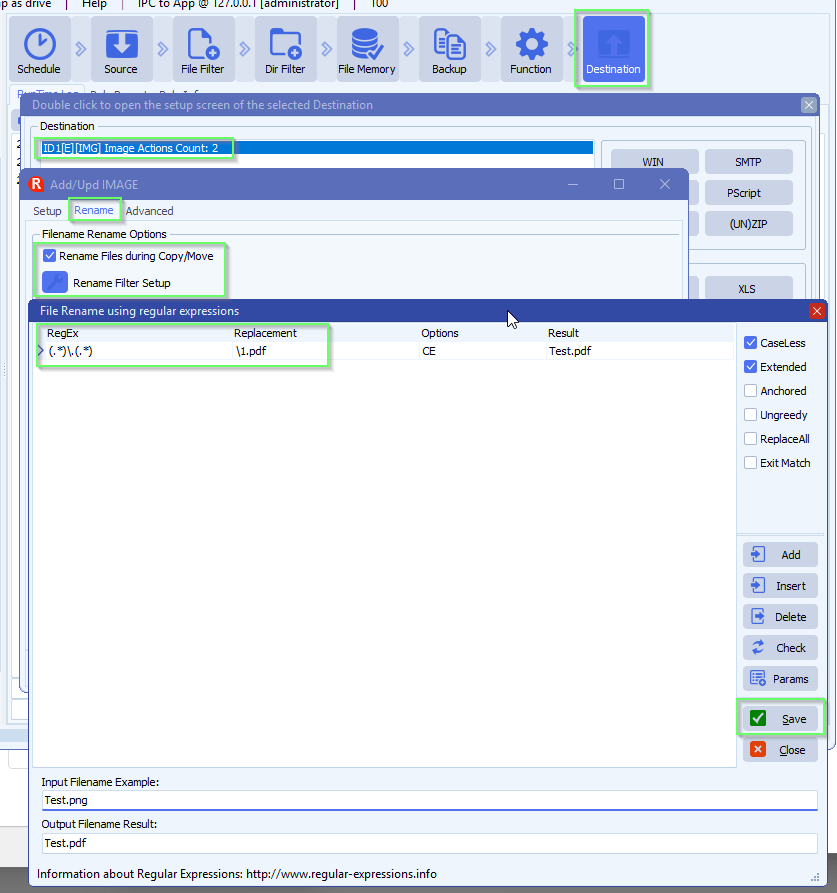
    • The most import setup item here is the IMG Destination renaming setup. The renaming determines the conversion type. In our example we are going to rename all source image files to .pdf and this will trigger the internal conversion mechanism. So if you would rename for example to .png instead, then all source images file will be converted to png files.
      • RegEx:  (.*)\.(.*)
      • Replacement:  \1.pdf

    limagito file mover convert images to pdf

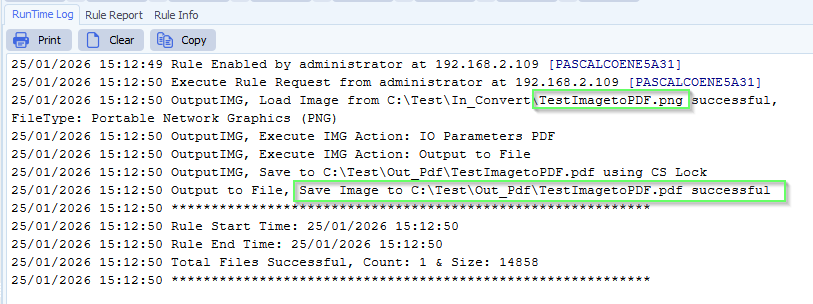
    • RunTime Log Result:

    limagito file mover runtime log result

    If you need any help about this ‘convert images to pdf’ question, please let us know.

    Best Regards,

    Limagito Team

    #pdf #managedfiletransfer #filetransfer #filemanagement
  • 16 Jul

    Image formats supported by Limagito File Mover

    Image formats supported by Limagito File Mover

    In version v2025.7.16.0 we added support for WebP.

    Information about the image formats supported by Limagito: link

    If you need any help with this ‘global schedules user accounts’ request, please let us know.

    Best Regards,

    Limagito Team

    #managedfiletransfer #filetransfer #filemanagement
    By Limagito-Team Image ,
  • 13 Jul

    How to convert images to pdf files

    How to convert images to pdf files

    Convertings images to pdf (or to another image format) is achieved using our file renaming option in the Image destination setup. The file mover engine knows what to do because it knows the file extension from the source and destination file.

    A good idea is start with the following blog article: Converting images to pdf with limagito file mover

    We received the following question from a customer:

    I follow your step about image to pdf process and it works prefectly. I m curious about how to resize the photo as smeller one or compress the PDF in a smaller file in the result.

    In version v2025.7.13.0 we added a “IO Parameters PDF” option:

    In our example we added the following three actions:

    • IO Parameters PDF > adjust PDF compression (an other options)
    • IO Parameters > adjust JPEG compression parameters
    • Output to File

    limagito file mover image as destination option

    • IO Params PDF
      • Compression: adjusted the compression to JPEG instead of uncompressed
      • Paper Layout:
        • Portrait (default)
        • Landscape
      • Paper Size:
        • A0, A1, A2, A3, A4, A5, A6, B5
        • Letter, Legal, Ledger, Tabloid
        • Auto
          • If selected then the output will be the size of the image which may create huge PDF pages
        • Custom
          • Will use Paper Height and Width value
          • Specifies the height and width of the output in Adobe PDF points (1 point = 1/72 of inch). Default values are width: 595 and height: 842 (A4 format).
      • Page Margin
        • Specifies the size of margins (blank area) on all sides of the output when saving to PDF.
        • Value is in Adobe PDF points (1 point = 1/72 of inch), e.g. 72 would be 1 inch margins.
      • Image Options, by default all images are scaled and not centered
        • Shrink Only: If not specified, all images will be made to fill the entire output. If specified, only large images are shrunk. Small images are not enlarged
        • Centered: Specifies that the image will be centered within the output

    limagito file mover images to pdf files

    • IO Params
      • We adjusted the JPEG Quality factor to 90%

    limagito file mover pdf as destination setup

    • Output to File:
      • Adjusted output directory:

    limagito file mover pdf as destination setup

    • The image conversion is done using the File Rename option. Adjusting the destination file extension is the trigger we need to do the conversion. In this case we are converting all source files to pdf but othe destination image types are possible.

    limagito file mover images to pdf files

    If you need any help with this “images to pdf files” option, please let us know. Also if you need any specific image to convert or extra option let us know.

    Best Regards,

    Limagito Team

    #PDF #managedfiletransfer #filetransfer #filemanagement
1 2 3
SEARCH