Remote Tool

  • 07 Jan

    How-To Install Web Remote Client, LimagitoXW

    Dear users,

    Today we release the fist installer containing the initial release of our Web Remote Client (v2018.1.7.0).

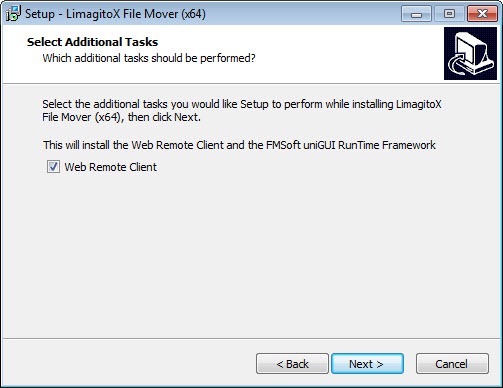
    When stepping through the setup you’ll get the option to install the Web Remote Client. This will add the Web Remote Service (LimagitoXW.exe) to the install directory and will install the FMSoft uniGUI RunTime Framework. This framework will be used by the Web Remote Service.
    After installation you can install and start the Web Remote Service using our Config tool (LimagitoXC.exe).

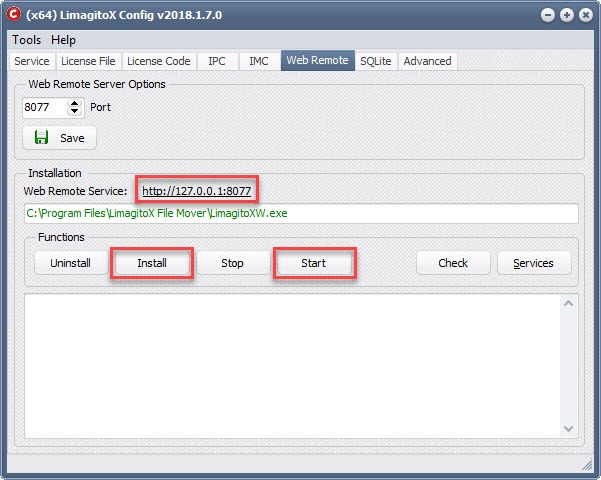
    • Select the Web Remote Tab
    • Default port is 8077
    • Click <Install>
    • Click <Start>

    • Be sure that the File Mover application or Service is running.
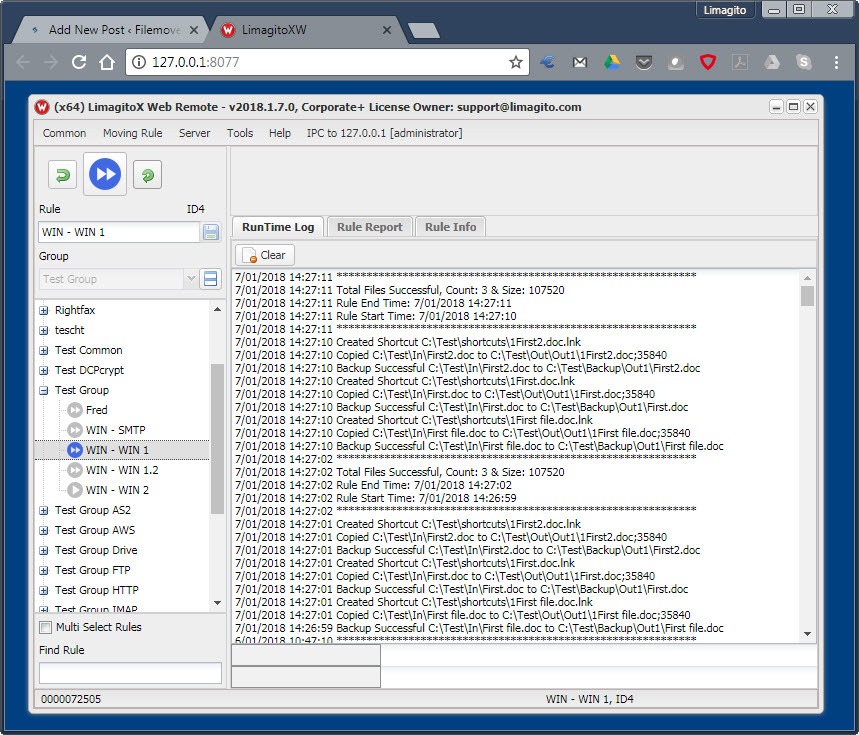
    • Open your browser at http://127.0.0.1:8077 (= default) or click on the link.
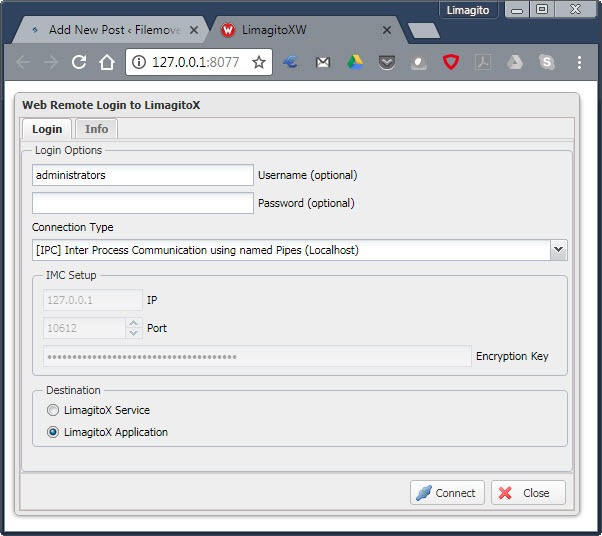
    • Ready to play 🙂

    We’ll continue to add the different existing options to this new Web Remote Client.

    Regards,

    Limagito Team
    By Limagito-Team Remote Tool ,
  • 30 Oct

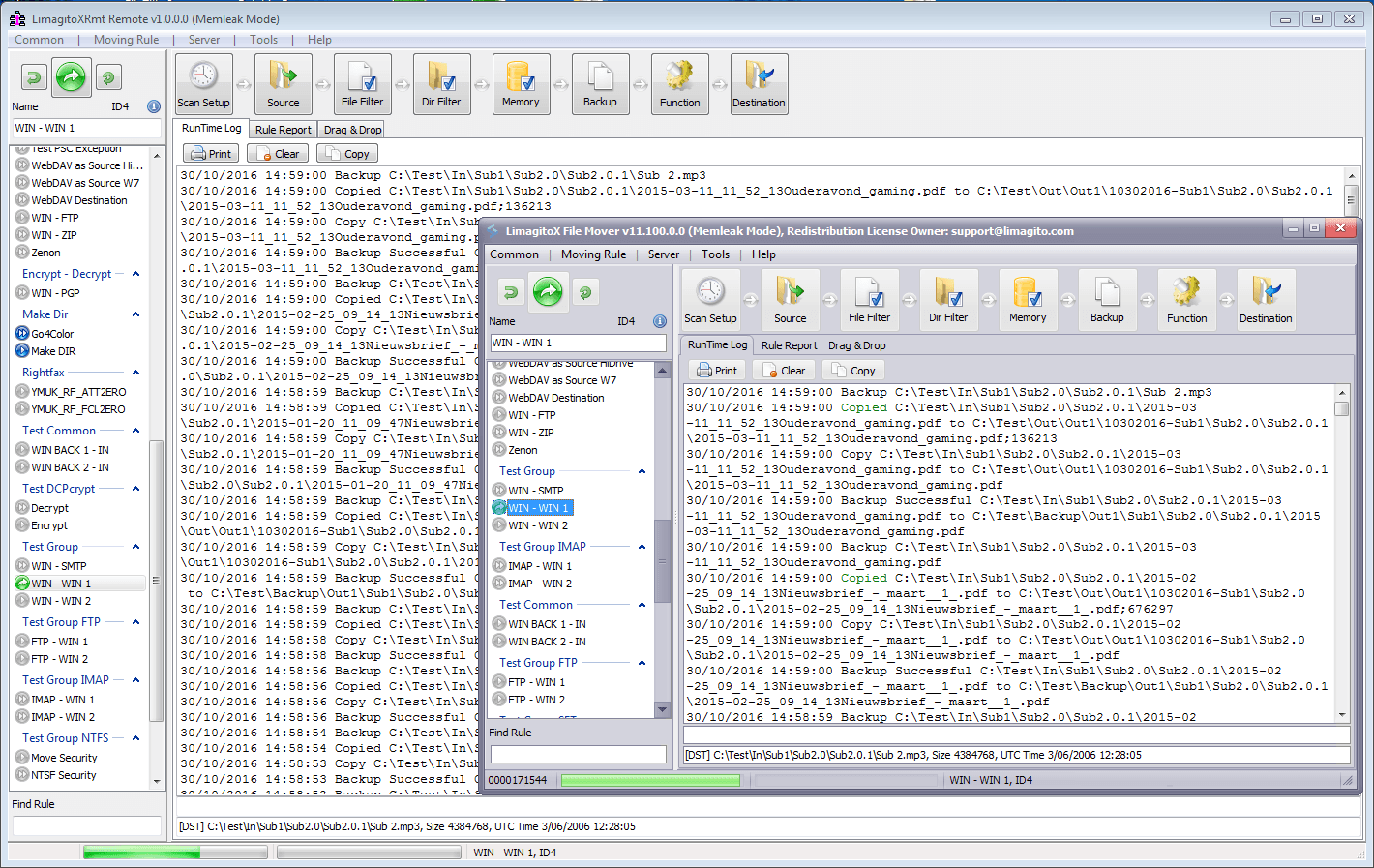
    Remote Client, Proof of concept

    We’ve finally decided to create a ‘full’ remote client for our FileMover. This means that we’ll spend a lot of time the coming months solely to add this feature. Believe me, we’ve tried lots of options available on the ‘code’ market. Lost a lot of coding hours too. The first remote client will be a native windows client (32 and 64 bit). It will use IPC (Inter Process Communication using Named Pipes) to connect to the FileMover Application or Service. We’ll start with a very basic version and will keep adding options that are already available in the FileMove Application GUI. The second version will use IMC (Inter Machine Communication using TCP/IP) so you’ll be able to use this remote client over your network.

    Proof of concept:

    remoteclient-01-pof

    By Limagito-Team Remote Tool
1 2 3 4 5
SEARCH