SFTP

  • 04 Aug

    SFTP server setup using our webremote tool

    SFTP server setup

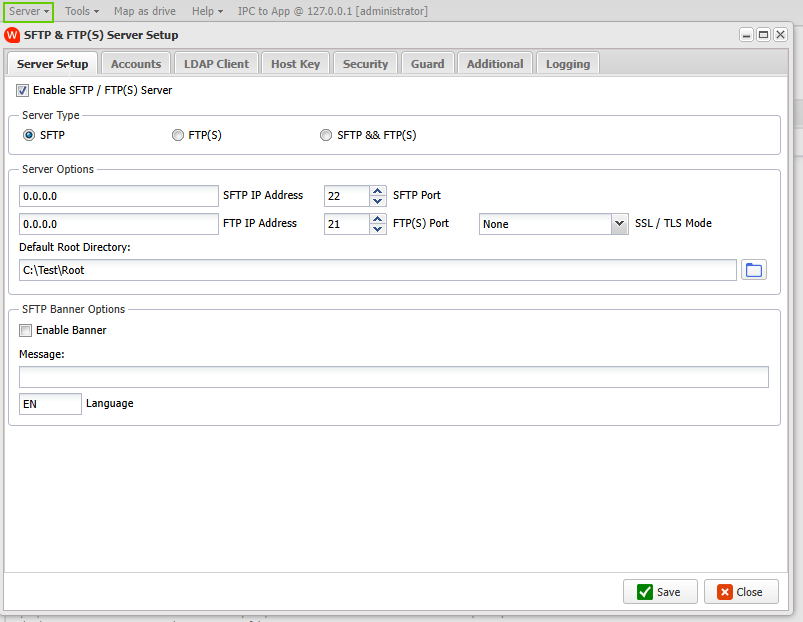
    In version v2026.8.2.0 we, finally, added the (S)FTP server setup to our WebRemote tool. Controlling the (S)FTP server is now possible using your browser.

    limagito filemover sftp servers etup

    If you need any help about this ‘SFTP server setup available in our WebRemote tool’, please let us know.

    Best Regards,

    Limagito Team

    #sftp #managedfiletransfer #filetransfer #filemanagement #limagito

  • 16 Aug

    I am asked to provide a public SSH key for a new SFTP connection

    Q: I am asked to provide a public SSH key for the new connection.

    >> Are you able to provide me a public ssh key so we can make the connection passwordless? Let me know and I will create the account so you can test your connection. Thanks

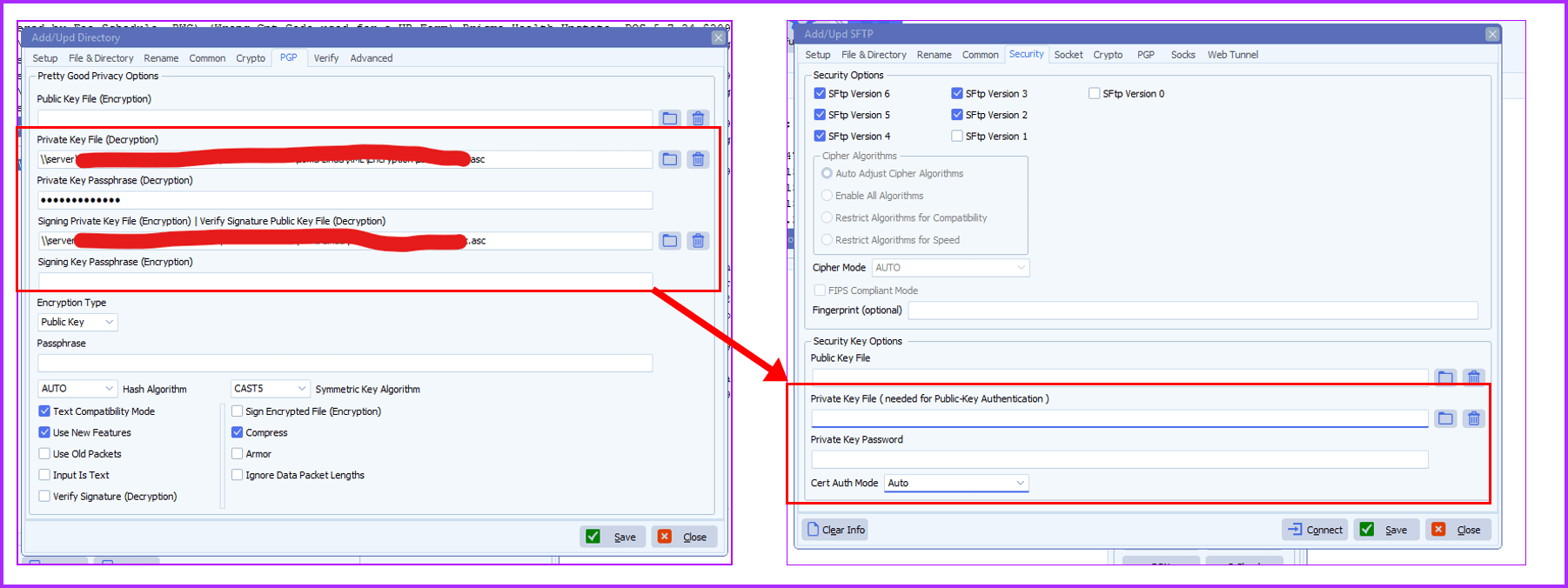
    Can I give them the same public key I use for encrypting files, and set up on my rule same as I have set up to decrypt files with the private key and password? See the screen shot below.

    If you can let me know as soon as possible, I would greatly appreciate it. Thank you.

    limagito file mover provide a public SSH key

    A: No, you can not use PGP encryption/decryption keys for SFTP Public-Key authentication

    https://limagito.com/how-to-generate-a-rsa-key-for-sftp/

    Generate SSH key pairs( public and private), private key will be saved as xyz.ppk (important). Send SSH public file to the people in charge of the SFTP server. Put the private file in the Limagito File Mover setup, use vendor 2 – CK.

    If you need any help with this new option, please let us know.

    Best Regards,

    Limagito Team

    #SFTP #SSH #managedfiletransfer #filetransfer #filemanagement

    By Limagito-Team SFTP ,
  • 04 Jul

    SFTP error FXP_OPENDIR when connecting

    SFTP error FXP_OPENDIR when connecting

    Q: Hey guys, we’re receiving this error with our SFTP connection to the MOVEIT Cloud.  Have you heard anything on this? Also, we did update to the latest version (v2025.6.8.0) to see if it works better.

      OpenDir(2797ms):

       SshVersion: SSH-2.0-MOVEit Transfer SFTP

        SftpVersion: 3

        IdleTimeoutMs: 60000

        openDir(2797ms):

          path: /Home/

          Sent FXP_OPENDIR

          readSftpPacket(2797ms):

            maxToReceive: 16

            Connection closed by peer.

            passiveClose:

              Passive socket closing complete.

            –passiveClose

            sshRawPacket: Socket connection closed.

            sshReadMessage: Socket connection closed.

            Socket connection lost, channel closed.

          –readSftpPacket

          Failed to read expected SFTP packet.

          Failed to receive response to FXP_OPENDIR, disconnecting…

        –openDir

        Failed.

      –OpenDir


    Limagito: We don’t have any other open tickets regarding this issue so it is a bit strange. What we did in the meantime: we added an extra (third) SFTP code Vendor – SC. We are still doing tests but it is already available in our latest v2025 version.

    Reply: I found the root cause of the error. MoveIT only allows a login to have one session open at a time. We were trying to run the jobs concurrently and that what was causing the issue. Once I made them run sequentially, the issue stopped.


    If you need any help with this ‘SFTP error FXP_OPENDIR’ error, please let us know.

    Best Regards,

    Limagito Team

    #sftp #managedfiletransfer #filetransfer #filemanagement
    By Limagito-Team Error SFTP
1 2 3 4 13
SEARCH