
Q: I am trying to create a rule where we need to pick files from user’s Desktop/Export folder, and the computer has several different users. The path goes like this \\<hostname>\C$\Users\<userid>
A: This is possible using our scripting option.
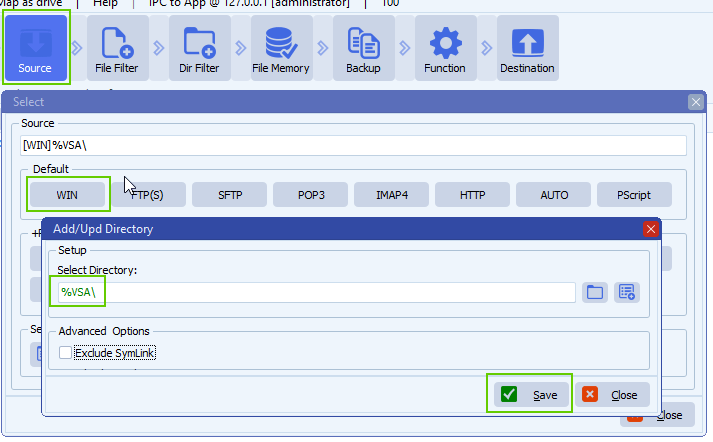
- Start with the following Windows as Source option:
- Set %VSA as Directory, %VSA = Variable String A
- %VSA will be set by our Pascal Script option
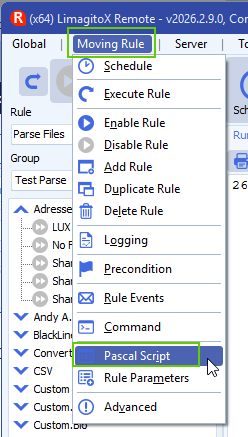
- Open our Pascal Script option:
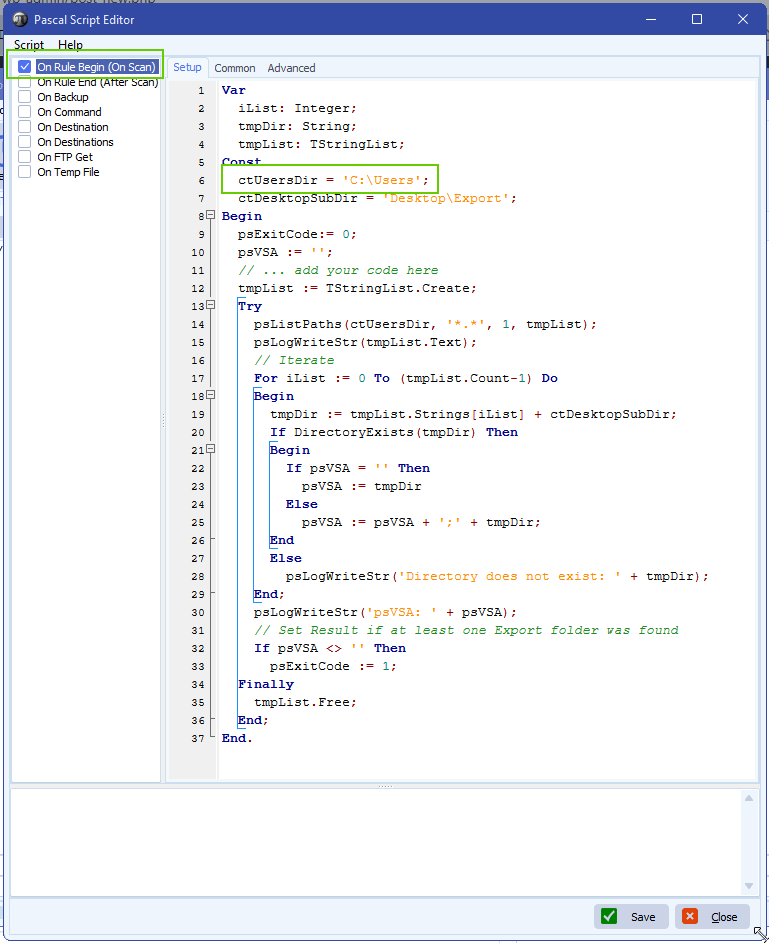
- Enable and add the following ‘On Rule Begin’ script:
- You can download the script here
- Do not forget to adjust the ‘ctUsersDir’ Const
- This script will list all users and check if they have an ‘Export’ folder on their Desktop
- You can add any file or directory filter if needed, that is up to you.
- Select the Function and if you would choose ‘Copy’ then do not forget to enable our File Memory option otherwise you would copy the same files over and over again.
- Destination Setup:
- First Destination must be ‘Pascal Script’ (PScript).
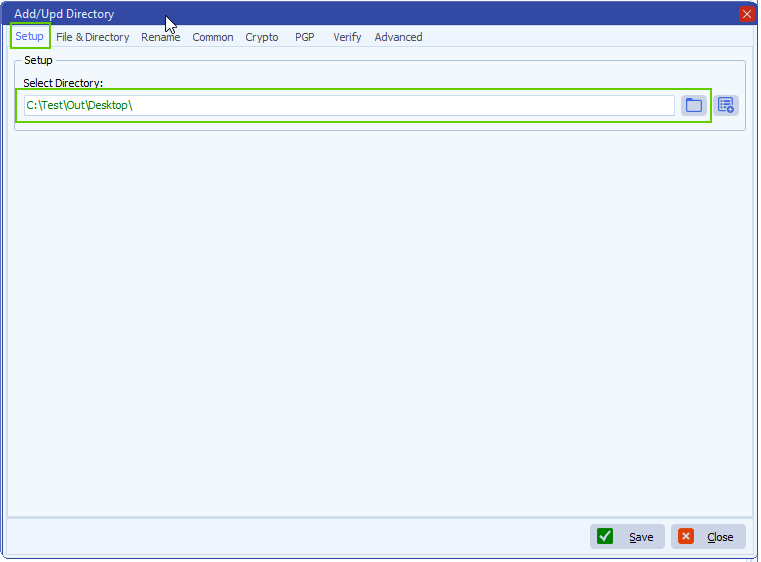
- Second Destination, we used a Windows folder but you can use other too.
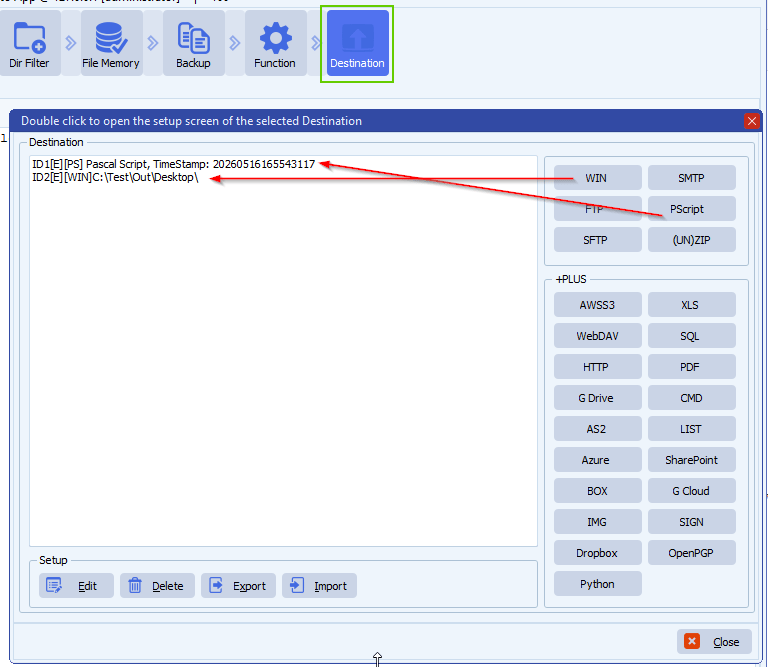
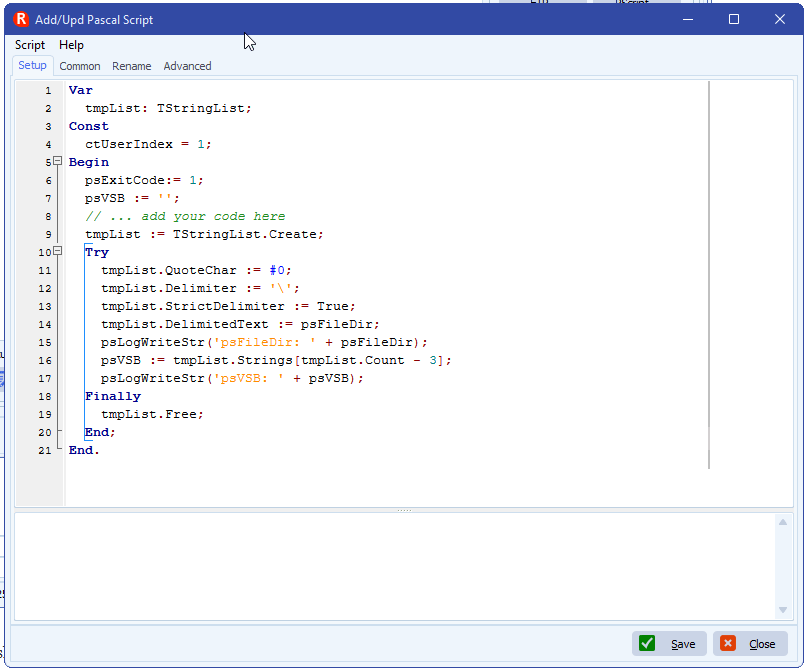
- First Destination: Pascal Script
- You can download the script here
- The script will strip the UserID from the FileDir and put it into %VSB (= Var String B)
- Second Destination, Windows Folder:
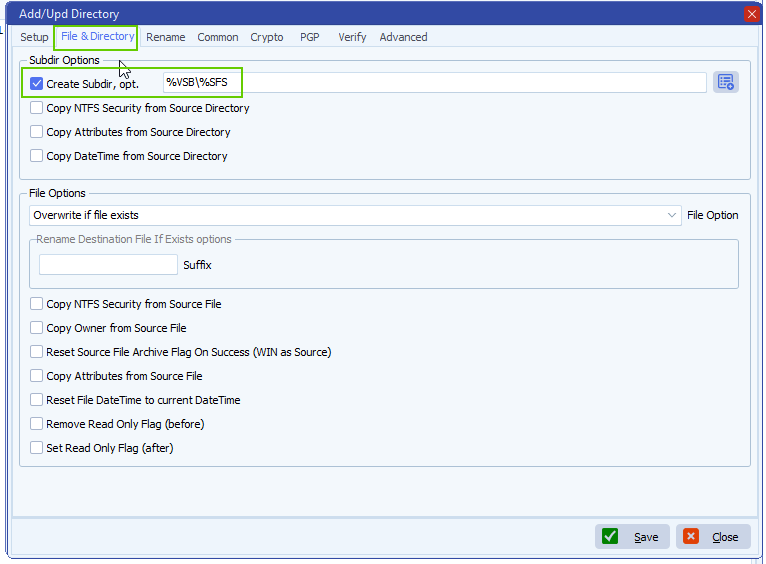
- Set the ‘Create Subdir’ to: %VSB\%SFS
- %VSB will contain the UserID
If you need any help about this ‘pick files user’s Desktop’ request, please let us know.
Best Regards,
Limagito Team
#managedfiletransfer #filetransfer #filemanagement #limagito
