
Q: Does Filemover support authentication to Azure Storage using Azure AD with RBAC roles (for example “Storage Blob Data Contributor” or “Storage Blob Data Reader”), instead of using storage account keys or SAS tokens? If this is not currently supported, is it something that is planned for a future release? For security reasons, we are looking to avoid the use of storage account keys and would prefer to rely on role-based access control where possible.
A: This option was added for Azure Block Blobs in v2026.2.9.0
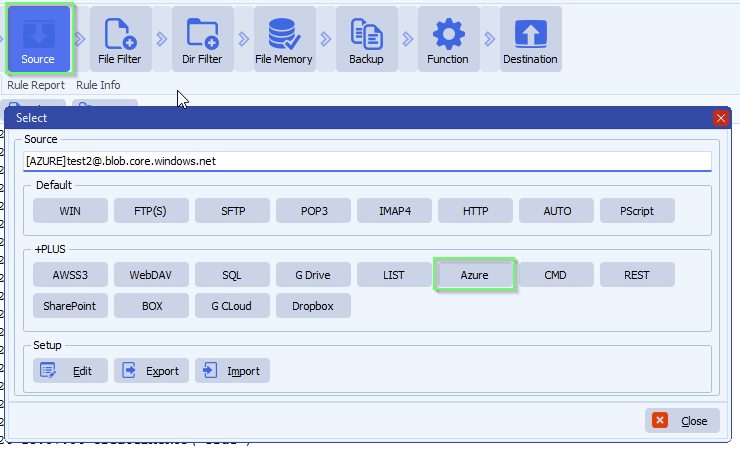
- In our example we used Azure as Source:
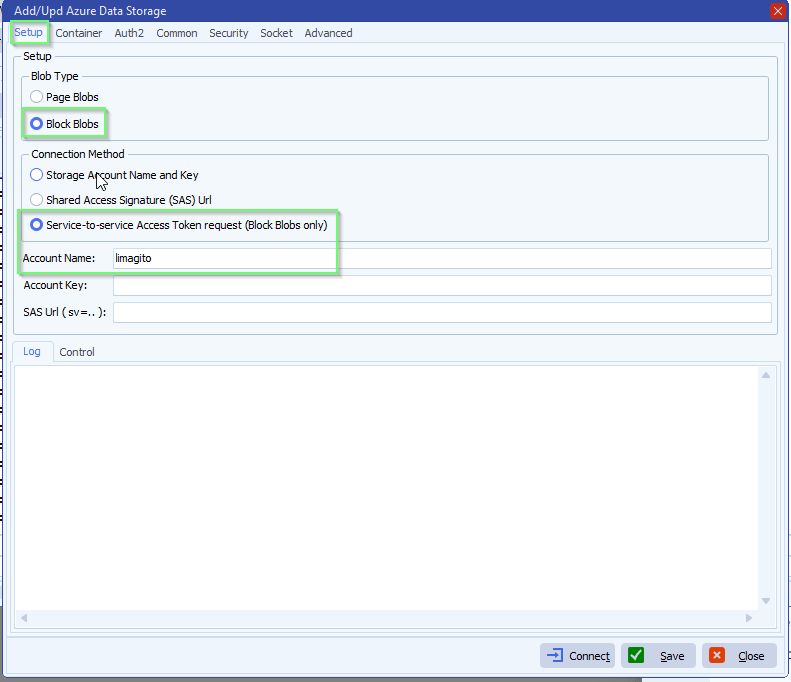
- The new Authentication option “Service-to-service Access Token request” is only available for Block Blobs:
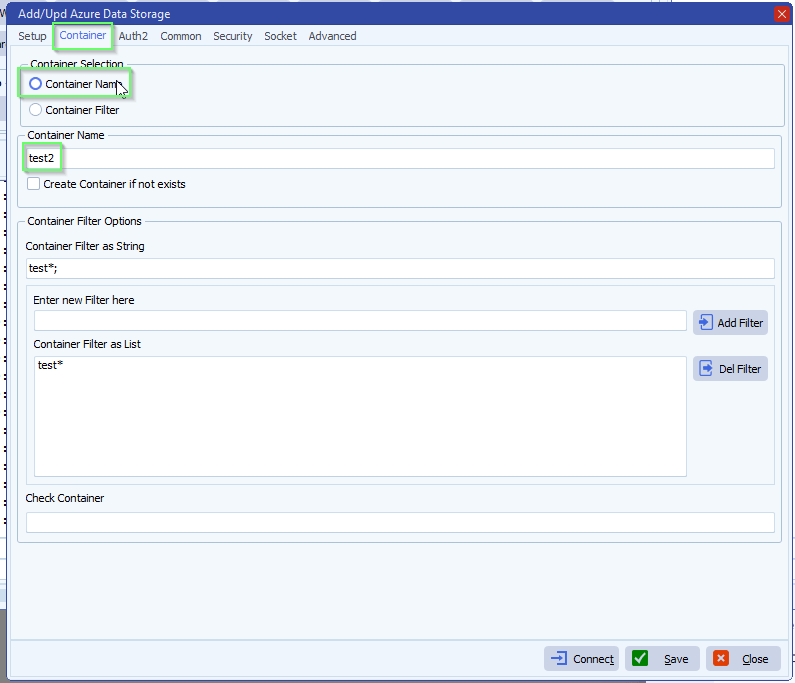
- Next we selected our Azure Storage Container
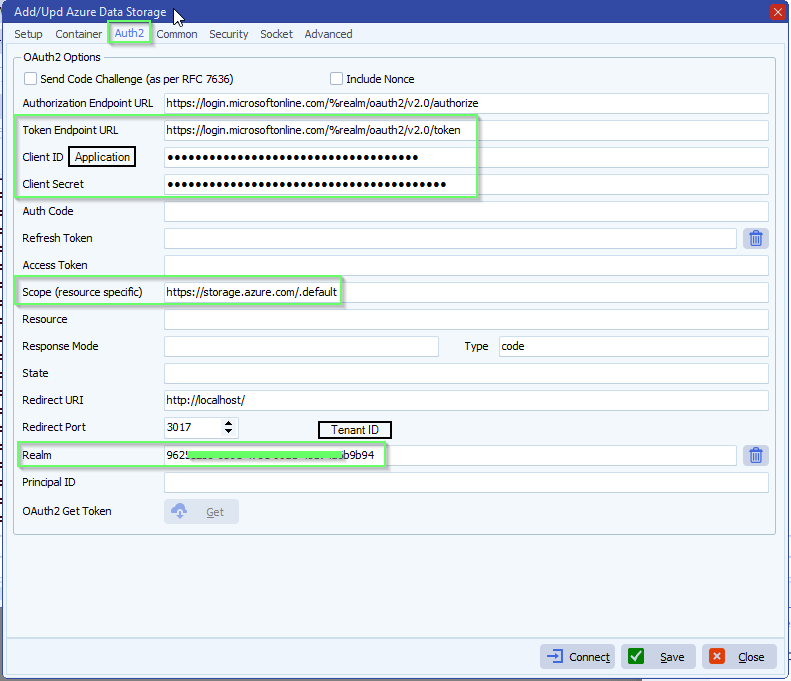
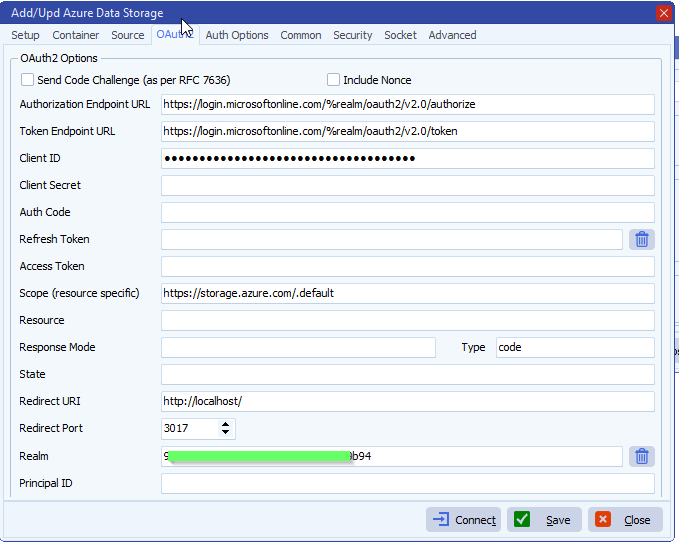
- Azure OAuth2 setup, the following fields are needed:
- Token Endpoint URL: https://login.
microsoftonline.com/%realm/ oauth2/v2.0/token - Application Client ID: > Check App registration below
- Client Secret Value: > Check App registration below
- Realm (Tenant ID): > Check App registration below
Assign Role via Azure Portal:
- Go to your Storage Account
- Click on Access Control (IAM)
- Click Add role assignment
- Select role: Storage Blob Data Contributor
- Assign access to: User, group, or service principal
- Select members: Search for your Service Principal (Application name)
- Click Review + assign
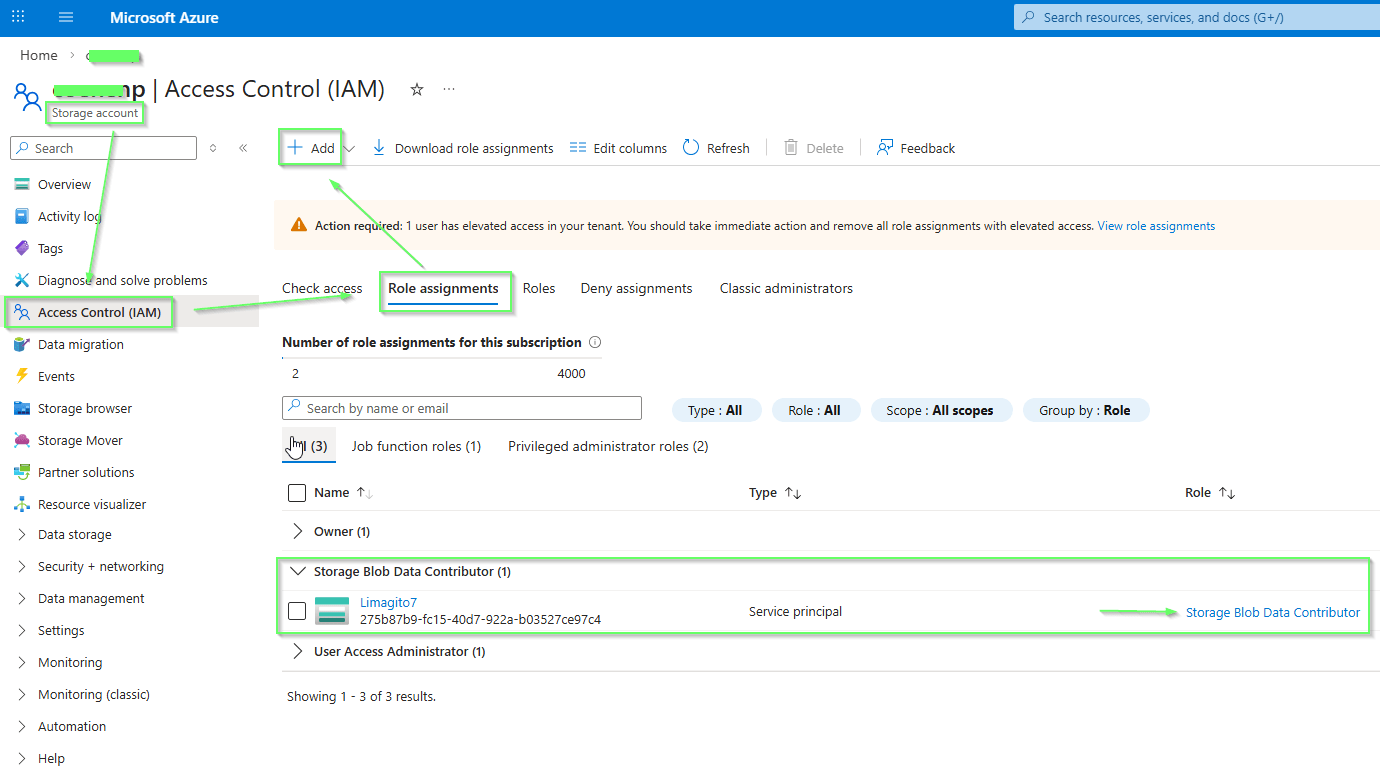
Required Azure RBAC roles for Block Blobs:
To use Block Blobs with OAuth, your Service Principal must have one of these roles:
| Role | Permissions | Use Case |
|---|---|---|
| Storage Blob Data Reader | Read, List | Read/download only |
| Storage Blob Data Contributor | Read, Write, Delete | Upload + Download |
Storage Blob Data Contributor:
Limagito7 was added using Azure ‘App registrations’
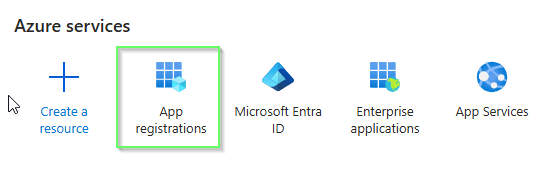
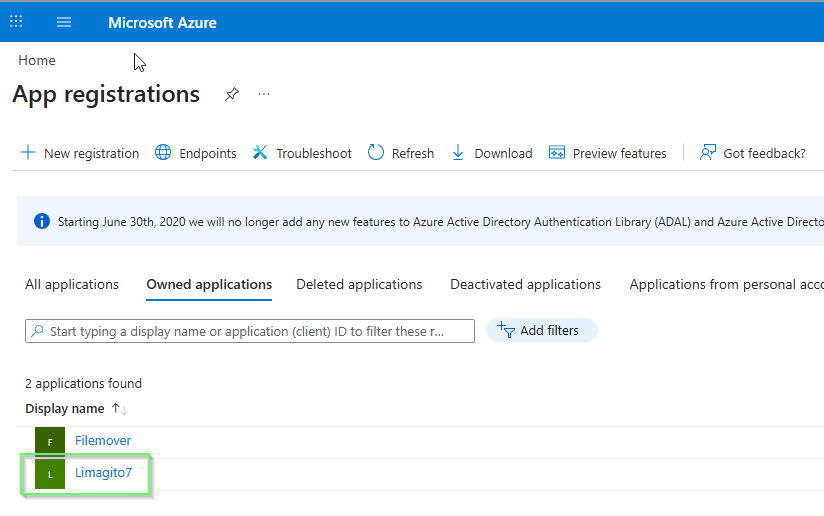
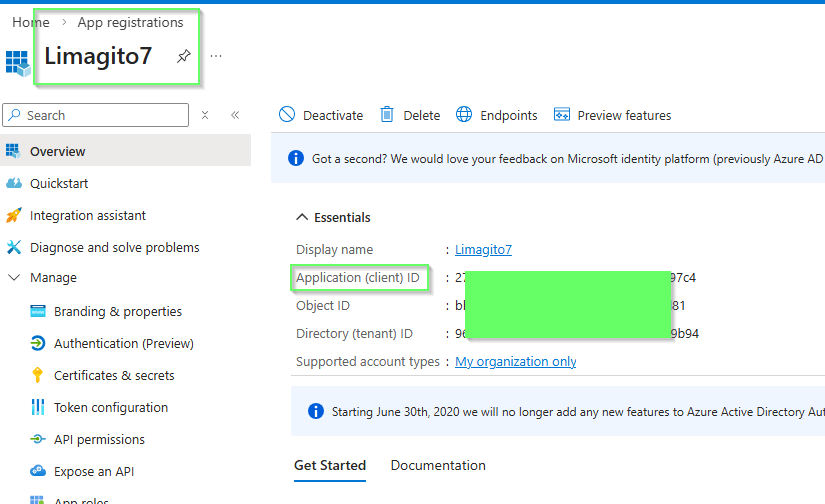
Here you can find:
- Application (Client) ID needed in OAuth2 setup
- Directory (Tenant) ID needed in OAuth2 setup
We added a ‘Client secret’ which Value field is used as Client Secret in the OAuth2 setup of our filemover.
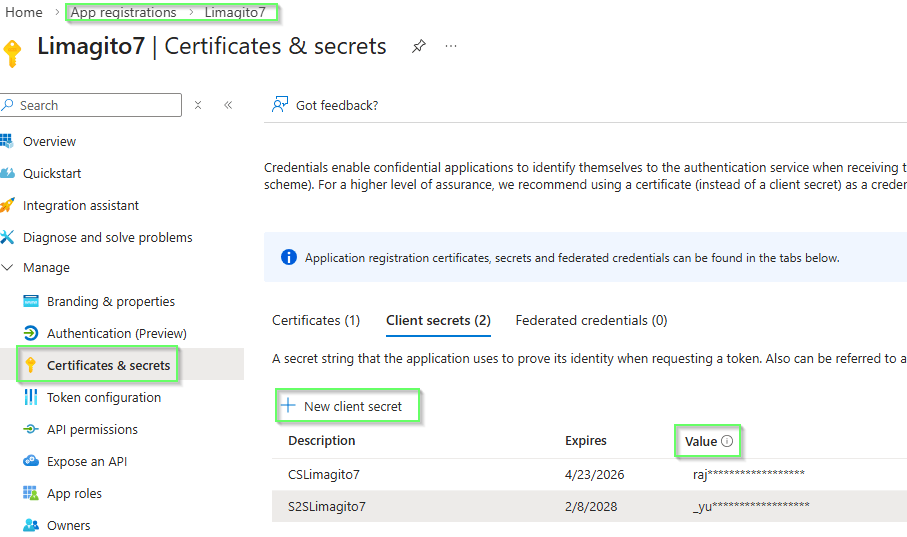
There is also an alternative, using a ‘Certificate’ instead of a ‘Client secret’, you can add this under ‘Certificates & secrets’ > Certificates > Upload certificate (public part of the key)
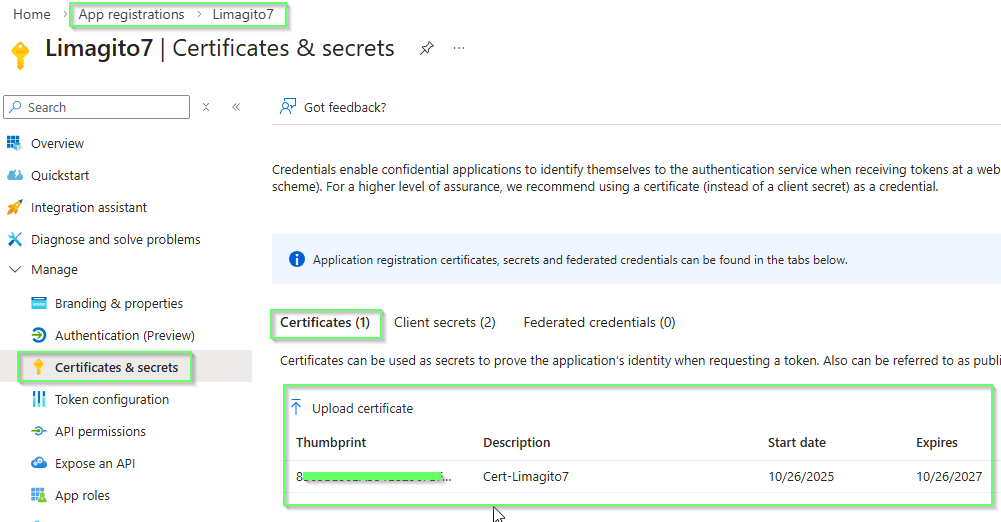
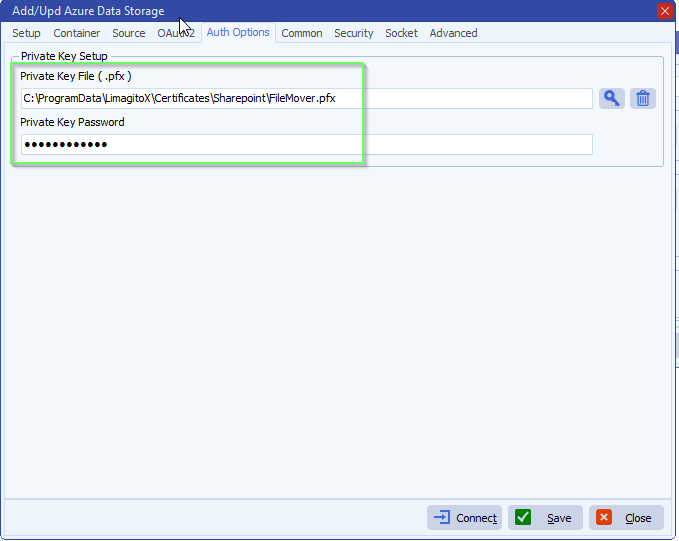
In this case the OAuth2 does not need a Client Secret, this is replaced by the Private Key file.
Select Auth Options:
- Add your private Key File (.pfx)
- Add password if needed
- How to create a self signed certificate using PowerShell
If you need any help about this new ‘azure AD RBAC authentication’ option, please let us know.
Best Regards,
Limagito Team
#azure #managedfiletransfer #filetransfer #filemanagement
