number of files

  • 21 Nov

    Send email when Number of files in a folder is higher than 10

    Q: I would like to know how in Limagito to Send email when Number of files in a folder is higher than 10. So, count the number of *.xml files in a specific folder, and simply notify when the number is higher than 10.

    A: Yes, this is possible using our scripting option

    • As Source we used our PScript option and added the following script:
      • Do not forget to adjust the Const values
        • ctSourcePath, ctFilter, ctIncludeSubDir and ctFileCount
      • Add the following script
        • If count of files > 10 than this will trigger the On Success Rule Event (psExitCode = 1)
    Var
      tmpCount: Integer;
    Const
      ctSourcePath = 'C:\Test\In_Xml\';
      ctFilter = '*.xml';
      ctIncludeSubDir = True;
      ctFileCount = 10;
    Begin
      psExitCode:= 0;
      // ... add your code here
      tmpCount := psCountFiles(ctSourcePath, ctFilter, ctIncludeSubDir);
      If tmpCount > ctFileCount Then
      Begin
        psLogWrite(1, '', 'File Count: ' + IntToSTr(tmpCount) + ', more than ' + IntToStr(ctFileCount));
        psExitCode := 1;
      End;
    End.
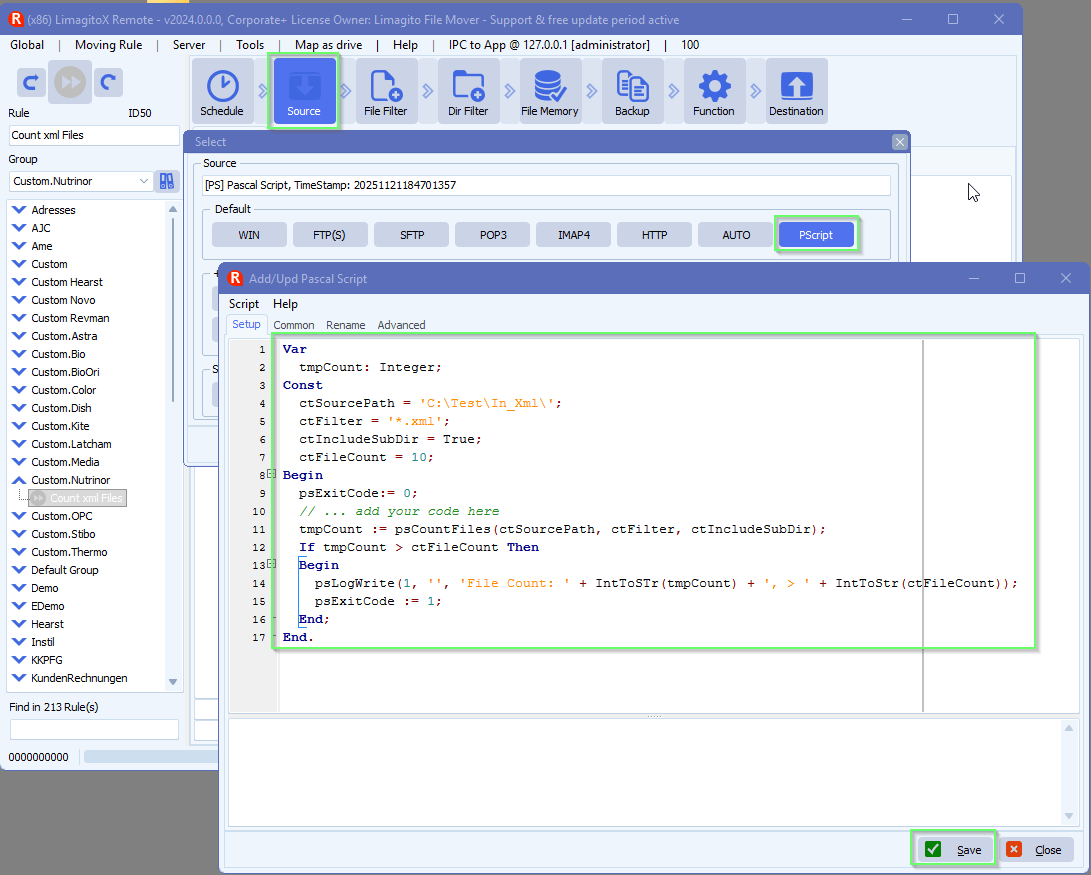
    limagito file mover number of files in a folder

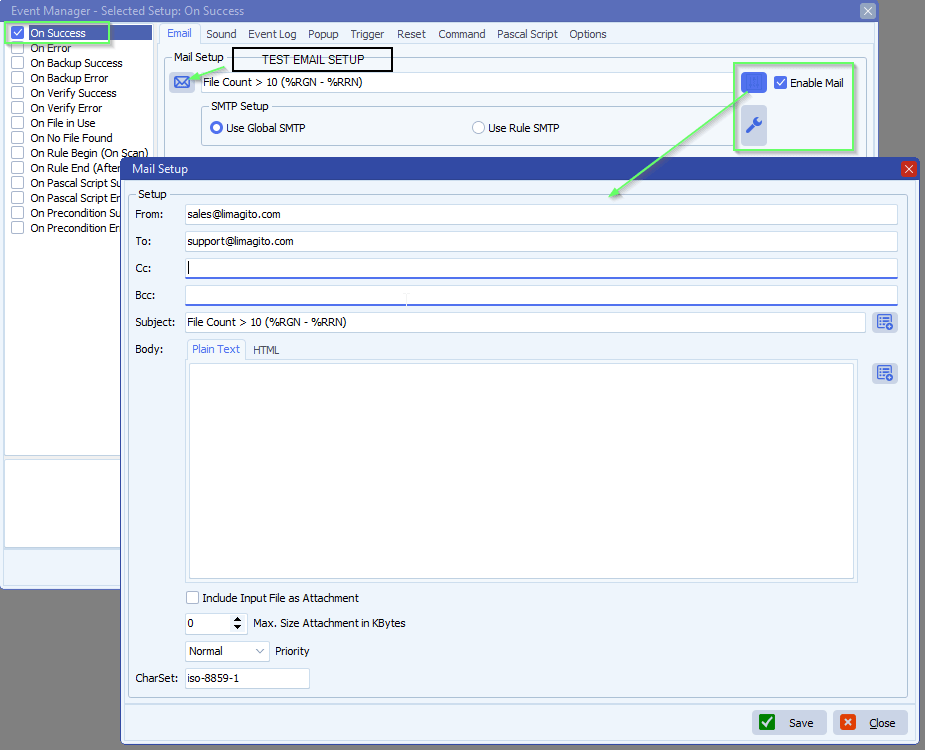
    • Next add the On Success Rule Event

    limagito filemover on success rule event

    • Do not forget to enable the option ‘Enable On Success Events for LimagitoX temporary Files’.
      • This is needed because in this case we don’t have any Destination.
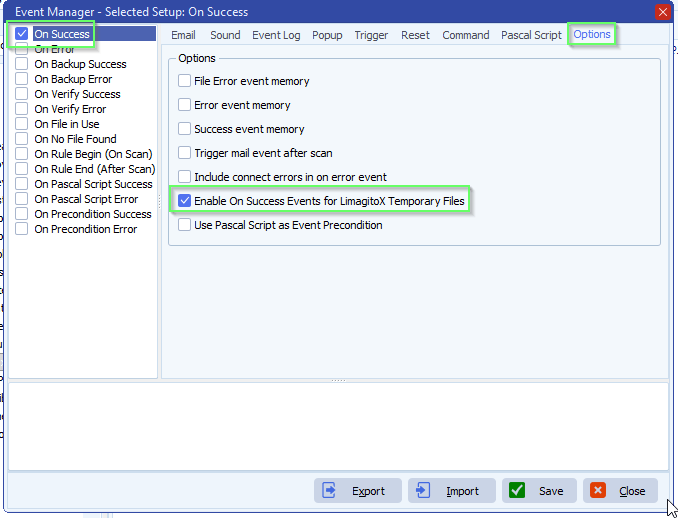
    limagito file mover on success rule event options

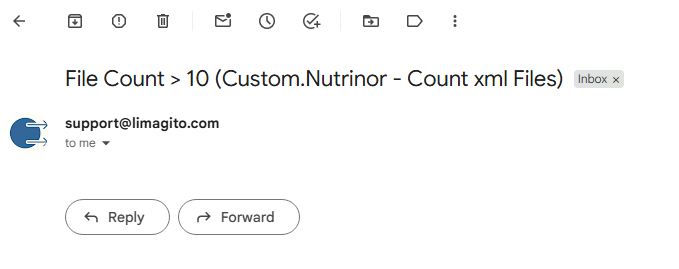
    • Result email:

    Send email when Number of files in a folder is higher than 10

    If you need any help about this request, please let us know.

    Best Regards,

    Limagito Team

    #managedfiletransfer #filetransfer #filemanagement


  • 01 Aug

    How to scan a folder to look for a number of files, then start the transfer?

    Q: How to scan a folder to look for a number of files, then start the transfer? We are a licensed customer of Limagito. Is it possible to scan a folder to look for 6 files, then start the transfer?  If there are less than 6 files, none of the files are transferred.

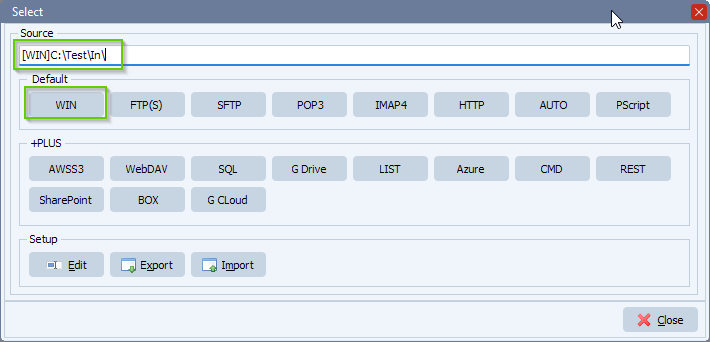
    A: This is possible with a Windows folder/Share [WIN] as Source. We added some screenshots to get you started.

    • Add Windows folder/share as Source:

    limagito file mover source setup

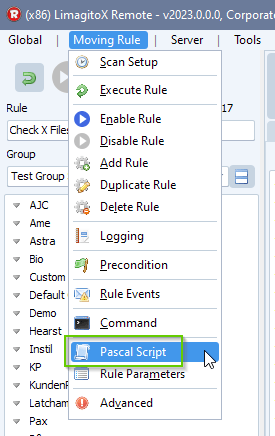
    •  Open our Pascal Script option:

    limagito file mover pascal script option

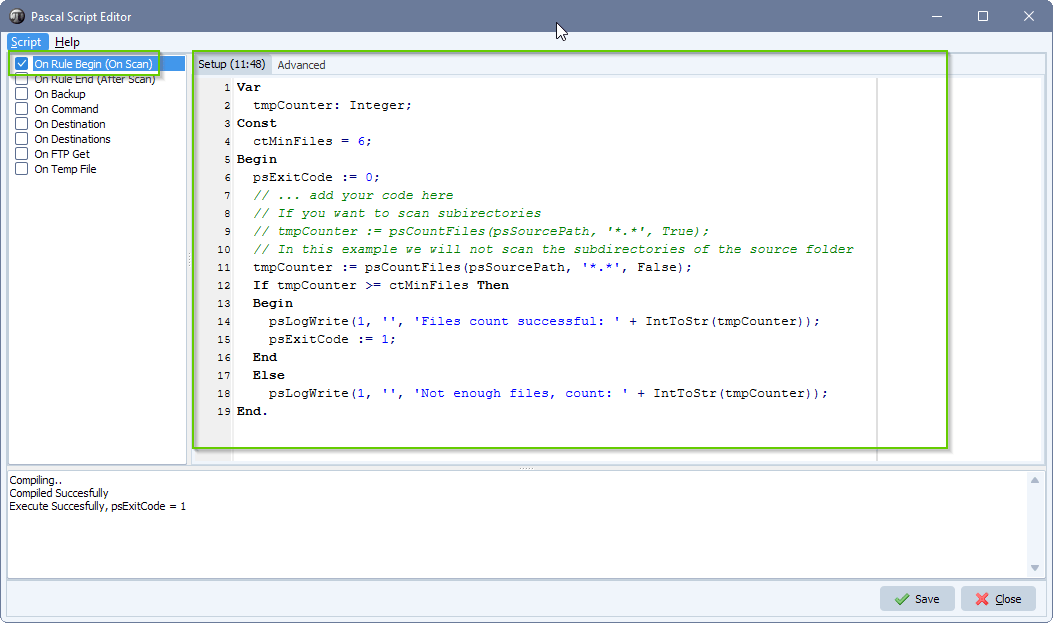
    • Please enable and add the following ‘On Rule Begin’ Pascal Script (script attached in txt file). You can modify the amount (ctMinFiles) or search filter (*.*) if needed.
    Var
      tmpCounter: Integer;
    Const
      ctMinFiles = 6;
    Begin
      psExitCode := 0;
      // ... add your code here
      // If you want to scan subirectories
      // tmpCounter := psCountFiles(psSourcePath, '*.*', True);
      // In this example we will not scan the subdirectories of the source folder
      tmpCounter := psCountFiles(psSourcePath, '*.*', False);
      If tmpCounter >= ctMinFiles Then
      Begin
        psLogWrite(1, '', 'Files count successful: ' + IntToStr(tmpCounter));     
        psExitCode := 1;
      End  
      Else
        psLogWrite(1, '', 'Not enough files, count: ' + IntToStr(tmpCounter));     
    End.

    limagito file mover look for a number of files

    • Click F9 and check the log window in the Pascal Script setup. It should show ‘Compiled Successfully’.

    limagito file mover pascal script compile result


    If you need any info about this ‘look for a number of files’ question, please let us know.

    Best regards,

    Limagito Team

SEARCH