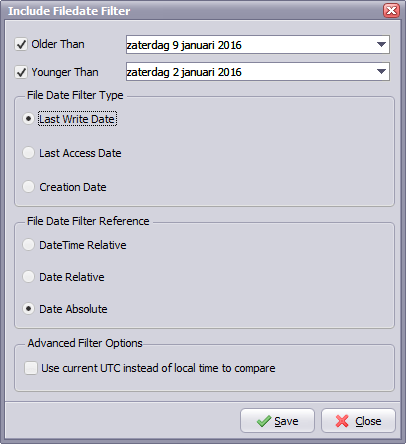
File date filtering
Q: We are currently thinking about creating a new Limagito rule to process files, and I would like to get your advice on the best way to implement it.
Here is the context:
- Every day, a large number of XML files are dropped into three different folders.
- For each folder, we would like to identify the files that were created between yesterday at 3:00 AM and today at 2:59 AM.
- The files identified in each folder will then be zipped and uploaded via SFTP.
We initially thought about using the DateFiler function with the “Older than” and “Younger than” conditions. However, we realized that if a user manually triggers the rule, the time window will no longer be correct.
Is there a way to define the time window as “yesterday at 3:00 AM to today at 2:59 AM”, regardless of when the rule is actually executed?
A: We added a new ‘File Date Relative – Time Absolute Filter’ in version v2026.10.3.0
In your case you’ll need both include and exclude file date filter:
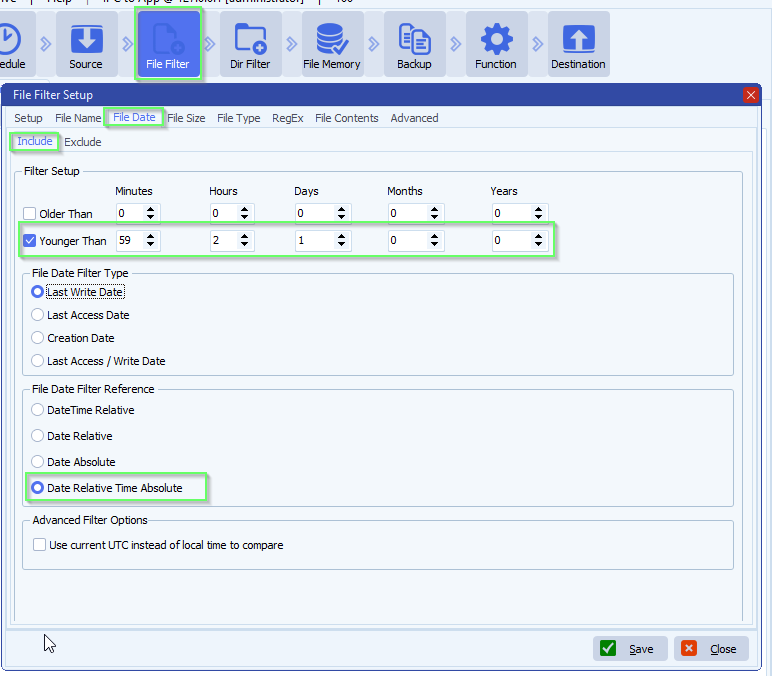
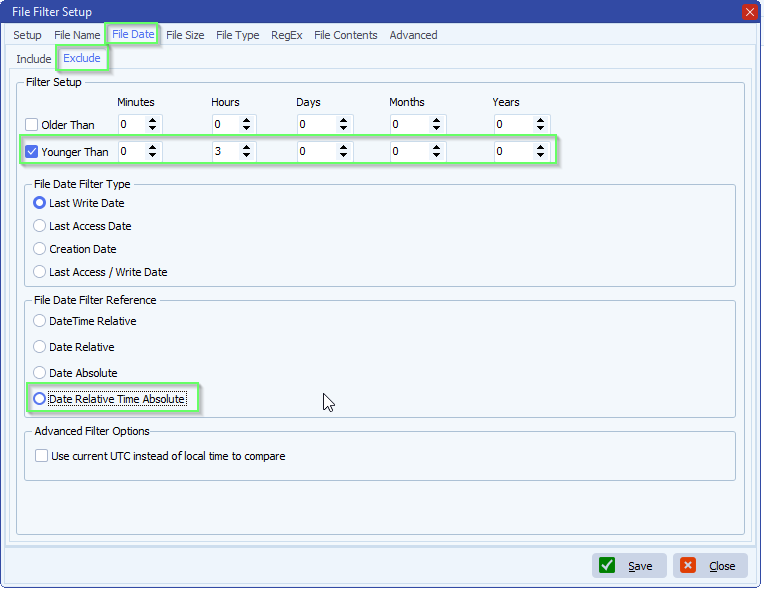
If you need any help about this new ‘file date filtering’ option, please let us know.
Best Regards,
Limagito Team
#managedfiletransfer #filetransfer #filemanagement #limagito