How-to

  • 06 Apr

    How to use day of the week folders based on the filename

    Using day of the week folders

    Q: I would like to sort my files based on the filename. The first 8 char contain the date that has to be used. The format is YYYYMMDD (Year = 4 char, Month = 2 char and Day 2 = char).

    A: This is possible using our Pascal Script option. We’ve attached some screenshots to get you started.

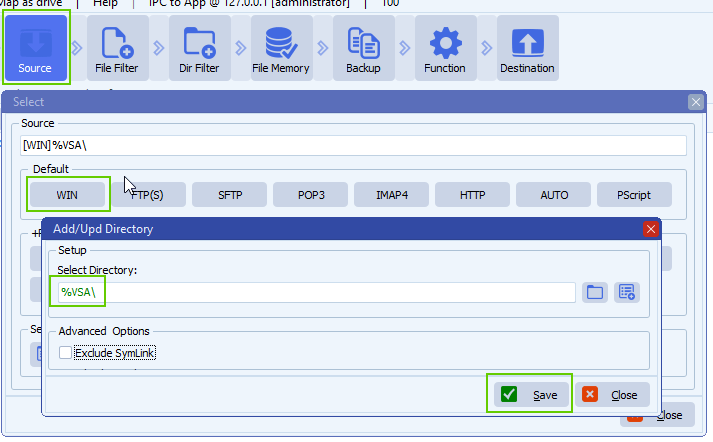
    • We used a Windows folder as Source:

    limagito file mover windows folder as source

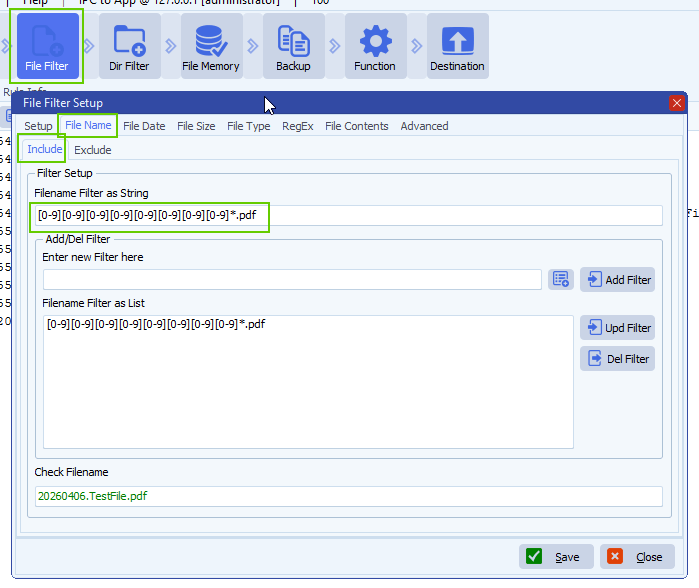
    • File Filter Setup:

    limagito file mover filename include filter

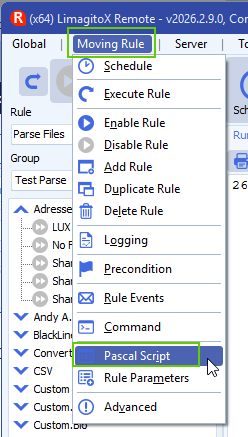
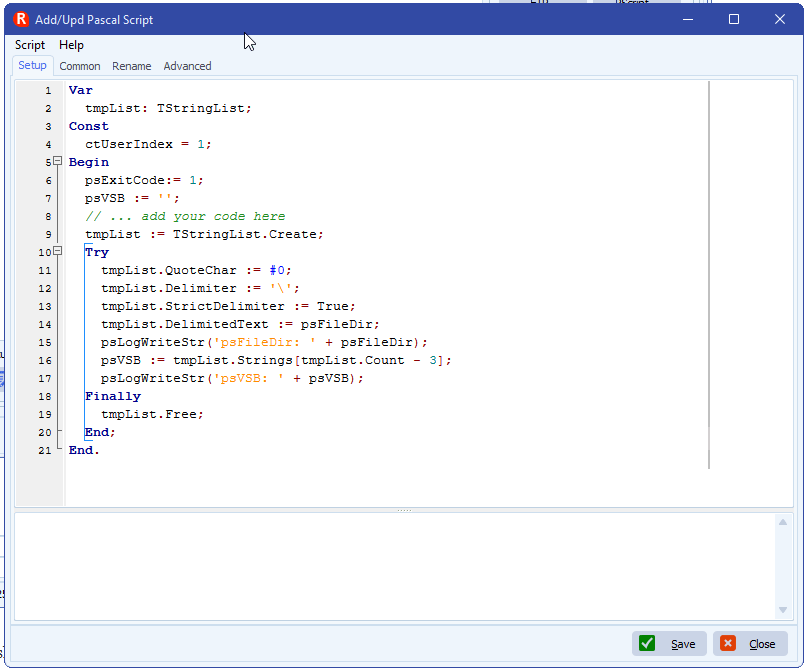
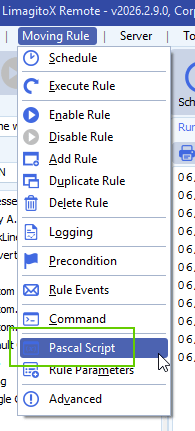
    • Open our Pascal Script option:

    limagito file mover pascal script option

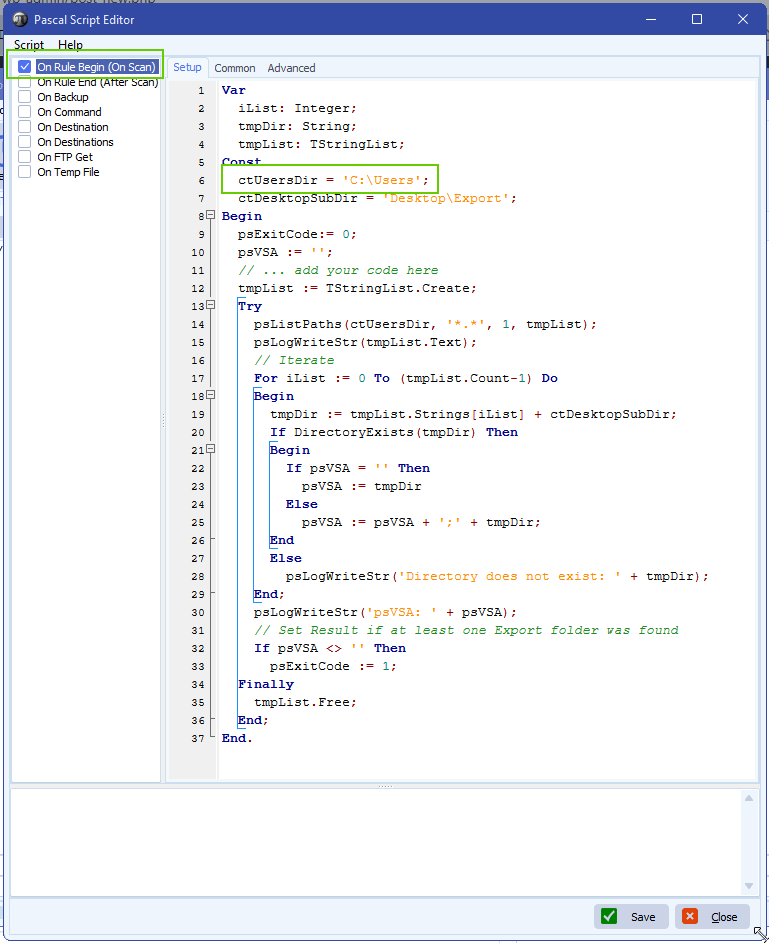
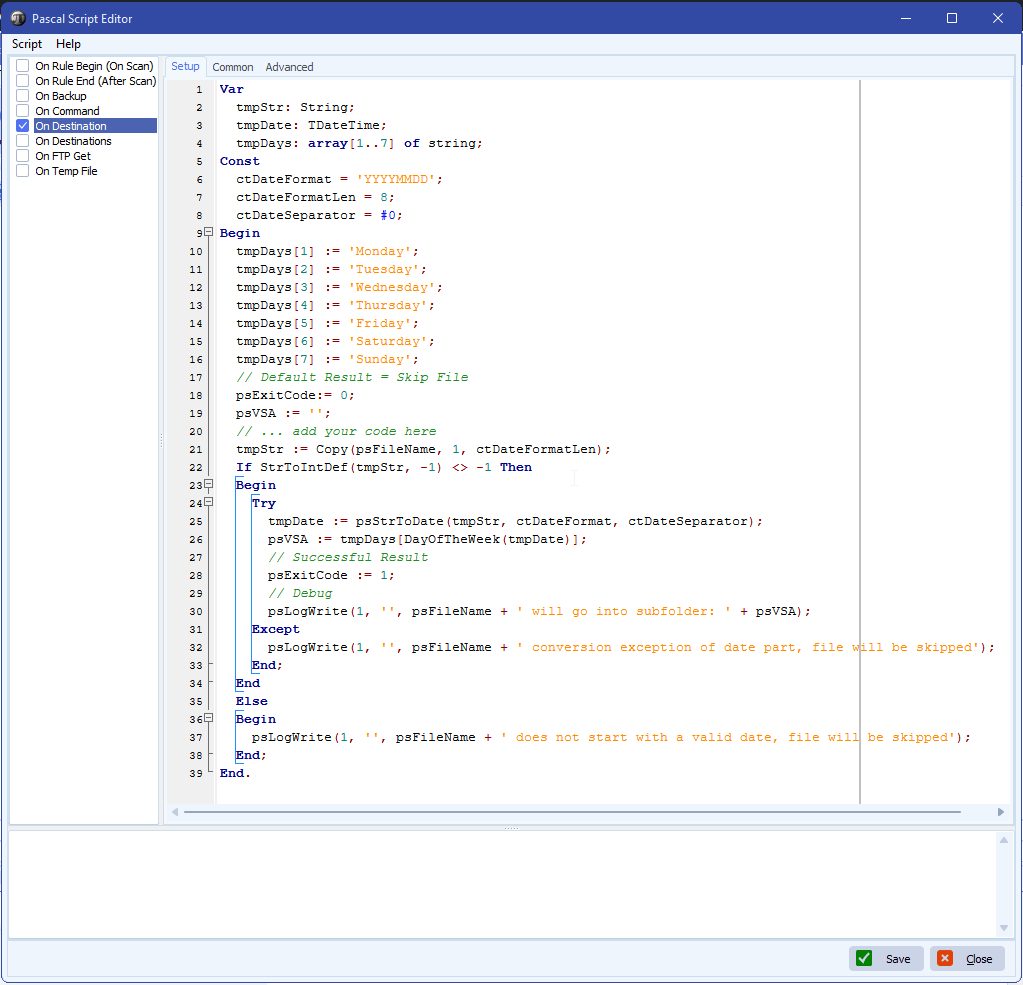
    • Enable and add the following ‘On Destination’ script:
      • The script will strip the date part from the filename and will check the day of the week
        • Corresponding day of the week will go into the %VSA (Var String A) parameter which will be used in the Destination setup
    Var
      tmpStr: String;
      tmpDate: TDateTime;
      tmpDays: array[1..7] of string;
    Const
      ctDateFormat = 'YYYYMMDD';
      ctDateFormatLen = 8;
      ctDateSeparator = #0;
    Begin
      tmpDays[1] := 'Monday';
      tmpDays[2] := 'Tuesday';
      tmpDays[3] := 'Wednesday';
      tmpDays[4] := 'Thursday';
      tmpDays[5] := 'Friday';
      tmpDays[6] := 'Saturday';
      tmpDays[7] := 'Sunday';
      // Default Result = Skip File
      psExitCode:= 0;
      psVSA := '';
      // ... add your code here
      tmpStr := Copy(psFileName, 1, ctDateFormatLen);
      If StrToIntDef(tmpStr, -1) <> -1 Then
      Begin
        Try
          tmpDate := psStrToDate(tmpStr, ctDateFormat, ctDateSeparator);
          psVSA := tmpDays[DayOfTheWeek(tmpDate)];
          // Successful Result
          psExitCode := 1;
          // Debug
          psLogWrite(1, '', psFileName + ' will go into subfolder: ' + psVSA);
        Except
          psLogWrite(1, '', psFileName + ' conversion exception of date part, file will be skipped');    
        End;
      End
      Else
      Begin
        psLogWrite(1, '', psFileName + ' does not start with a valid date, file will be skipped');
      End;
    End.

    limagito file mover day of the week folders

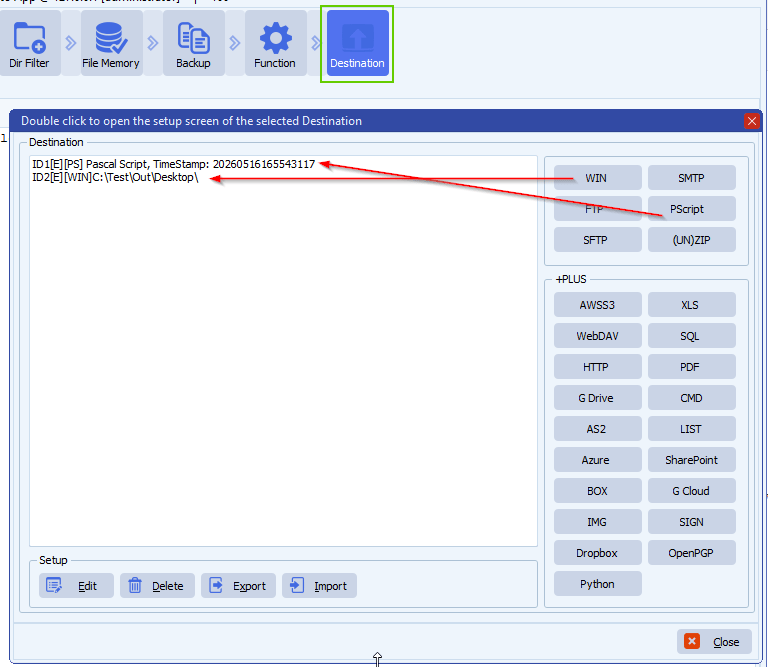
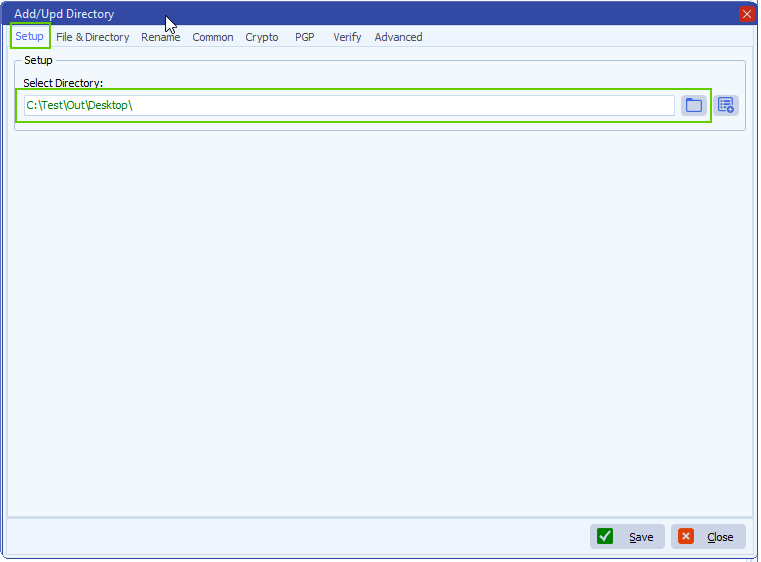
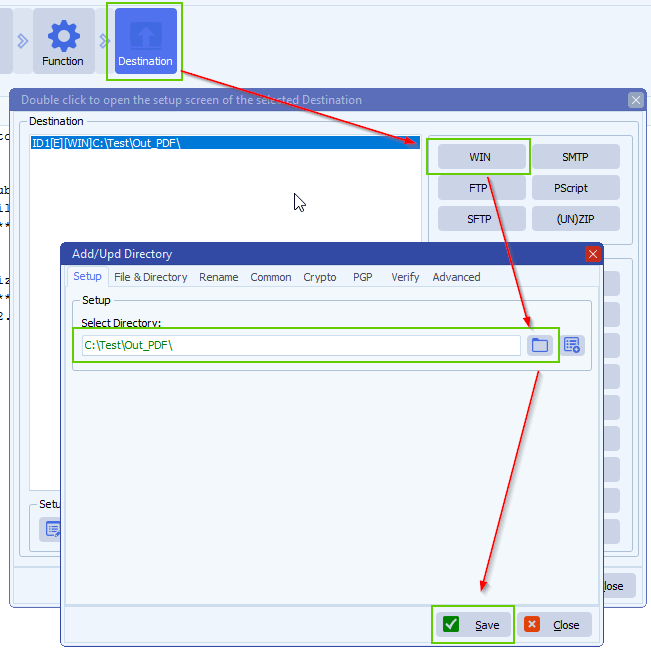
    • Destination Setup:

    limagito file mover windows folder as destination

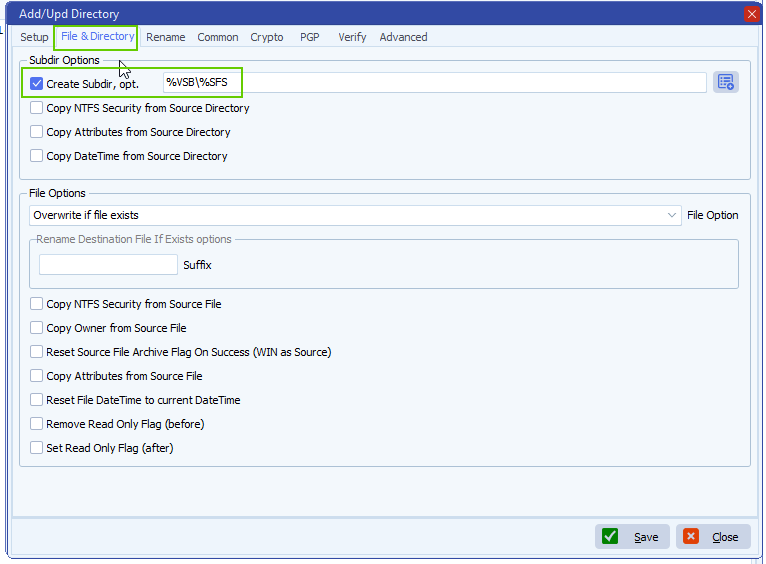
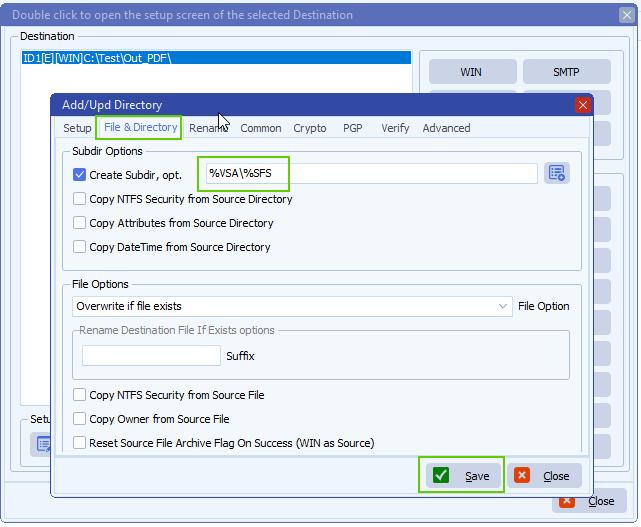
    • Important, adjust the default ‘Create Subdir option’, add %VSA (%VSA contains the day of the week):

    limagito file mover day of the week folders

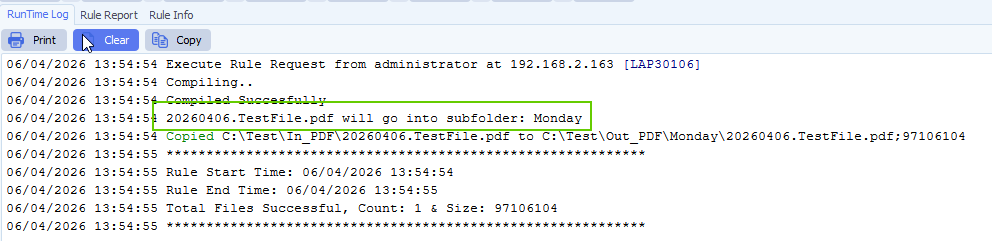
    • RunTime Log Result:

    limagito file mover runtime log

    If you need any help about this ‘day of the week folders’ option, please let us know.

    Best Regards,

    Limagito Team

    #managedfiletransfer #filetransfer #filemanagement #limagito
  • 01 Apr

    How to use Limagito to do SQL Server Express backup

    Q: Not sure if you can help or suggest with SQL Server Express Backup. We are looking to have Limagito to do SQL Express backup with more frequently. We have SQL Server Express and looking into option if Limagito has agent to directly Backup the database.  Or what is your suggestion if we want to use Limagito?

    A: We use it here with a script on SQL Express. Our tool triggers this script using our schedular.

    Script attached.: link
    Download and rename backupsqlexpress.txt > backupsqlexpress.bat
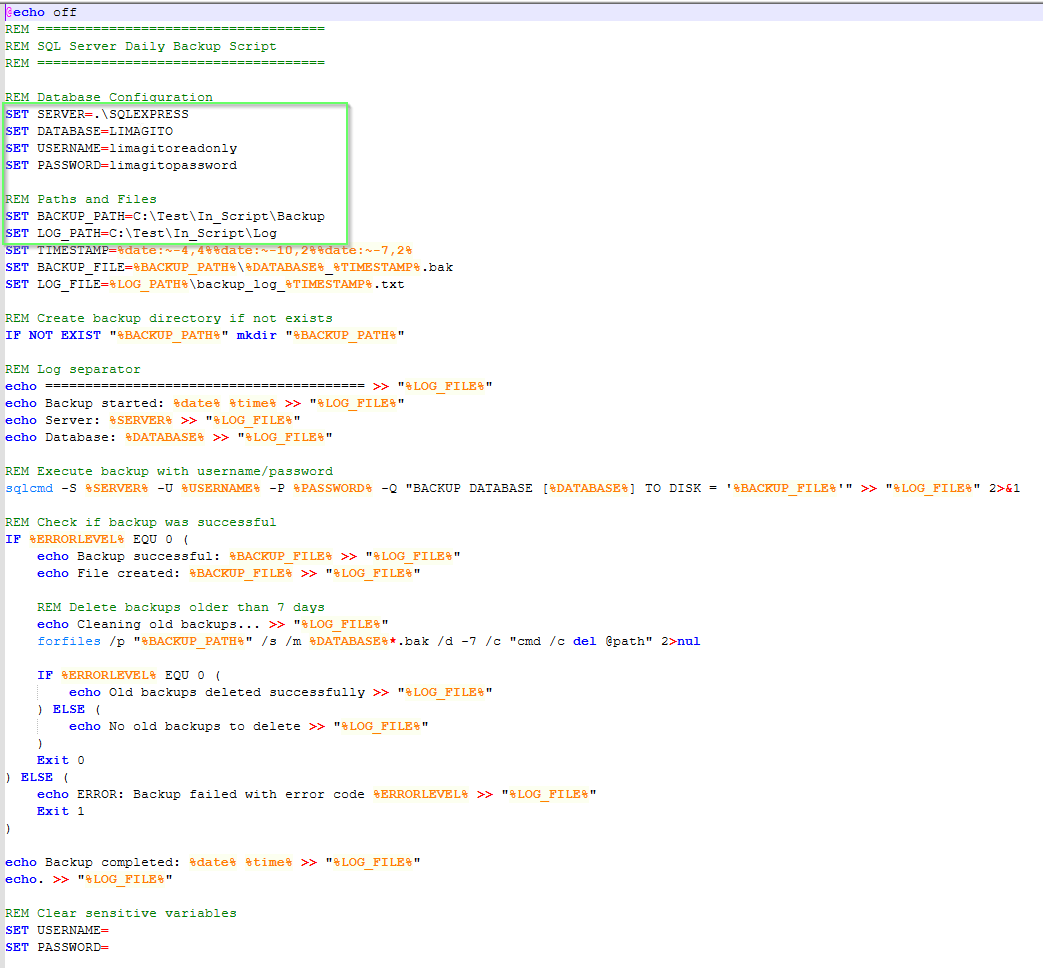
    You’ll need to set up the following parameters:
    REM Database Configuration
    SET SERVER=.\SQLEXPRESS
    SET DATABASE=YourDatabase
    SET USERNAME=YourUserName
    SET PASSWORD=YourPasswordREM Paths and Files
    SET BACKUP_PATH=C:\Test\In_Script\Backup
    SET LOG_PATH=C:\Test\In_Script\Log

    – During our test the script was put under C:\Test\In_Script\BackupSQLExpress.bat
    – The backup itself are placed under C:\Test\In_Script\Backup
    – Logging of the Database backup was put under C:\Test\In_Script\Log
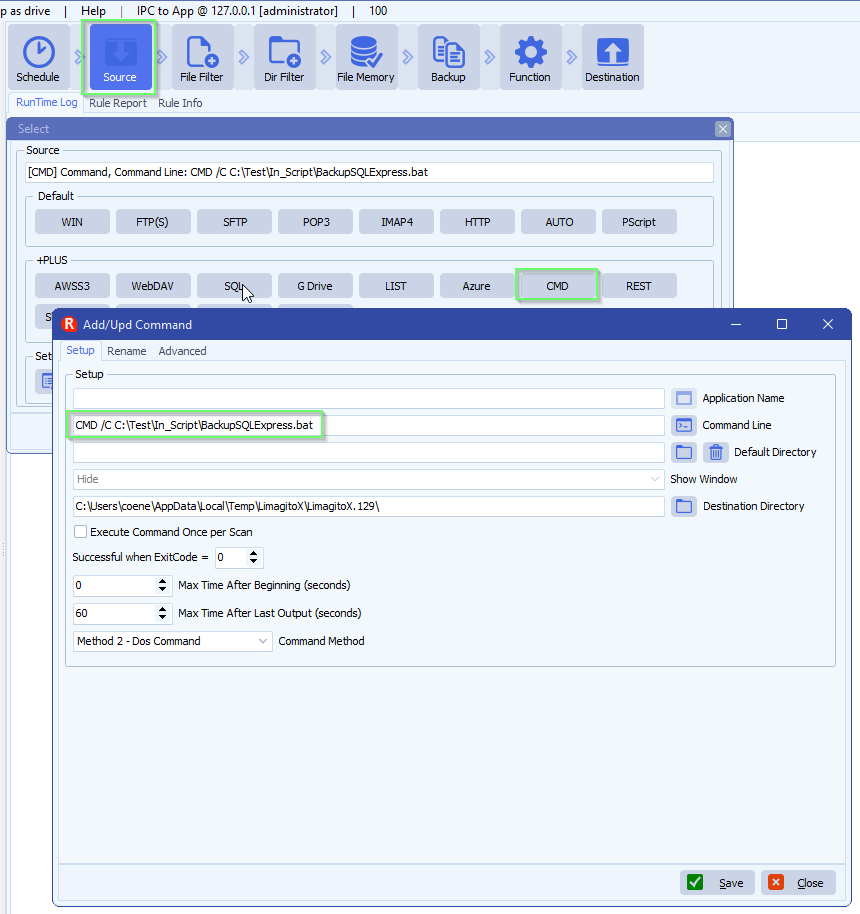
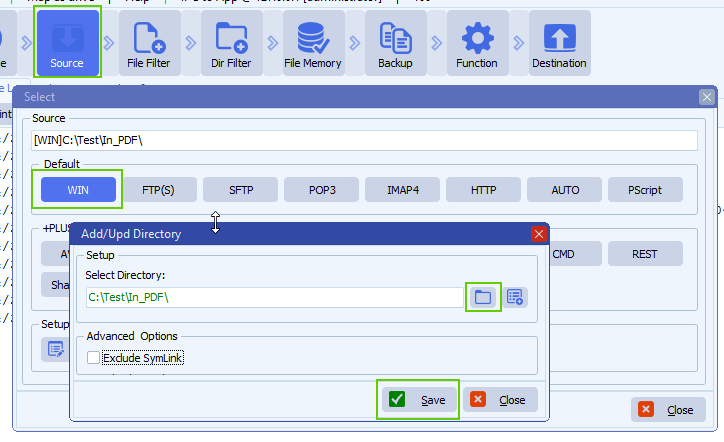
    • Add CMD as Source
    limagito file mover command as source
    limagito file mover SQL Server Express backup
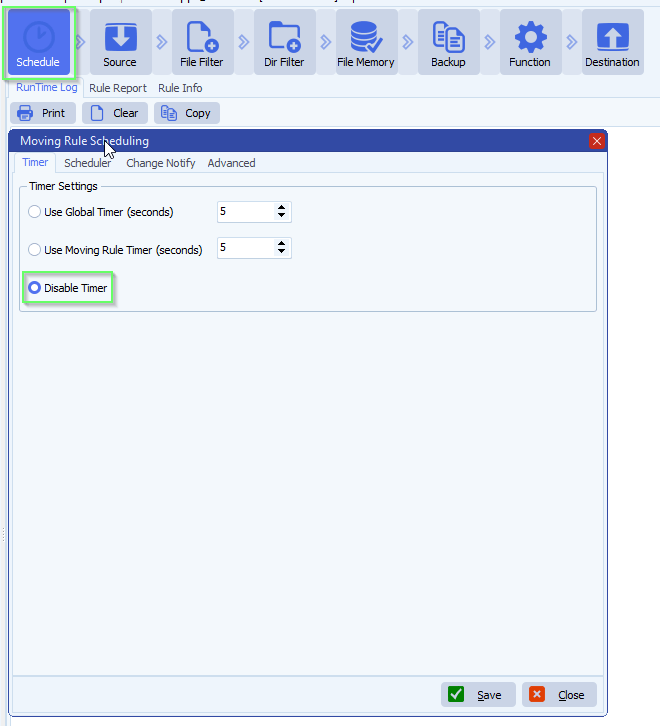
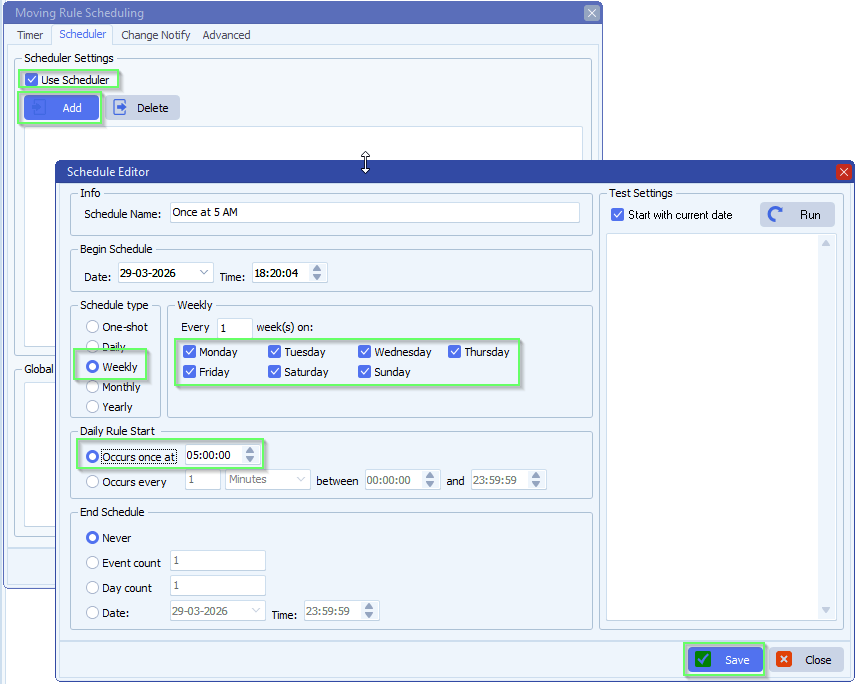
    • Setup Schedule

    limagito file mover schedule setup

    • We used every day at 5AM:

    limagito file mover schedule setup

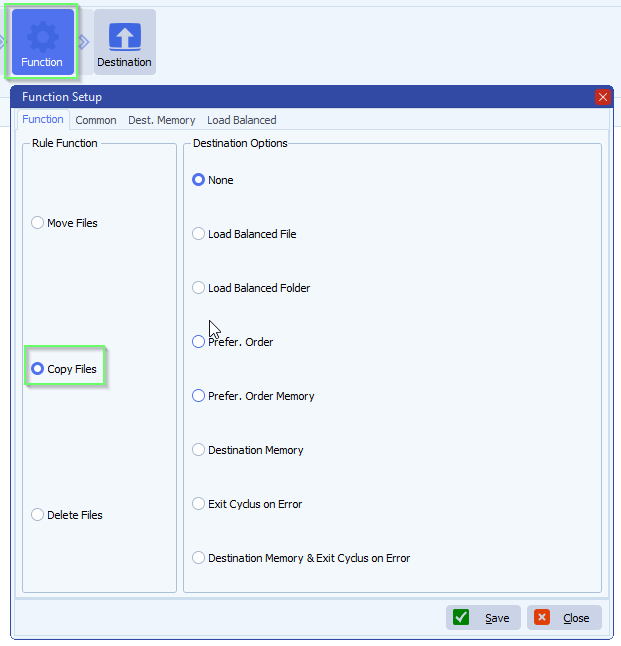
    • Function, not that it really matters because in this case we are using our CMD option as Source

    limagito file mover function setup

    Optional:
    > You can add Rule Events “On Succes” or “On Error” to get notified about the daily backup
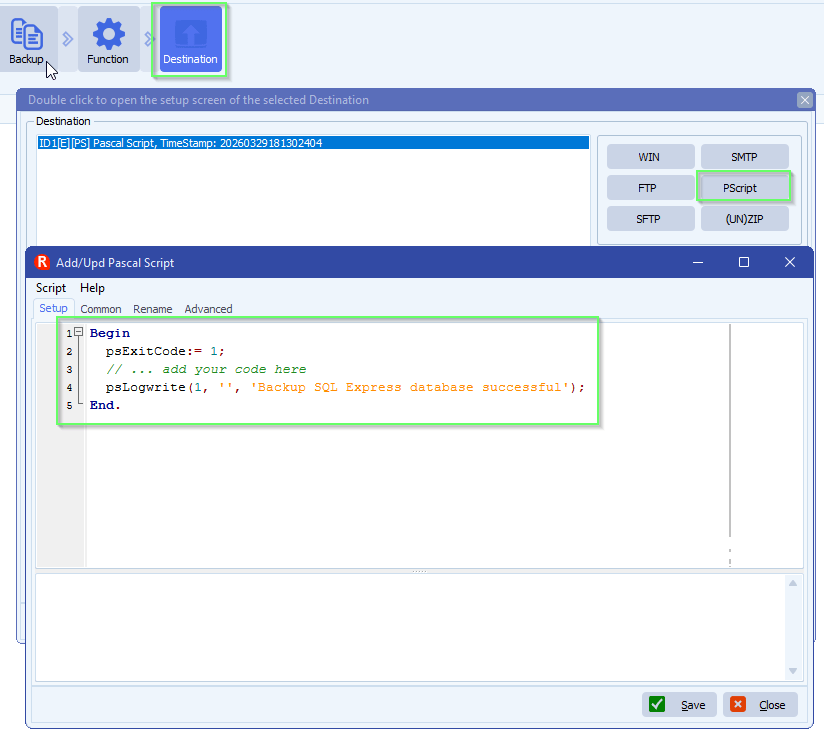
    > You could add a simple “PScript” Destination like:
    limagito file mover destination options

    If you need any help about this ‘add a no file edited trigger’, please let us know.

    Best Regards,

    Limagito Team

    #sql #managedfiletransfer #filetransfer #filemanagement

    By Limagito-Team Database How-to
  • 22 Feb

    How to use global events in limagito filemover

    Most requested feature: ‘Global Events’ — available in version v2026.2.22.0

    This is especially useful when multiple rules share the same event configuration — change it once and all rules are updated automatically. It took us more time the expected but finally it is available. It is a first release so there can be hiccups, please let us know. We’ll fix them asap.

    • Setup your ‘Global Events’ using the menu item under ‘Global’:

    limagito filemover global events option

    • <Add> a new ‘Global Event’, give it a valid description and enable it.

    limagito filemover global events setup

    • Do your usual setup like you did with the Rule Events. When you are done click <Close>.

    limagito filemover global events setup

    • Open the Rule(s) where you want to use the new ‘Global Setup’.

    limagito filemover rule events option

    • Select ‘Global Event’ as Event Type and select the event you want to use. In this example we selected the previously created ‘Global event 1’.

    limagito filemover rule events setup

    If you need any help with this new option, please let us know.

    Best Regards,

    Limagito Team

    #filemover #managedfiletransfer #filetransfer #filemanagement

    By Limagito-Team Events How-to ,
1 2 3 4 11
SEARCH