Pascal Script

  • 26 Apr

    Source file parsing and vlookup configuration

    Q: Source file parsing request:
    It was a pleasure meeting you this morning, we had a productive time upgrading our lower-environment server.
    Now, I have a specific requirement, I want to know if this is doable in Limagito?
    I have attached 3 source log files, and an Excel file for lookup values.
    Let me know what is possible and what isn’t.
    Your help would be appreciated.
           Requirement is.
    1. Get a portion of the sourcefilename
      -Filename is: 3294006586260310100730.log
      -get 7th position and is 4 digits in length (is the instrument-Slno)
      -Lookup for slno in the csv file for a possible match
      -in the 1st column (match just the 1st 4 digits alone)
      -and get the associated value in the 2nd column.             (VAR-1)
      -if there isn’t a match, then assign ‘Default‘ to VAR-1
    2. Open source-file
      -and lookup for a static-string ‘Donation ID’:
      -and get the associated value which is on the same line. (VAR-2)
      -if there isn’t a match, then assign ‘None‘ to VAR-2
      -if there are any backward or forward slashes within the value, replace it with space
    3. Rename the Target file name.
      -with the original Primary name
      -and suffix it with ‘-‘
      -and suffix it with (VAR-2)
      -and suffix it with ‘-‘
      -and suffix it with (VAR-1)
      -File Extension should be ‘.TXT
    1. Create a folder with the name (VAR-1) on the Target path and drop the associated renamed file in it.

    A: Yes this is possible using our srcipting option.

    • The Source must be a Windows folder (or share):
    limagito filemover windows folder or share as source

    • As file filter we used *.log because we only need to search for log files:
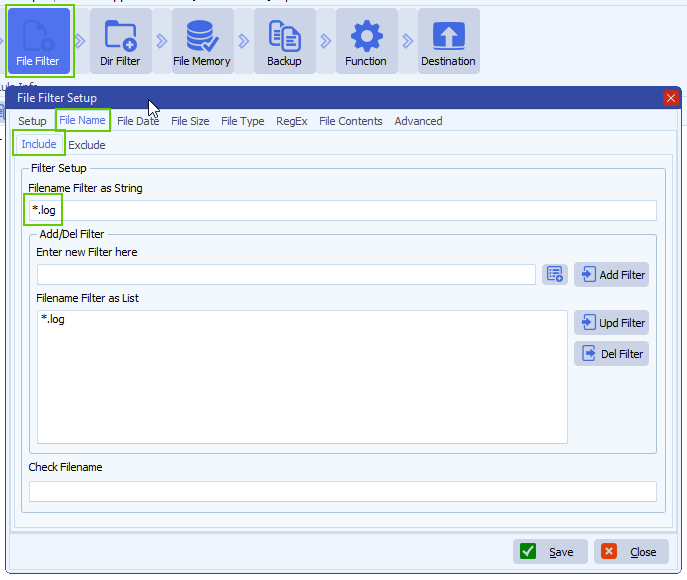
    limagito filemover file filter setup

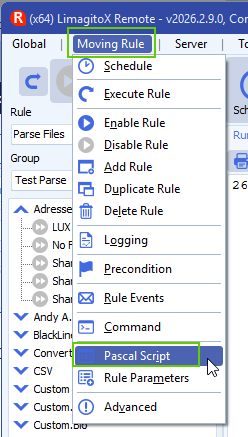
    • Open our Pascal Script option:

    limagito filemover pascal script option

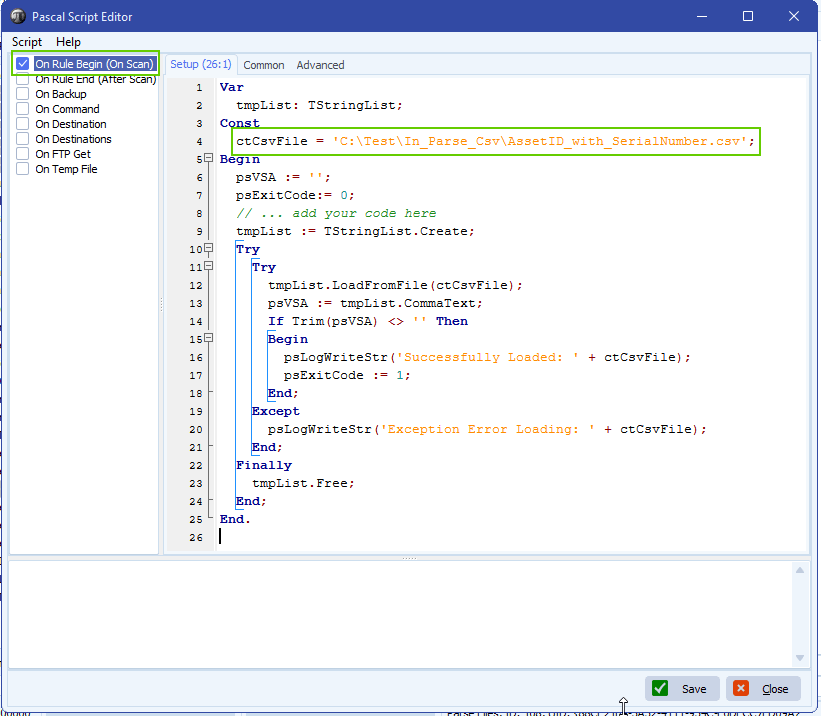
    • Enable and add the following ‘On Rule Begin’ script:
      • This script will load the content of the ‘AssetID_with_SerialNumber.csv’ file. You can adjust the ctCsvFile const if needed.
      • It must be a csv file
      • You can download the script here

    limagito filemover pascal script source file parsing

    • Funtion setup:
      • We are using ‘Move Files’ in our test setup
      • If you want to keep the files in the source then
        • Select ‘Copy Files’ instead
        • Enable our File Memory option! This way we will only copy the same file once.
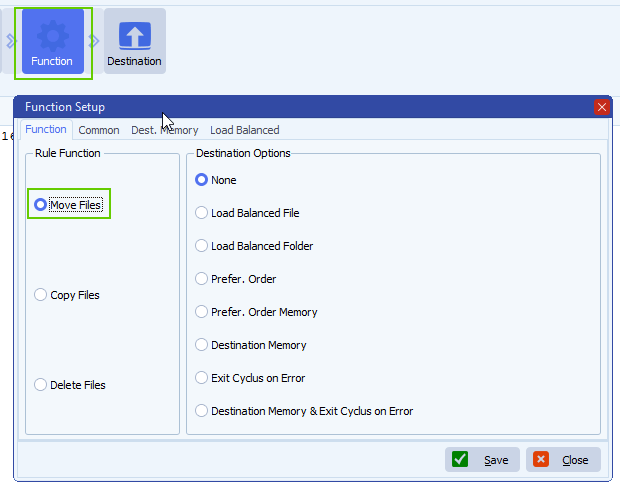
    limagito filemover function setup

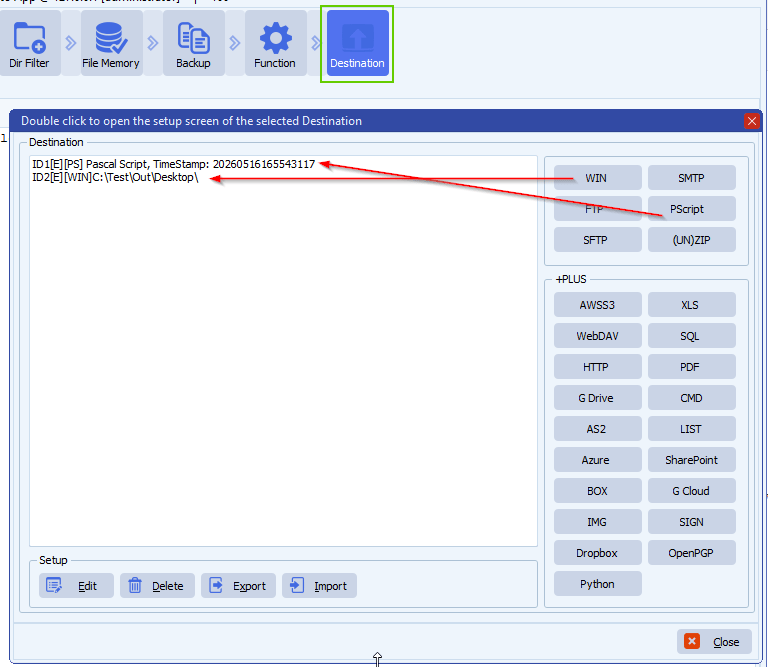
    • Destination Setup
      • First Destination MUST be our Pascal Script option
      • Second Destination is the destination folder of moved log files
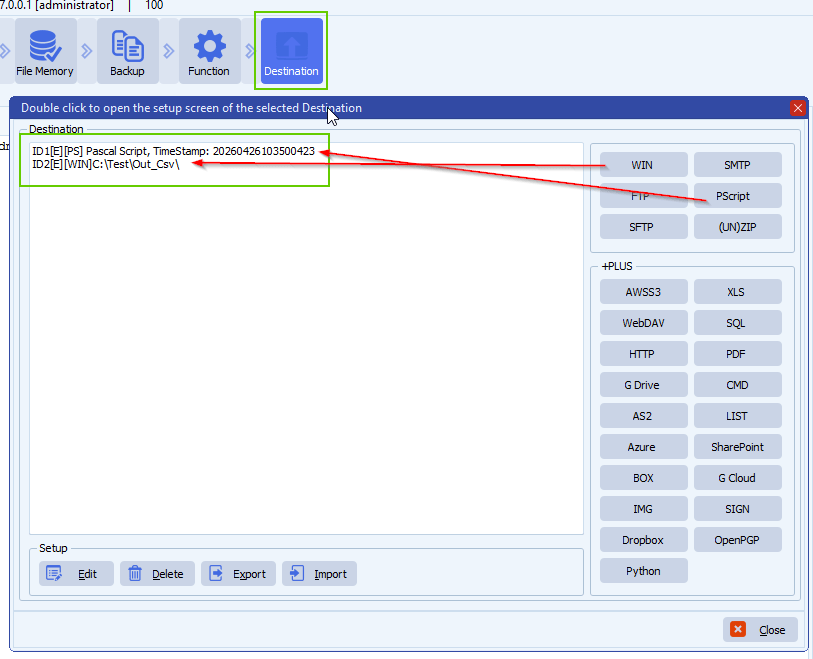
    limagito file mover destination setup

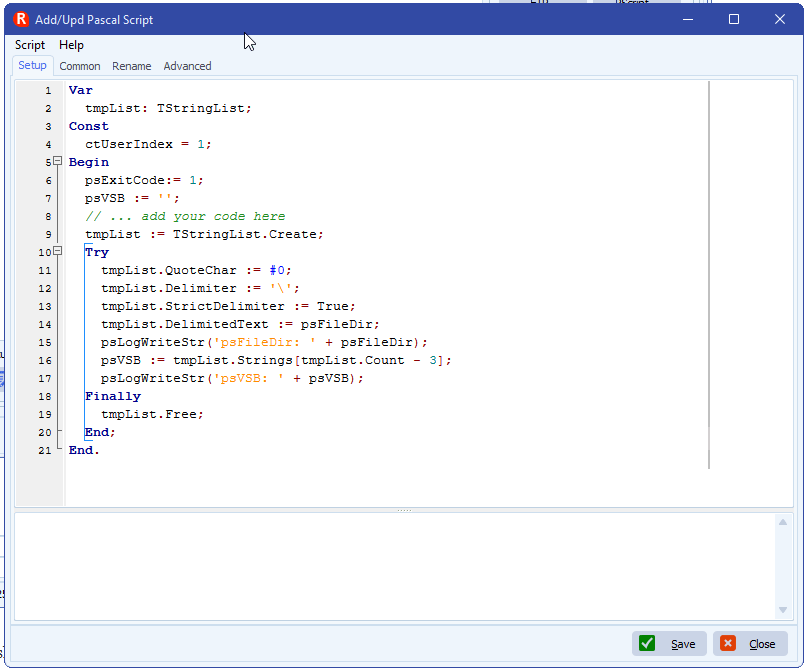
    • First Destination: Pascal Script
      • You can download the script here
      • The script will strip an ID from the source filename (Char 7 – 10)
      • This ID will be used to get the ‘AssetID’ from the csv file
      • AssetID will be used to parse the source file for the ‘Donation ID’ information
        • / and  \ will be replaced with a space
        • Invalid directory char will be removed
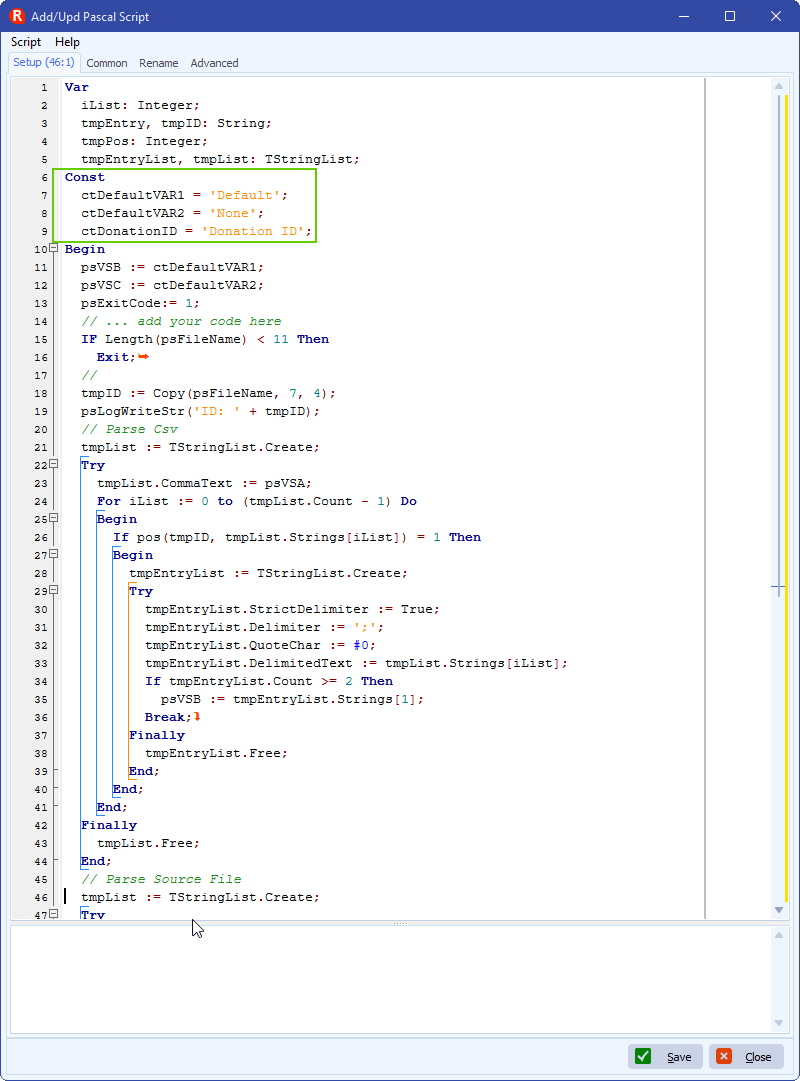
    limagito filemover source file parsing

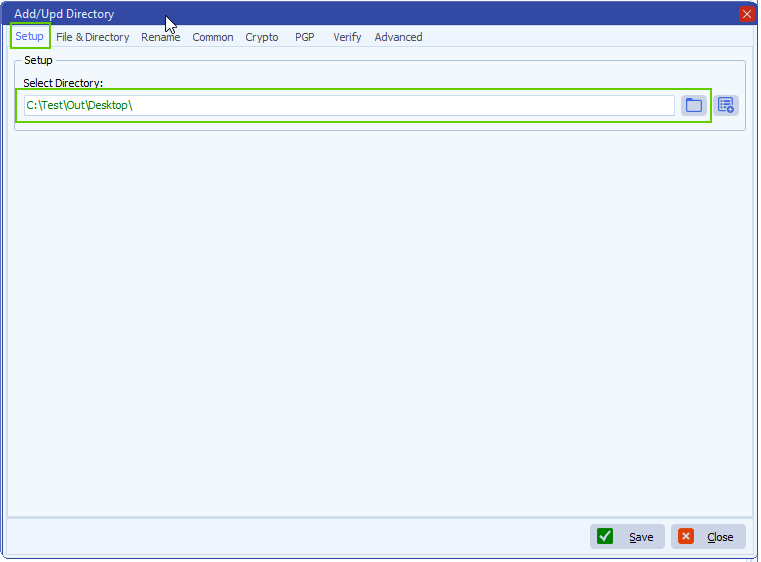
    • Second Destination: We used a Windows Folder but can be any other destination type
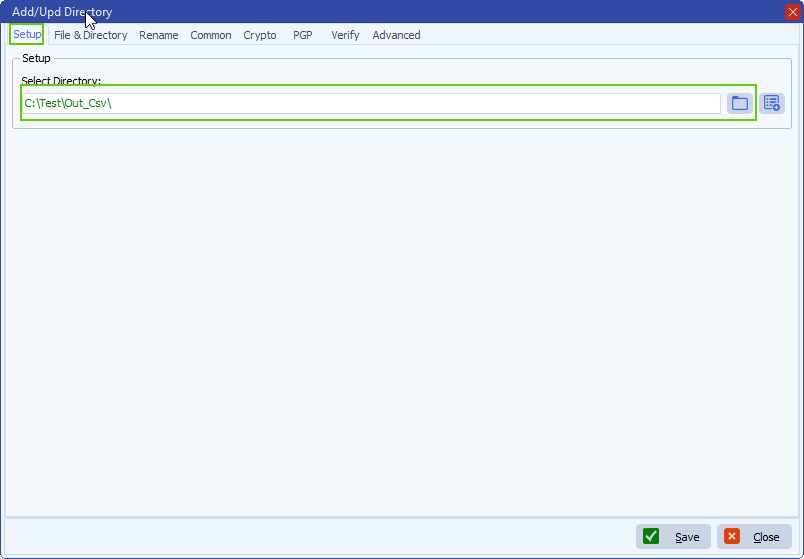
    limagito file mover windows folder as destination

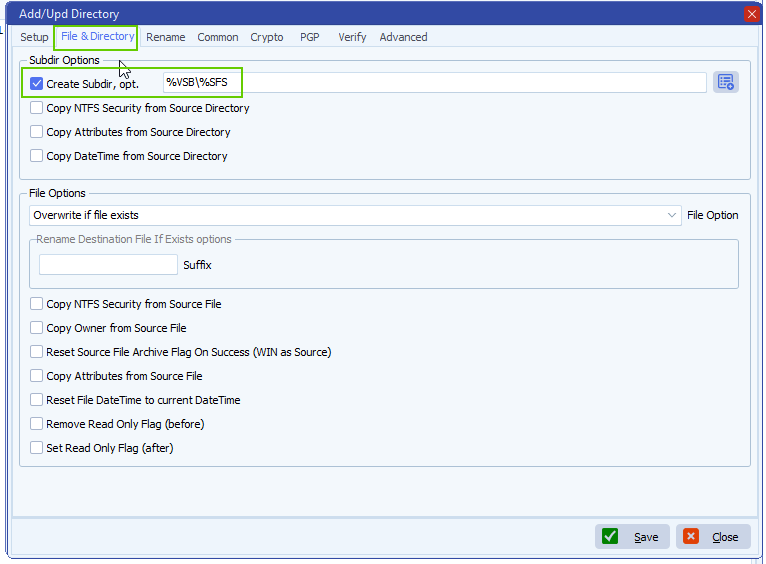
    • Adjust ‘Create Subdir, opt.’ to:  %VSB\%SFS
      • %VSB var contains the AssetID parsed from the csv file
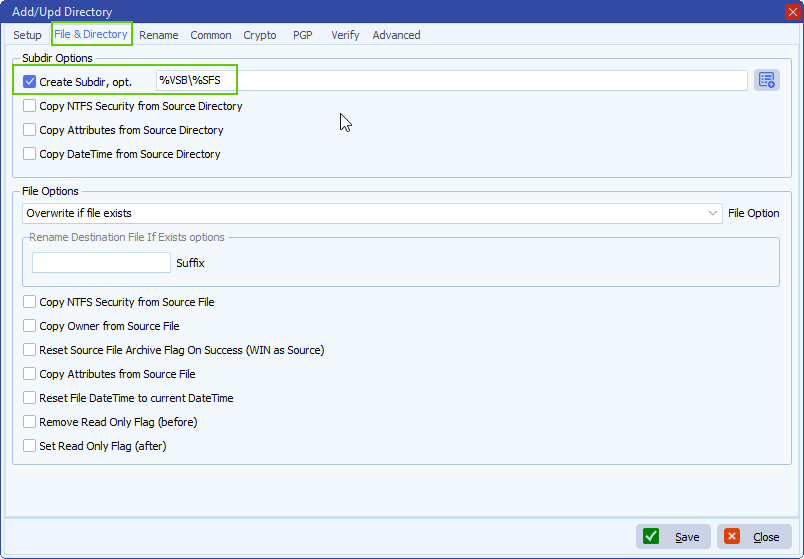
    limagito filemover file and directory setup

    • Enable ‘Rename Files during Copy/Move’ option:
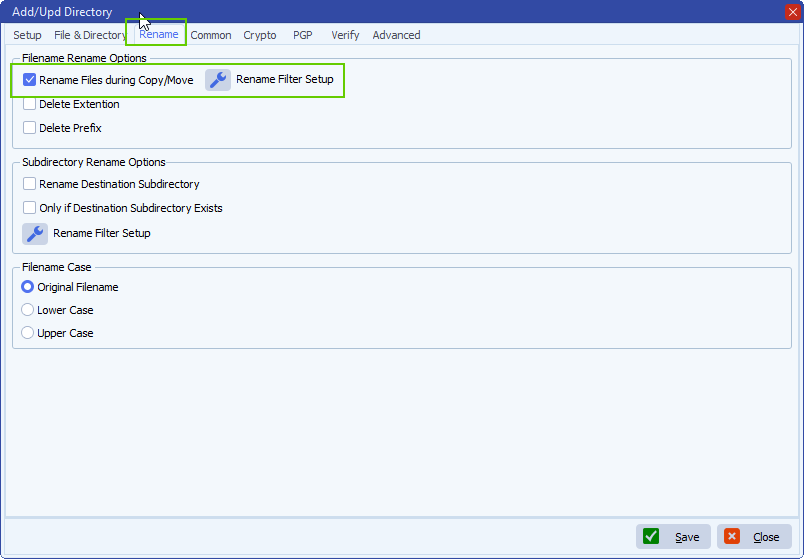
    limagito filemover file renaming option

    • File Rename setup:
      • RegEx:  (.*)\.(.*)
      • Replacement:  \1-%VSC-%VSB.log
        • Filename will be renamed and extension will change from .log to .txt
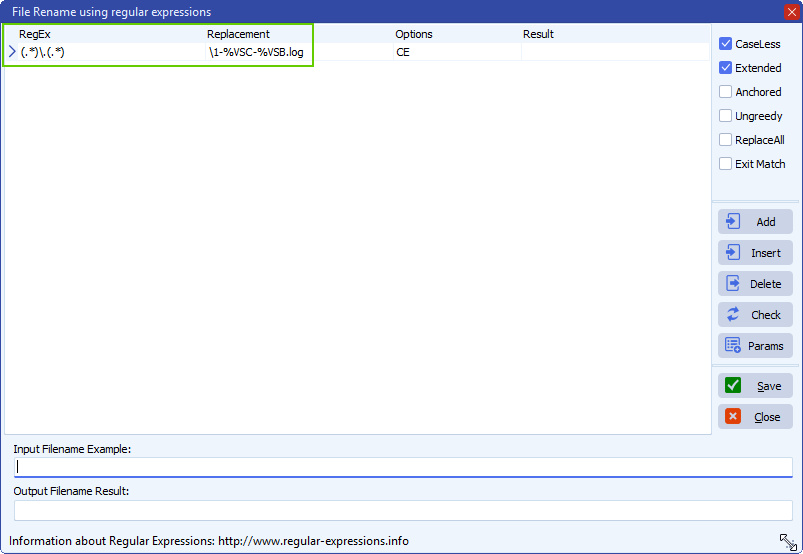
    limagito filemover file renaming setup

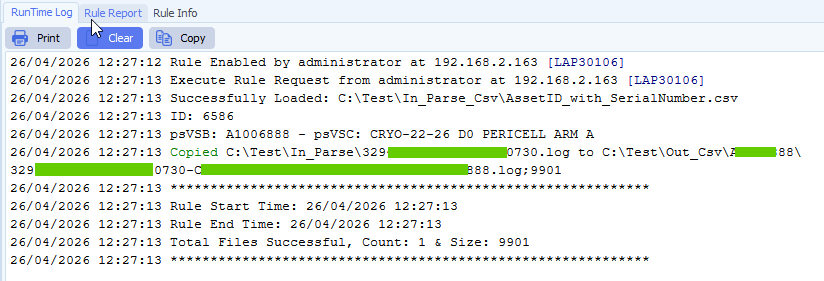
    • RunTime Log result:

    limagito file mover runtime log result

    If you need any help about this ‘source file parsing’ request, please let us know.

    Best Regards,

    Limagito Team

    #csv #managedfiletransfer #filetransfer #filemanagement #limagito

  • 06 Apr

    How to use day of the week folders based on the filename

    Using day of the week folders

    Q: I would like to sort my files based on the filename. The first 8 char contain the date that has to be used. The format is YYYYMMDD (Year = 4 char, Month = 2 char and Day 2 = char).

    A: This is possible using our Pascal Script option. We’ve attached some screenshots to get you started.

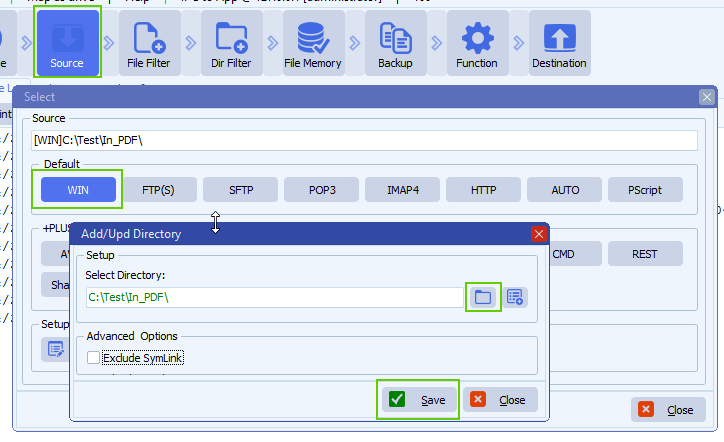
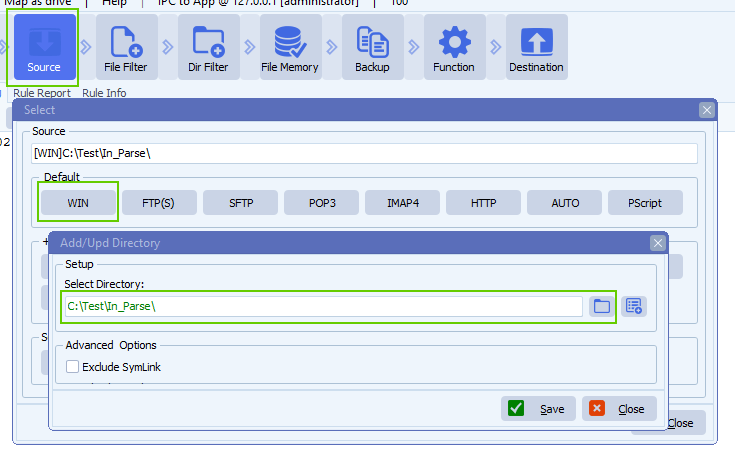
    • We used a Windows folder as Source:

    limagito file mover windows folder as source

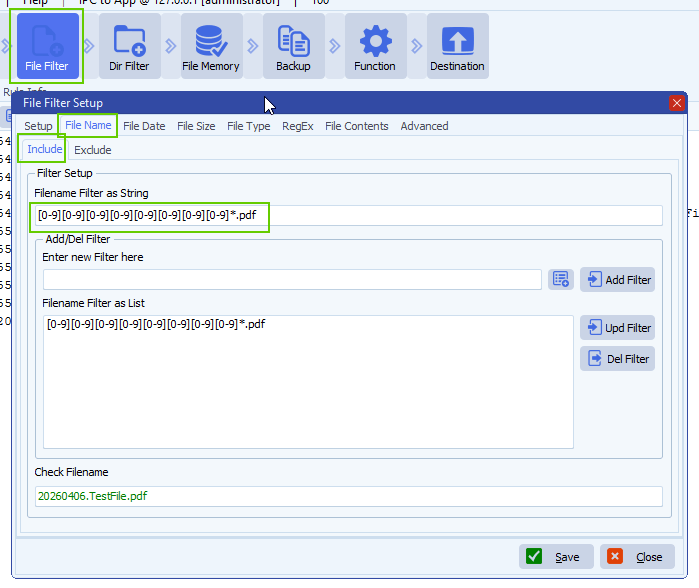
    • File Filter Setup:

    limagito file mover filename include filter

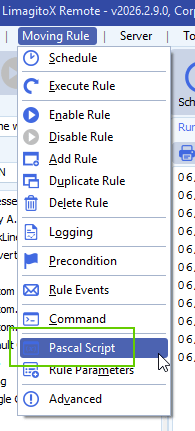
    • Open our Pascal Script option:

    limagito file mover pascal script option

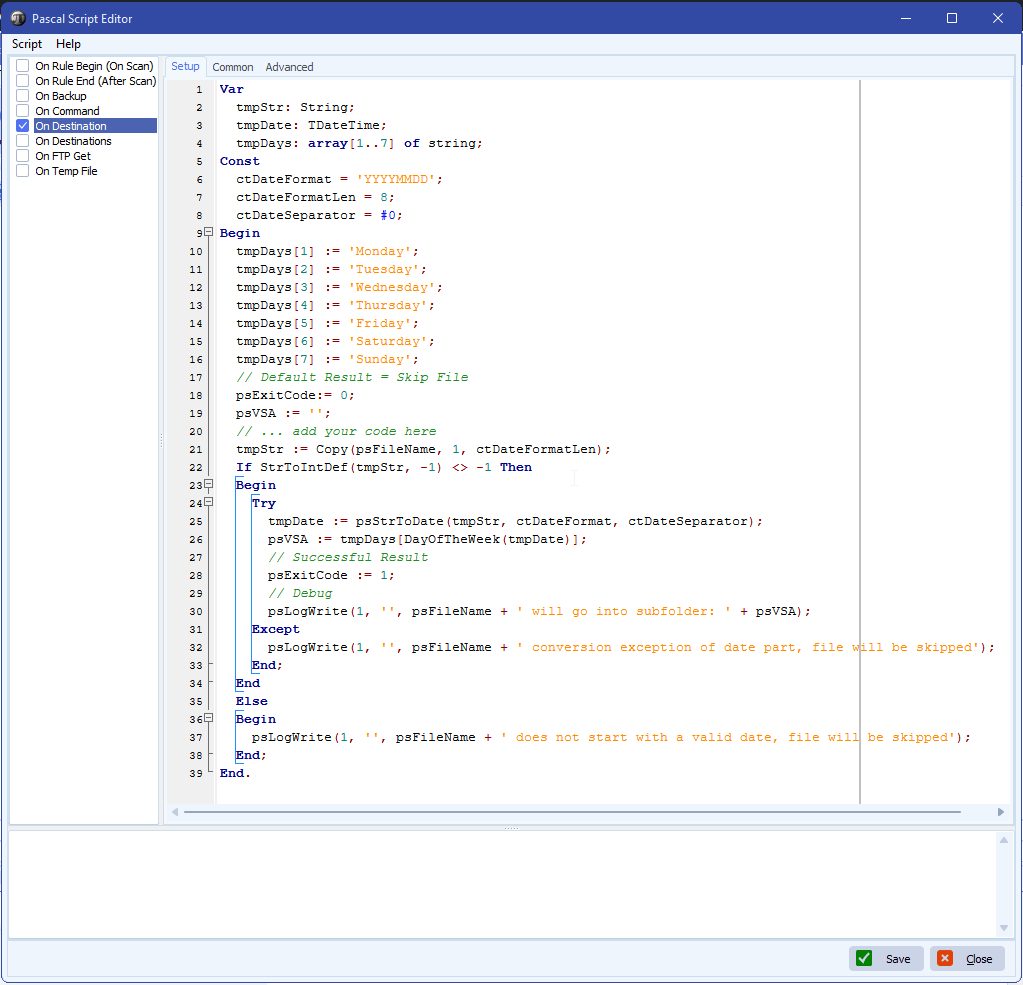
    • Enable and add the following ‘On Destination’ script:
      • The script will strip the date part from the filename and will check the day of the week
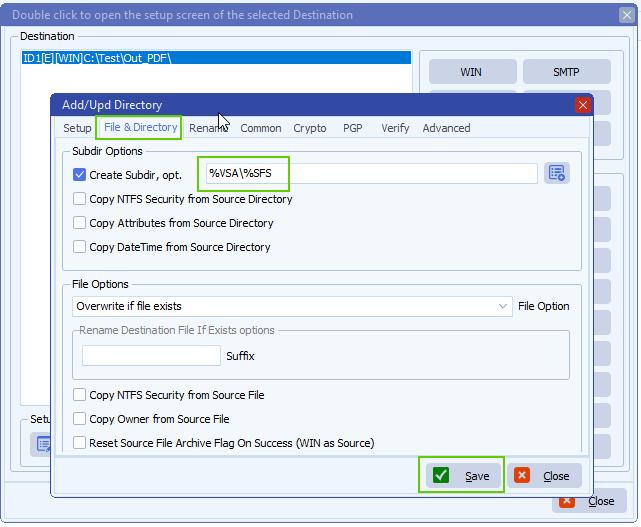
        • Corresponding day of the week will go into the %VSA (Var String A) parameter which will be used in the Destination setup
    Var
      tmpStr: String;
      tmpDate: TDateTime;
      tmpDays: array[1..7] of string;
    Const
      ctDateFormat = 'YYYYMMDD';
      ctDateFormatLen = 8;
      ctDateSeparator = #0;
    Begin
      tmpDays[1] := 'Monday';
      tmpDays[2] := 'Tuesday';
      tmpDays[3] := 'Wednesday';
      tmpDays[4] := 'Thursday';
      tmpDays[5] := 'Friday';
      tmpDays[6] := 'Saturday';
      tmpDays[7] := 'Sunday';
      // Default Result = Skip File
      psExitCode:= 0;
      psVSA := '';
      // ... add your code here
      tmpStr := Copy(psFileName, 1, ctDateFormatLen);
      If StrToIntDef(tmpStr, -1) <> -1 Then
      Begin
        Try
          tmpDate := psStrToDate(tmpStr, ctDateFormat, ctDateSeparator);
          psVSA := tmpDays[DayOfTheWeek(tmpDate)];
          // Successful Result
          psExitCode := 1;
          // Debug
          psLogWrite(1, '', psFileName + ' will go into subfolder: ' + psVSA);
        Except
          psLogWrite(1, '', psFileName + ' conversion exception of date part, file will be skipped');    
        End;
      End
      Else
      Begin
        psLogWrite(1, '', psFileName + ' does not start with a valid date, file will be skipped');
      End;
    End.

    limagito file mover day of the week folders

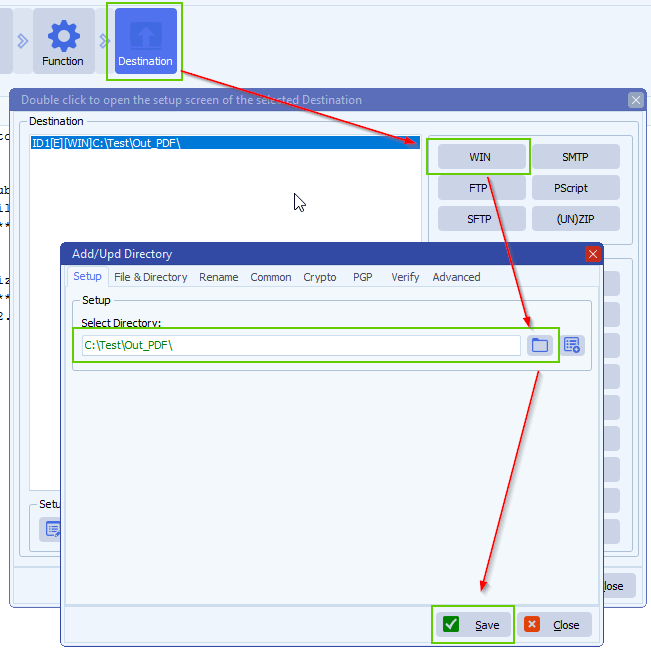
    • Destination Setup:

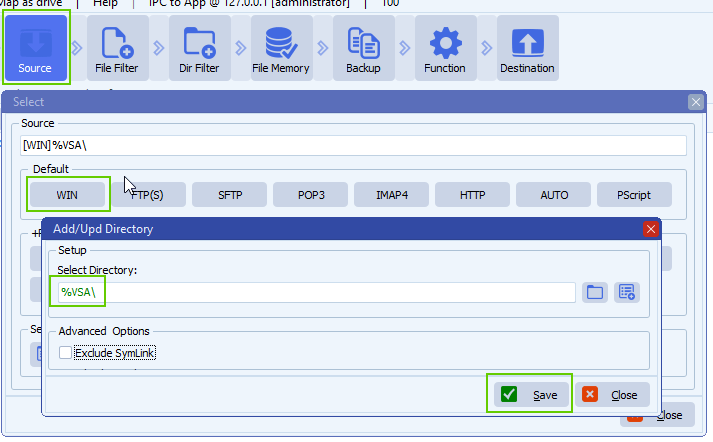
    limagito file mover windows folder as destination

    • Important, adjust the default ‘Create Subdir option’, add %VSA (%VSA contains the day of the week):

    limagito file mover day of the week folders

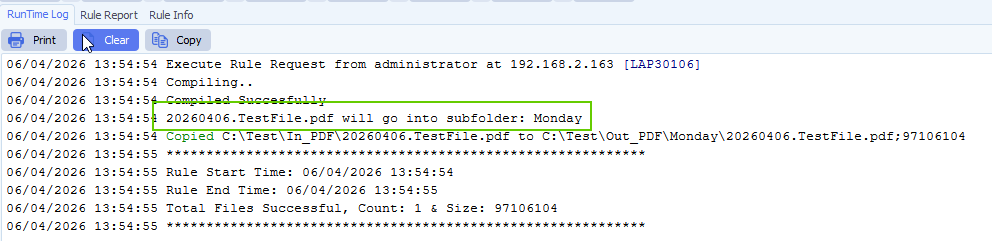
    • RunTime Log Result:

    limagito file mover runtime log

    If you need any help about this ‘day of the week folders’ option, please let us know.

    Best Regards,

    Limagito Team

    #managedfiletransfer #filetransfer #filemanagement #limagito
  • 16 Jan

    How to get week number from filename

    Week number from filename

    Q: I have tried to look at your blog and pascal scripts, but have not found what I am looking for, so maybe you could help.

    I would like to rename files with filename starting with a date to year and two digit week number.
    Example: 18-01-2026-different-names-etc.pdf
    New filename: 202603-different-names-etc.pdf

    A: This is possible using our scriptin option

    • Destination Setup, you need an extra Destination:
      • First Destination must be our Pascal Script
      • Second Destination will be your output

    limagito file mover destination setup

    • Add the following Pascal Script in the First Destination, script: link

    limagito file mover week number from filename

    • Enable and add the following File renaming setup in the Second Destination (= your output directory):

    limagito file mover windows folder as destinationlimagito file mover file renaming setup

    • RunTime Log Result:

    limagito file mover runtime log result

    If you need any help about this ‘week number from filename’ question, please let us know.

    Best Regards,

    Limagito Team

    #basic #managedfiletransfer #filetransfer #filemanagement

    By Limagito-Team Pascal Script Rename
1 2 3 4 33
SEARCH