File Mover Blog

  • 16 Mar

    HEIF High Efficiency Image File Format support

    HEIF High Efficiency Image File Format support

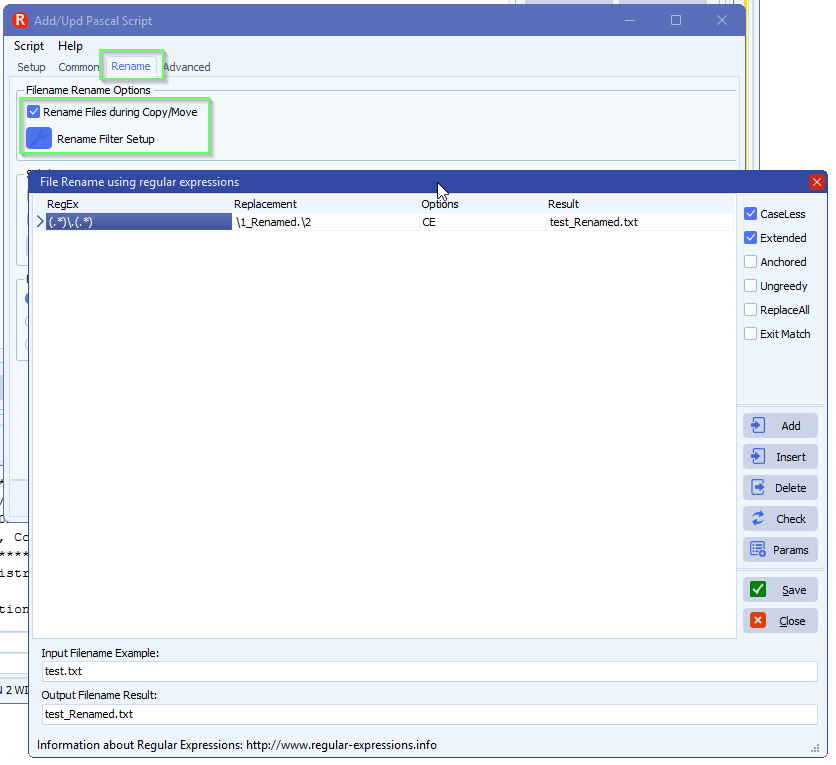
    In Limagito Filemover version v2026.3.15.0 we added support for HEIF High Efficiency Image Files. Our tool can be used to convert images to other formats, even to pdf. The secret is in the renaming option, we’ll detect the new file extension and will try to convert it. At the moment our tool natively supports:

    • Read Support Other Windows Images ()
    • Read Support WebP (WEBP)
    • Read&Write Support High Efficiency Image File (HEIC;HEIF;AVIF;HEICS;HEIFS;AVIFS;AVCS)
    • Read&Write Support DirectDraw Surface (DDS)
    • Read&Write Support Microsoft HD Photo (HDP;WDP;JXR)
    • Read&Write Support Scalable Vector Graphics (SVG)
    • Read&Write Support ImageEn Layers (IEN;IMAGEEN;LYR)
    • Read&Write Support Vector Advanced File (ALL)
    • Read&Write Support Vector Objects File (IEV)
    • Read&Write Support Photoshop PSD (PSD;PSB)
    • Read Support Camera Raw Image
      • CRW;CR2;CR3;DNG;NEF;RAW;RAF;X3F;ORF;SRF;MRW;DCR;BAY;PEF;SR2;ARW;KDC;MEF;
      • 3FR;K25;ERF;CAM;CS1;DC2;DCS;FFF;MDC;MOS;NRW;PTX;PXN;RDC;RW2;RWL;IIQ;SRW
    • Read&Write Support Multipage PCX (DCX)
    • Read&Write Support Adobe PDF (PDF;PDFA;EPDF)
    • Write Support PostScript (PS;EPS)
    • Read&Write Support JPEG2000 Code Stream (J2K;JPC;J2C)
    • Read&Write Support JPEG2000 (JP2)
    • Read&Write Support Wireless Bitmap (WBMP)
    • Read&Write Support Portable Pixmap (PXM;PBM;PGM;PPM)
    • Read&Write Support Targa Image (TARGA;TGA;VDA;ICB;VST)
    • Read Support Enhanced Metafile (EMF)
    • Read Support Windows Metafile (WMF)
    • Read&Write Support DICOM Medical Image (DICOM;DCM;DIC;V2)
    • Read&Write Support Portable Network Graphics (PNG)
    • Read Support Windows Cursor (CUR)
    • Read&Write Support Windows Icon (ICO)
    • Read&Write Support Raw Bitmap ()
    • Read&Write Support Windows Bitmap (BMP;DIB;RLE)
    • Read&Write Support PaintBrush (PCX)
    • Read&Write Support JPEG Image (JPEG;JPG;JPE;JIF;JFIF)
    • Read&Write Support GIF Image (GIF)
    • Read&Write Support TIFF Image (TIFF;TIF;FAX;G3F;G3N)

    When ImageMagick is installed on your system and we detect this then we even support more Image types.

    If you need any help about this ‘HEIF High Efficiency Image File’ option, please let us know.

    Best Regards,

    Limagito Team

    #heif #managedfiletransfer #filetransfer #filemanagement

  • 14 Mar

    Office 365 SMTP OAuth2 Client Credentials Authentication with Certificate

    Office 365 SMTP OAuth2 Client Credentials Authentication with Certificate Authentication

    For use with Limagito File Mover requiring app-only SMTP access

    We recently added SMTP authentication using a private key file to our ‘SMTP as destination’ option. We did this already with Azure and Sharepoint.

    • Destination Setup > Add <SMTP>

    limagito file mover smtp as destination

    • Be sure to use Vendor 2 – CK

    limagito filemover smtp as destination setup

    • Email setup:

    limagito filemover smtp email setup

    • OAuth2 Setup:
      • If you prefer to use a Client Secret instead of a Certificate then you need to add it here
      • We left the Client Secret blanc because we are going to use a Certificate

    limagito file mover smtp oauth2 setup

    limagito file mover smtp authentication options

    – Some Azure Screenshots used in the previous document:

    limagito filemover azure setup


    • Azure App registrations:
      • Add a new registration here

    limagito filemover azure app registrations

    • Application (client) ID and Directory (tenant) ID will be needed in the SMTP OAuth2 setup.

    limagito filemover app registrations

    • Azure App registrations > Certificates & secrets
      • We used a Certificate but also a Client secret is possible, this is up to you.

    limagito filemover azure certificates and secrets

    • Azure App registrations > API permissions

    limagito filemover azure API permissions

    • Enterprise applications
      • Your App registration will be available under ‘Enterprise applications’
      • Application ID and Object ID will be used in the PowerShell commands of the Setup Guide.

    limagito filemover azure enterprise applications

    • Exchange admin center > Recipients > Mailboxes
      • After using the PowerShell commands you should see
        • Send as (1)
        • Read and manage (Full Access) (1)
      • They both should contain a reference to the App registration used

    limagito filemover azure exchange admin center

    limagito filemover exchange admin center

    limagito filemover exchange admin center

    • RunTime Log Result:

    limagito filemover smtp runtime log result


    If you need any help with this ‘SMTP OAuth2 Client Credentials Authentication’ setup, please let us know.

    Best Regards,

    Limagito Team

    #smtp #filemover #managedfiletransfer #filetransfer #filemanagement

  • 22 Feb

    How to use global events in limagito filemover

    Most requested feature: ‘Global Events’ — available in version v2026.2.22.0

    This is especially useful when multiple rules share the same event configuration — change it once and all rules are updated automatically. It took us more time the expected but finally it is available. It is a first release so there can be hiccups, please let us know. We’ll fix them asap.

    • Setup your ‘Global Events’ using the menu item under ‘Global’:

    limagito filemover global events option

    • <Add> a new ‘Global Event’, give it a valid description and enable it.

    limagito filemover global events setup

    • Do your usual setup like you did with the Rule Events. When you are done click <Close>.

    limagito filemover global events setup

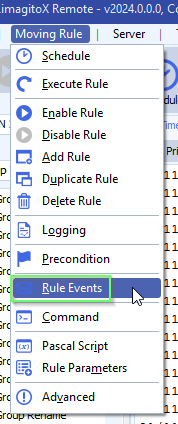
    • Open the Rule(s) where you want to use the new ‘Global Setup’.

    limagito filemover rule events option

    • Select ‘Global Event’ as Event Type and select the event you want to use. In this example we selected the previously created ‘Global event 1’.

    limagito filemover rule events setup

    If you need any help with this new option, please let us know.

    Best Regards,

    Limagito Team

    #filemover #managedfiletransfer #filetransfer #filemanagement

    By Limagito-Team Events How-to ,
1 2 3 4 168
SEARCH